On this page
- How Google reviews and Business Profile fit together
- Why Google reviews matter to a business
- For customers: leaving, editing and fixing a review
- The rules: what Google allows and what it bans
- How to get more Google reviews the right way
- Replying to reviews and keeping on top of them
- Negative, fake and missing reviews
- Measuring what your reviews tell you
- Showing your Google reviews on your website
- Google reviews compared with other review platforms
- Frequently asked questions
- What to do next
Google reviews are public ratings and comments that customers leave about your business. You collect them by asking real customers for honest feedback. You manage them by replying and reporting real problems. You never pay for them or steer them. That is the short answer, and the rest of this guide shows how.
This page is the hub for everything we have written on the topic. If you want a quick overview first, start with our complete Google reviews guide. Otherwise, read in order or jump to the section you need.
How Google reviews and Business Profile fit together
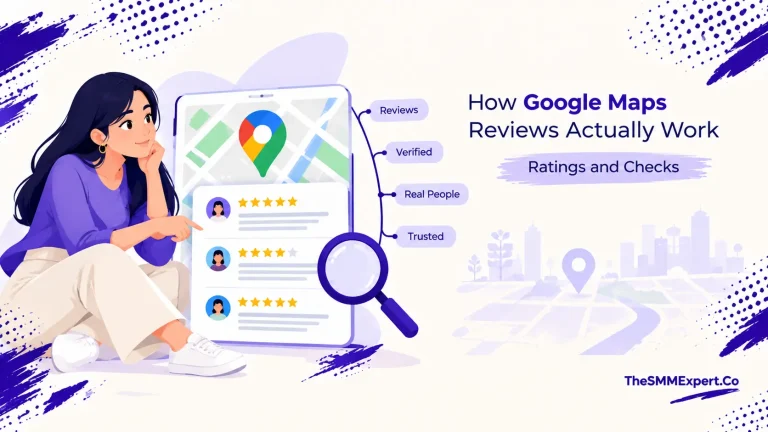
Google My Business was renamed Google Business Profile. You now manage profiles directly in Google Search and Google Maps, and customers see your reviews in both places. For the mechanics, read how Google Maps reviews actually work. For what is known and unknown about ranking, see the Google review algorithm explained.
People often mix up the two sides of reviews. A customer writes a review in Maps or Search. The owner replies through the profile. We spell out the split in Google Maps vs Google Business Profile reviews. For the owner’s day-to-day tasks, our guide to Google Business Profile reviews shows how to collect and reply.
Profile housekeeping matters too. If your trading name has changed, see how to change your name on Google My Business. Before a busy season, use our steps to make your Google Business Profile holiday ready.
Why Google reviews matter to a business
Reviews help people decide who to call, visit or book. We explain the basics in why it is important to have Google reviews for businesses. For the wider picture, see how critical Google reviews are in the digital age. You can also read how customers use Google reviews to choose service providers.
Reviews may also support your local visibility. We cover that in how Google reviews improve SEO results and in why Google prioritizes trusted brands in Search and Maps. If you want figures, we collected Google review statistics from authoritative sources. We do not quote numbers here that we cannot source.
Reviews are not perfect evidence. Some are fake, and some are written in anger. Our piece on whether Google reviews are reliable shows how to treat them as a signal, not a verdict. If you worry about the downside, read how much Google reviews can damage your business. If you wonder about old reviews, read whether Google reviews ever expire.
For customers: leaving, editing and fixing a review
Your customers may not know how to leave a review. Share these guides with your team so they can help without pressuring anyone.
- The basic route is in how to leave a Google review for a business.
- Customers without a Gmail address can follow how to leave a Google review without Gmail.
- Customers worried about privacy should read how to leave an anonymous Google review and what others see.
- Photos help other readers, and adding a photo to a Google review takes a few steps.
- Changed their mind? How to edit Google reviews explains how to update one.
- Want a review gone? A guide on how to delete Google reviews covers the options.
Sometimes the review box simply will not work. Our page on why you can’t leave a Google review lists common causes and fixes. If a customer freezes at the blank box, offer them Google review templates for customers and business owners as a starting point. They should still write in their own words.
The rules: what Google allows and what it bans
Google allows honest review requests with no incentives. It bans incentives, review gating, staff quotas, pressure on site and requests for specific wording. This is the most important section of the guide. Break these rules and you risk losing the reviews you worked for. Our full breakdown is in the Google review policy: what businesses can and can’t do. Here is the summary, based on Google’s Maps User Generated Content Policy.
| Practice | Allowed? | Why |
|---|---|---|
| Asking customers for an honest review of a real experience | Yes | Google allows it if you use no incentives and do not try to influence the rating or wording. |
| Offering payment, discounts or free goods for a review | No | Incentives are banned for any review, not only positive ones. |
| Offering an incentive to change or remove a negative review | No | The policy bans incentives for revising or removing reviews. |
| Only asking happy customers (review gating) | No | You must not selectively solicit positive reviews or discourage negative ones. |
| Setting staff a review quota | No | Asking staff to solicit a set number of reviews is a listed violation. |
| Pressuring customers to review while on the premises | No | You should not require or pressure reviews on site. |
| Telling customers what to write | No | You should not request specific review content. |
| Writing reviews about a rival to hurt their rating | No | Conflict-of-interest reviews are prohibited. |
Incentives get their own deep dive in Google review incentives. You may be tempted by shortcuts, so read why you should not buy Google reviews before you spend anything. Reviews posted using an emulator, device tampering or a modified operating system to mimic real engagement are also prohibited.
The penalties are real. Offering customers an incentive in exchange for a Google review is a mistake we come across often, and it is a clear policy violation. Google Business Profile help describes blocking new reviews for a period, unpublishing existing reviews and showing a warning on the profile. The same logic applies on other platforms. Meta’s Spam Community Standard bans buying or selling engagement, TikTok bans trading in fake engagement, and YouTube’s policy bans buying views, likes or subscribers.
How to get more Google reviews the right way
Start with your review link
Google generates a free review link and QR code inside your Business Profile. Go to Read Reviews, then Get more reviews, then copy the link or save the QR code. The QR code is retrieved from a desktop web browser, not the Google Maps mobile app. No paid QR tool is needed. Our guide to the best ways to find your Google review link shows the routes in full.
Use QR codes and cards sensibly
A QR code removes friction, because the customer scans and lands on the review box. Read the guide to using QR codes for Google reviews to set one up. Then ask a fair question: can a QR code help generate more Google reviews? For ideas, see these popular use cases of Google reviews QR codes.
Printed cards are a common companion. Learn what Google review cards are and why they matter. Then use these tips to design effective Google review cards. Keep the wording neutral. Do not tell people to leave five stars.
Ask at the right moment, in the right words
Asking is a skill. Our guide on how to ask customers for Google reviews covers timing, text messages and the current rules. If you prefer email, use these Google review email templates. Some businesses want a simple target, and the right way to get 5 star Google reviews explains why you earn them through service and never request them. If you only have time for one change, read the number one way to improve your reviews on Google.
A compliant review-request checklist
- Ask every customer, not only the ones who seem happy.
- Ask for an honest review of a real experience.
- Offer nothing in return: no discounts, gifts or entries into a prize draw.
- Do not suggest a star rating or supply the wording.
- Do not set staff a review quota.
- Do not pressure people to post while they are still on the premises.
- Send the link you copied from your own Business Profile.
- Keep the same process for negative and positive feedback.
Guides for specific industries and countries
Every sector asks for reviews a little differently. Pick the guide closest to your business.
- Professional services: see how to get more Google reviews for an accountancy firm, a photography business or an interior design business.
- Health and care: we have guides for a vet practice, an optometry practice and a daycare business.
- Fitness and classes: try the guides for a yoga studio and a dance studio.
- Trades: read how to get more Google reviews for a painting company, an HVAC business or a locksmith business.
- Weddings: see the guides for wedding planners and a wedding venue.
- Food and drink: we cover restaurants, a Turkish restaurant, cafes and coffee spots, ice cream shops and bars.
- Retail: see how to get more Google reviews for footwear brands.
- By country: we also have local notes on getting more Google reviews in Canada and on asking for more Google reviews as an Australian business.
Replying to reviews and keeping on top of them
A reply shows future customers how you treat people. Set up a routine with our simple response process to manage Google Maps reviews. Start by learning how to see your Google reviews in Maps and Search, so you know what the public sees.
Not seeing a reply button? That usually points to a profile problem, and why you can’t reply to a Google review explains how verification fits in. When you are ready to write, use these Google review response examples for positive and negative reviews. For the hard ones, follow our local SEO guide to responding to negative Google reviews.
Keep replies short, polite and specific. Do not argue in public, and do not offer anything in exchange for a changed review. Remember that incentives for revising or removing a negative review are banned.
Negative, fake and missing reviews
Reply calmly to honest bad reviews and report fake ones, because removal is Google's decision. Bad reviews fall into different groups, and the right response depends on which group yours is in. The table sets out the main cases.
| Situation | What it usually means | Best first step |
|---|---|---|
| An honest but harsh review | A real customer is unhappy | Reply calmly and fix the issue. Read whether negative Google reviews can be removed to see why it usually stays. |
| A review that looks fake | No real customer link, odd patterns or spam | Check the signs of fake Google reviews, then report it. |
| A wave of 1-star reviews from a rival | A conflict-of-interest violation | Collect evidence and follow our plan when a competitor is flooding you with fake 1-star reviews. |
| Fake negatives of any origin | Possible policy breach | Work through how to deal with fake negative reviews on Google. |
| Google rejected your report | Google judged the review valid | Read what to do when Google says a review doesn’t violate policy. |
| Reviews vanished from your profile | A removal, a filter or a profile issue | Follow what to do when Google reviews disappear. |
| A mass removal reported online | Possible clean-up of flagged reviews | Learn how to confirm a Google review purge really happened. |
Most Google review cases we handle involve customer reviews that never appear, older reviews that vanish without warning, trouble verifying the Business Profile, or review policy violations. Clients often underestimate how much work it takes to find out why a review is not being published. Be careful about who you trust. Google decides what to remove. It looks at the review content, account information, user actions and whether there is a pattern of harmful behaviour. It also uses reports from users. No third party can guarantee removal. Be wary of anyone who sells a sure thing. The same applies to account access. Google Account recovery runs through Google’s own recovery flow, using your recovery email, phone number or a device already signed in. No outside service can bypass it.
Also remember that reviews which are promotional or commercial are prohibited. If a review is only an advert for another business, report it on that basis.
Measuring what your reviews tell you
Reviews are free market research. Do not just count stars. Use Google review analysis to find patterns in what customers praise and complain about. Then check what each Google review metric measures so you do not misread the numbers.
Pace matters as well. A sudden burst of reviews can look odd. Our guide to Google review velocity helps you work out a steady, safe rhythm for your own business. Do not chase a target. Let it follow from good service and consistent asking.
Showing your Google reviews on your website
Many owners want their reviews on their own site as social proof. There are several routes, and each has trade-offs in cost and effort. For a full walk-through of every method, read how to embed Google reviews on your website, including costs and the SEO facts. If you prefer a plug-in approach, see how to add a Google review widget to websites.
If your site is plain HTML, use the complete guide to adding Google reviews to an HTML website. Tradespeople can see a worked example in how to embed Google reviews on your painting company website. Some owners also ask about badges. Our page on the Google review badge explains what it is and the safest option.
Google reviews compared with other review platforms
Google is not your only choice, and you do not have to pick just one. Customers look in different places, and each platform has its own rules and audience. The table gives a quick view, and the linked guides go deeper.
| Comparison | What to weigh up | Read next |
|---|---|---|
| Google vs Facebook | Where your customers look, and how each platform treats bought engagement | Facebook reviews vs Google reviews |
| Google vs Trustpilot | Search and Maps visibility vs a dedicated review brand | Trustpilot vs Google Business Profile |
| Google vs Yelp | Audience and category fit | Yelp vs Google reviews: which is better and why |
If you do use Facebook, manage assets and permissions in your business portfolio, which replaced the old Business Manager name. If an account is hacked, Meta’s official flow at facebook.com/hacked guides you through securing it and recovering access with Meta’s own identity checks.
Frequently asked questions
Can I give customers a discount for leaving a review?
No. Google’s policy bans payment, discounts and free goods or services in exchange for a review. It covers any review, not only positive ones.
Can I ask only my happiest customers to review us?
No. That is review gating. Google says merchants must not selectively solicit positive reviews or discourage negative ones. Ask everyone the same way.
Can anyone guarantee that a bad review will be removed?
No. Removal is Google’s decision. Google looks at the content, the account, user actions and whether there is a pattern of harmful behaviour. A third party cannot promise the outcome.
Where do I find my review link and QR code?
Use a desktop web browser. In your Business Profile, go to Read Reviews, then Get more reviews, then copy the link or save the QR code. The Google Maps mobile app does not give you the QR code, and you do not need a paid tool.
Can I set my staff a monthly review target?
No. Google lists asking staff to solicit a set number of reviews as a violation. Train staff to ask every customer politely and leave it there.
What happens if I post fake reviews?
Google Business Profile help describes penalties including blocking new reviews for a period, unpublishing existing reviews and showing a warning on your profile. It is not worth the risk.
What to do next
- Check your Business Profile and confirm your details are correct and your profile is verified, so you can reply.
- Copy your review link and QR code from a desktop browser.
- Write one neutral, honest request and use it with every customer.
- Remove anything from your process that looks like an incentive, a quota, gating or scripted wording.
- Reply to your existing reviews, starting with the oldest unanswered ones.
- Review your feedback for patterns once a month and fix the causes behind the complaints.
- Pick the industry or topic guide above that fits you best and work through it.
Slow, steady, honest review growth is safer and more useful than any shortcut. Start with one step today.
 Written byMatthew WilliamsMatthew Williams is a digital marketing writer and social media expert with over 8 years of experience. He works with Facebook, Gmail, and online reputation problems. He writes clear, useful content to help people, creators, and businesses fix Facebook problems, keep their pages safe, and use Meta’s tools more effectively. His work talks about Facebook Ads, Business Manager, keeping your pages safe, growing your audience.