On this page
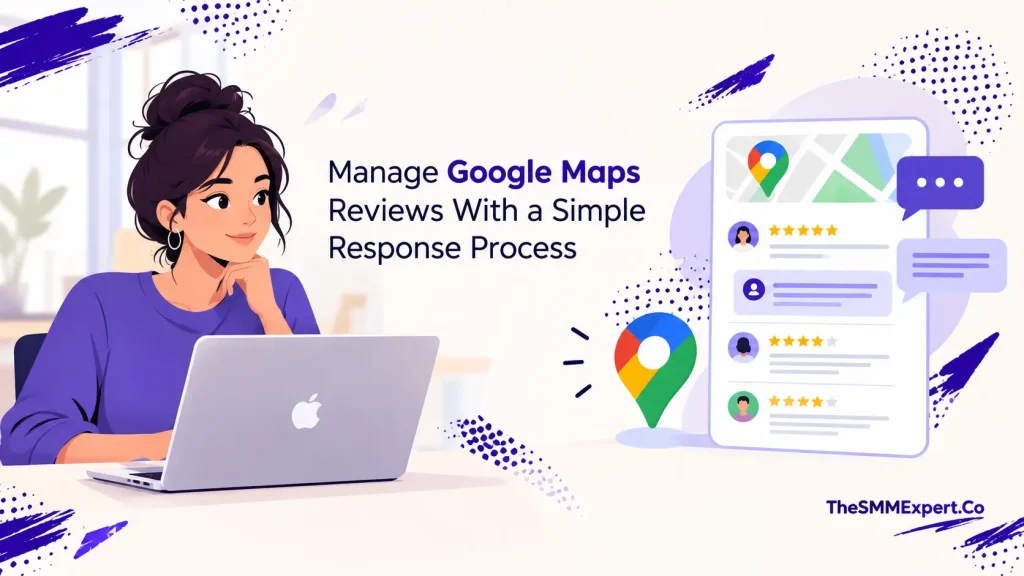
Respond to every review, report reviews that break Google’s rules, and improve the customer experience behind the rating. The best way to manage Google Maps reviews is to use one repeatable process: verify the review, reply calmly, report clear policy violations, and track patterns without buying or faking feedback. This guide covers the workflow, response choices, policy limits, common problems, and when a different reputation tool is a better fit.
What Google Maps reviews are
Google Maps reviews are public comments and star ratings that people leave on a business profile. They help customers judge a business before they call, visit, or buy. A business owner or authorized manager can read reviews, reply to them, report policy violations, and use repeated feedback to improve operations.
A review isn’t a private message. Your reply may be read by the customer, future customers, and Google. That’s why a short public answer often works better than a long defense. Move private details, order numbers, phone calls, and refunds into a direct conversation.
The main misconception is that you can remove any negative review. You can’t remove a review just because it’s unfair, harsh, or damaging. Google generally decides whether content breaks its policies; a low rating alone isn’t proof of a violation.
Google’s published rules cover issues such as fake content, conflicts of interest, harassment, personal information, off-topic posts, and restricted content. Read the Google Maps user-contributed content policy before reporting a review, because a poor customer experience and a policy violation are different things.
How to manage review responses
Use the same order each time. It keeps emotional replies out of the process and makes it easier for another staff member to handle reviews consistently.
-
Check the review in Google Business Profile. Confirm the business name, location, reviewer name, star rating, date, and written details. If the review mentions a real visit, compare it with your records without exposing private customer information.
-
Classify the review before replying. Mark it as positive, mixed, negative, suspicious, or clearly against Google’s rules. If it appears to break a rule, save the review link and report it through the profile instead of accusing the writer publicly.
-
Reply to normal reviews within one business day. Thank the writer for positive feedback. For mixed or negative feedback, acknowledge the specific issue, apologize for the experience when appropriate, and avoid arguing about every detail.
-
Keep the public reply to one short paragraph. State what you can do next, then offer a private contact route. Don’t ask the customer to post a new review, remove criticism, or change the rating in exchange for a refund or gift.
-
Move sensitive details away from Maps. Ask the customer to contact the business through a published phone number, email address, or support channel. Don’t request an order number, medical detail, home address, or other personal information in the public response.
-
Report only genuine policy problems. Use the review’s reporting option and select the closest reason. Keep your explanation factual. Reporting the same review repeatedly won’t turn a valid complaint into a violation.
-
Record the useful business issue. Note the location, date, topic, reply status, and action taken in a private log. Remove or limit access to personal details. Review the log weekly so repeated problems lead to a real process change.
The key judgment is whether you’re answering a customer or fighting a comment. If the review describes a service problem, reply and fix the service; if it contains prohibited content, report it and keep the public reply neutral.
Google Maps review settings and timing
Use this table as a quick reference. The times below are practical operating targets, not Google deadlines, so adjust them to your staffing, review volume, and support hours.
| Situation | What to use | How long | What to watch for |
|---|---|---|---|
| New positive review | Thank-you reply | Within 1 business day | Don’t use the same copied sentence every time |
| Mixed review | Public reply plus private contact | Within 1 business day | Address the real issue without sharing private facts |
| Serious complaint | Short public reply and internal escalation | Same business day when possible | Preserve records and avoid admitting facts you haven’t checked |
| Suspected fake review | Google reporting tool | Report after a basic record check | A strange name or low rating alone isn’t enough |
| Review with personal information | Report the content and avoid repeating it | As soon as you see it | Don’t quote the private information in your reply |
| Repeated topic across reviews | Private issue log and team review | Check weekly | Look for a process problem, not only a response problem |
| Review dispute still unresolved | Google’s available appeal or support route | Follow the displayed instructions | Don’t promise the reviewer that Google will remove it |
Details that improve review handling
Strong replies start with preparation. Keep approved business details nearby, including your correct hours, service area, refund route, contact method, and the person who handles escalated complaints. Don’t write a reply before checking whether the reviewer’s basic claim matches your records.
Work from the oldest unresolved review to the newest, but handle safety, privacy, discrimination, or serious service complaints first. Read the whole review twice before writing. The first reading shows what happened; the second helps you remove emotional wording and answer the actual issue.
Check the reply after writing it. It should use the reviewer’s concern, avoid personal information, and give one clear next step. It shouldn’t blame a named employee, reveal internal notes, or promise a result that the business hasn’t approved.
The part to leave alone is the star rating itself. Don’t pressure a reviewer to raise it, and don’t offer a reward for changing it. You can ask genuine customers for honest feedback through a neutral process, but the request shouldn’t require a positive rating or provide wording that makes the review misleading.
A common costly mistake is deleting the customer’s internal complaint after posting a public reply. That can remove useful details and make follow-up harder. Keep a restricted record of the issue, the date, the response, and the business action, while storing only the information your team needs.
Common Google Maps review problems
Start with the visible problem, not an assumption about the reviewer. A low rating can describe a real service failure, while a strange-looking review may still need a careful policy check.
| What you notice | What it usually means | What to do first |
|---|---|---|
| A negative review names a real service detail | The customer may have had a genuine problem | Check records, reply briefly, and contact the customer privately |
| The review contains a phone number or private detail | The post may expose personal information | Don’t repeat it; report the specific content |
| The writer appears to be a competitor or employee | There may be a conflict of interest | Save the evidence and report the policy concern |
| Several reviews use nearly identical wording | The feedback may be coordinated or copied | Record the pattern and report only if it fits a policy reason |
| The business can’t find the customer | The visit may be hard to verify, but that doesn’t prove fraud | Give a neutral reply and invite private contact |
| A review disappears after reporting | Google may have removed or restricted it | Check the profile and keep your report record |
If a review includes threats, stalking, extortion, or immediate safety concerns, stop treating it as a normal reputation task. Preserve the relevant evidence and contact the appropriate platform, law-enforcement, or legal professional for your situation.
Google review rules
Google’s content rules apply to reviews, replies, photos, videos, and other user contributions. They prohibit content that’s deceptive, fake, abusive, offensive, personal, or unrelated to the place. Google also restricts content created through conflicts of interest, such as attempts to manipulate a business’s reputation.
A business can’t make a reviewer delete criticism simply because the review hurts sales. It can report content that appears to violate a published rule, but Google makes the platform decision. Keep the report focused on the specific words or behavior that match the policy.
The Federal Trade Commission also expects endorsements and testimonials to be honest and not misleading. Don’t pay for positive reviews, hide a material connection, or give customers instructions that make praise look independent when it isn’t.
If a review involves a legal demand, alleged injury, discrimination, regulated service, or a threat of litigation, send it to the person who handles that risk for your business. A normal staff member shouldn’t make legal admissions or publish confidential facts just to win a public argument.
Keep review records useful
After replying, record the review URL, date, rating, topic, response status, and internal action. Limit access to the log, especially when it contains customer names or service details. A simple spreadsheet can work for a small business if it’s kept current and protected.
Review the log when a pattern appears, rather than waiting for a fixed calendar date. Repeated comments about wait times may point to scheduling; repeated complaints about unclear prices may point to sales or billing information.
Bring the same issue back to the correct team and record what changed. When new reviews show that the complaint has stopped, keep the process in place. When the same complaint returns, change the process again instead of posting a more polished reply.
Your response may remain visible while the underlying business issue changes. Review results vary with the customer’s experience, the profile’s history, and Google’s moderation decisions; you can read your own position from the review topics, rating pattern, and unresolved complaints in your private log.
When review replies aren’t enough
This approach isn’t for a business receiving a large review volume across many locations. Use a reputation-management platform with approved access controls, or assign a trained team to review and approve replies before they go live. Give each person only the locations and permissions required for the job, and remove access when roles change. Keep an approval record so an inaccurate or revealing reply can be traced and corrected.
It also isn’t the right answer when the complaint involves injury, discrimination, a regulator, or a threatened lawsuit. Preserve the record, including the review’s exact wording, dates, photos, and relevant order details. Send it to your lawyer, insurer, compliance lead, or the relevant authority instead of improvising a public response. Avoid arguing about facts or promising compensation until the appropriate reviewer advises you.
If customers can’t reach the business after you invite private contact, a polished Maps reply won’t repair the problem. Fix the phone, email, staffing, or refund process first, then return to the review and give the customer a real route forward. Test that route yourself first.
Conclusion
Set a regular time to review new feedback with your team, then use what customers are telling you to improve a visible part of the experience. Small changes—clearer updates, faster follow-up, or better service—mean you’ll earn trust over time. Keep listening, stay honest, and let consistent care shape your reputation.
Frequently asked questions
Can I delete a bad Google review?
No. You generally can’t delete a review written by someone else. You can report it when it appears to break Google’s content rules, but a low rating, strong criticism, or disagreement with the facts isn’t automatically a policy violation. If the review is valid, reply without revealing private information and use the feedback to address the service issue.
Why did Google remove my review response?
Google may remove a response when it detects content that conflicts with its user-contributed content rules. Common risks include personal information, insults, threats, promotional wording, or claims that can’t be supported. Read the notice in your Business Profile, revise the response to address the customer calmly, and use Google’s displayed appeal or support option if one is available.
How long does it take Google to review a reported review?
Google doesn’t promise one universal review time for every report. The timing can change with the report type, account, content, and review volume. Keep the report reference and the review link, then check the status through the reporting or support path Google gives you. Don’t tell the reviewer that removal is guaranteed.
Is it safe to reply to an angry Google review?
Yes, if you keep the reply short, factual, and free of private information. Don’t argue, threaten, identify staff, or publish account details. Acknowledge the concern and offer a private contact route. If the message includes threats, personal data, or an allegation with legal risk, preserve it and ask the proper professional to review your response.
What happens if a customer changes a Google review?
The visible rating and text may change, but your original reply might no longer fit the updated complaint. Re-read the revised review and edit your response so it addresses the current version. Don’t ask for a higher rating in return for help. Keep your internal record clear about what changed and what action the business took.
Can I ask customers for Google reviews?
Yes, you can ask genuine customers for honest feedback, but the request mustn’t require a positive rating or offer a reward for favorable wording. Use a neutral request after a real transaction, and don’t ask staff, competitors, or people with a conflict of interest to pose as customers. Check Google’s current rules before starting a review campaign.
How often should a business check Google reviews?
Check at least once each business day when reviews affect active customer support, and choose a less frequent schedule only when your review volume is very low. The right interval is the one that lets you catch urgent complaints and privacy issues before they sit unattended. Assign a backup person so reviews aren’t missed during leave or busy periods.
 Written byAbdul HalimAbdul Halim writes about online reputation management and the challenges businesses face when trying to build trust online. His content covers customer feedback, online reviews, how people see brands, reputation monitoring, negative feedback, and ways to maintain a strong online presence. Abdul shares simple steps businesses can use to learn what customers say, respond to reputation concerns, build credibility, and earn lasting trust. He wants to help people understand reputation management more easily and give businesses ideas for keeping and growing their online reputation.LinkedIn