On this page 16 sections
- Why we don’t sell TikTok ad accounts
- Self-serve, agency or bought: TikTok ad accounts compared
- What you need before opening a TikTok ad account
- How to set up a TikTok Ads Manager account
- Why TikTok ad accounts get rejected or suspended
- A landing page checklist that passes TikTok’s review
- If your TikTok ad account is suspended
- How much does a TikTok ad account cost?
- What to set up right after approval
- What our TikTok Ads account setup includes
- TikTok Ads account setup plans and prices
- How the setup works
- Pros and cons of a TikTok Ads setup service
- How ordering works
- Questions
- Reviews
We don’t sell TikTok ad accounts. Bought or rented ad accounts put your budget, pixel data and business at risk, and TikTok’s policies treat new accounts used to get around restrictions as a violation. Instead, our TikTok Ads account setup creates a TikTok Ads Manager account in your own business name, adds your billing and business details correctly so it passes review, installs the TikTok Pixel on your website and hands it over with full access. The Standard plan costs $79; the $149 plan adds a Business Center with team access, up to 3 ad accounts and your first campaign structure.
TikTok Ads Manager is free to open, and on paper it takes a few minutes. In practice, many advertisers get stuck: the account is “Not approved”, the payment fails, business verification is rejected, or a new account is suspended on its first day of spending. That’s why people search for ways to buy a TikTok ads account. This guide explains why buying one is a bad idea, what TikTok actually checks, how to set up an ad account that gets approved and stays active, and how our setup service handles it for you.
Why we don’t sell TikTok ad accounts
- You never really own it. A bought or rented account belongs to whoever registered it. If they close it, or TikTok suspends it, your remaining balance and your campaign history can go with it.
- Your data is stuck inside. Pixel data, custom audiences and conversion history built in someone else’s account can’t simply be moved to yours.
- It can look like circumventing. TikTok’s advertising policies don’t allow creating new ad accounts to get around restrictions. Using a fresh or second-hand account after a suspension can get that account, and your business, flagged too.
- The details won’t match. An account’s business name, country, time zone and currency can’t be changed once it’s created. If they don’t match your business and payment method, payment failures, verification problems and suspensions follow.
- Cheap listings are a red flag. Ad accounts sold for a few dollars are usually mass-created accounts with fake business details, the kind TikTok’s review is designed to shut down.
An account set up correctly in your own name avoids all of this and is the foundation you can scale on.
Self-serve, agency or bought: TikTok ad accounts compared
| Your own self-serve account | Agency ad account | Bought or rented account | |
|---|---|---|---|
| Who opens it | You, in TikTok Ads Manager | An official TikTok agency partner, for you | An unknown seller |
| Who owns it | Your business | Opened under the agency’s setup; your rights depend on the agreement | The seller |
| Fees | Free; you pay only for ads | Usually top-up or service fees | Purchase price plus risk |
| Best for | Most businesses | High spenders and regions where self-serve is limited | Nobody |
| Allowed by TikTok | Yes | Yes, when the agency is a real TikTok partner | No |
A genuine agency account can be a good choice for big budgets or for markets where self-serve ads aren’t available, but only through an agency listed as a TikTok partner, and with written terms on fees and who keeps your pixel and audiences. For most businesses, your own account is simpler and cheaper. Agency fees are often a percentage of ad spend, commonly starting around 3%, and genuine agencies won’t use their accounts to get around a suspension on yours.
What you need before opening a TikTok ad account
- A live website with HTTPS. TikTok’s account approval FAQ says an official website is required; a social media profile isn’t accepted as the promotion link. The site needs to work on mobile, describe what you sell and have a privacy policy.
- Your exact legal business name, matching your registration or tax documents letter for letter.
- Country, time zone and currency chosen carefully, because they can’t be edited after the account is created.
- A payment method in the same business name and country, such as a credit card, or PayPal or bank transfer where available.
- Business documents for verification, such as a business registration certificate or tax ID.
- A TikTok account for your brand if you want to run Spark Ads from your own posts. Our TikTok account setup can create one.
How to set up a TikTok Ads Manager account
- Sign up at TikTok for Business with a business email you control, and verify it with the code TikTok sends.
- Enter your business information: country or region, industry, legal business name, time zone, phone number and billing currency.
- Complete Account Info: business type, website URL, business address and industry.
- Add your payment method and choose automatic payment (charged as you spend) or manual prepayment where available.
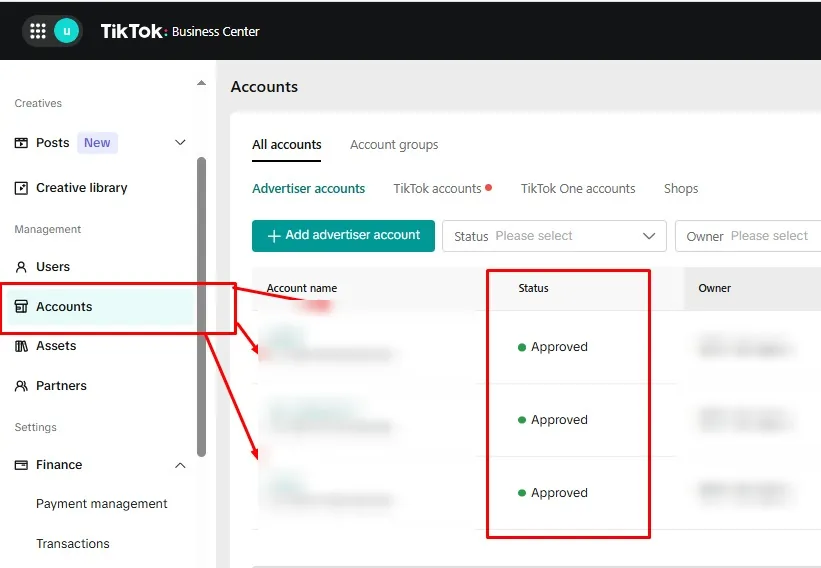
- Wait for review. Most accounts are reviewed in under 24 hours. You can check the status in Account Setup.
- Verify your business when TikTok asks. Verification is required once your total ad spend reaches a threshold set for your market, and verifying at Business Center level covers the ad accounts under it.
TikTok’s guide to business verification lists the accepted documents for each region.
Why TikTok ad accounts get rejected or suspended
| Problem | Common cause | Fix |
|---|---|---|
| Account not approved | Invalid or unrelated website, no privacy policy, page not mobile-friendly | Fix the site, re-enter the URL and request a new review |
| Verification rejected | Business name, address or number doesn’t match the documents | Make every detail match exactly, then resubmit |
| Payment failed | Card in a different name or country, or billing address mismatch | Use a payment method in the business’s name and registered country |
| Ads rejected | Restricted products, exaggerated claims, landing page doesn’t match the ad | Follow TikTok’s ad creative and industry policies |
| Account suspended | Repeated policy violations, or links to previously suspended accounts | Fix the cause and appeal through TikTok Business Support; don’t open new accounts to get around it |
| Suspended after user reports | Many people hiding, reporting or complaining about your ads | Improve the creative, reply to comments, and stop ads that draw negative feedback |
| Suspended for a regulated product | Finance, health supplements, dating and similar categories run without the required licences or documents | Submit your qualifications in Business Center before advertising |
| Suspended after editing a live ad | Changing the landing page or URL after approval to something different from what was reviewed | Keep approved landing pages stable; submit changes as new ads |
| Suspended at sign-up or first payment | VPN logins, or a virtual or foreign card that doesn’t match the business’s country | Sign up from your real location with a card in the business’s name and country |
| Copyright or brand problems | Using other brands’ logos, images, music or landing pages without permission | Use original creative and the Commercial Music Library |
If you disagree with an approval decision, TikTok asks you to raise a ticket under Account Review in TikTok Business Support within 3 working days.
Some products can’t be advertised on TikTok at all, and others are restricted by country, including weapons, drugs, tobacco, gambling, adult products, counterfeits and political content. Check TikTok’s industry policies for your market before you build an account around a product.
A landing page checklist that passes TikTok’s review
- Loads quickly, works on mobile and isn’t under construction or expired.
- Shows your company name, address and contact details.
- Has a privacy policy, terms, and shipping, returns and refund policies where you sell products.
- Shows prices in the local currency of the market you target.
- Matches what the ad promises, with no exaggerated claims like “guaranteed” results or “cures”.
- Doesn’t start downloads automatically, use aggressive pop-ups or ask for sensitive personal information to view the page.
- Uses the same domain you submitted, without redirects to a different site.
If your TikTok ad account is suspended
When an account is suspended, all its ads stop, and you can’t edit its business, contact or tax details. You can only switch campaigns on or off. To appeal:
- Don’t open a new ad account. TikTok can link accounts by device, network and payment details, and a new account during a suspension looks like circumvention.
- Audit first: check the ad’s claims and wording, that the landing page matches the ad and the domain, and that your card is in the same country and name as your business.
- Submit an appeal from Ads Manager: open Help, submit a ticket under Account Review and choose the suspension appeal, or use the Appeal button under Account Status in Account Setup. If TikTok asks for identity verification, you’ll scan a QR code with the TikTok app.
- Write a clear, factual appeal explaining what you fixed, or why it was a mistake.
- Wait for the reply, usually within about two business days and sometimes up to a week. Don’t send duplicate tickets.
Appeals should be made within 180 days of the suspension. If the account isn’t restored and you have a prepaid balance, Account Setup has an option to close the account and request a refund, though balances may not be refunded after serious violations.
How much does a TikTok ad account cost?
Opening and using TikTok Ads Manager is free. You only pay for the ads you run. TikTok sets minimum daily budgets, commonly $50 per campaign and $20 per ad group, and the cost per click or per 1,000 views depends on your country, audience, season and how good your video is. Our setup fee covers the work of getting your account approved and ready, not ad spend.
What to set up right after approval
- The TikTok Pixel on your website, with events like View Content, Add to Cart, Purchase or Lead, so TikTok can optimize for real results. Install it before you spend, so you don’t lose data from your first campaigns.
- Two-step verification on every login with access.
- Your TikTok account linked as an identity for Spark Ads.
- Business Center if you work with a team or agency, so people get their own access with the right role and nobody shares a password.
What our TikTok Ads account setup includes
- A TikTok Ads Manager account in your business name, with the right country, time zone and currency for your business.
- Billing and business details added so they match your documents and payment method.
- Website check before submission: we tell you what to fix (HTTPS, privacy policy, mobile layout) so the account isn’t rejected.
- TikTok Pixel installed on your website, with standard events.
- Full access handed over, with two-step verification on.
- Agency plan: a Business Center with team roles, up to 3 ad accounts (for example per brand or market), and your first campaign structure ready to launch.
The Agency plan is for agencies and multi-brand businesses that need a Business Center. It isn’t a TikTok “agency ad account”: every account we set up is opened in your own name.
TikTok Ads account setup plans and prices
| Plan | Price | Delivery | Includes |
|---|---|---|---|
| Standard | $79 | About 3 days | Ads Manager account, billing and business details, Pixel on your website, full access |
| Agency | $149 | About 5 days | Everything in Standard, plus Business Center with team access, up to 3 ad accounts and a first campaign structure |
Delivery depends on TikTok’s review and business verification, which we can’t speed up. We don’t set up accounts for products TikTok doesn’t allow, and we don’t create accounts to get around a suspension.
How the setup works
- Choose a plan and tell us your business, website and the countries you want to advertise in.
- Send your details: legal business name, address, documents for verification and the email to use.
- We check your website against TikTok’s landing page rules and tell you anything to fix.
- We set up the account and Pixel. You add your own payment method, so card details never pass through us.
- You receive full access, and we confirm the account status and next steps.
Planning to advertise on Meta too? Our Facebook Ads account setup follows the same approach. See all our TikTok services.
Pros and cons of a TikTok Ads setup service
Pros
- An account in your own name that you fully control, with your pixel data.
- Fewer rejections and payment problems because details are matched from the start.
- Pixel and Business Center set up correctly before you spend.
Cons
- TikTok’s review and verification times are out of our hands.
- You still need a compliant website and real business documents.
- Setup doesn’t include ad management or ad spend.
How ordering works
- 1Choose a packagePick one above. You can change it on the next step.
- 2Tell us your detailsJust your email, plus anything the package needs.
- 3Pay and trackPay your way, then follow every step on your tracking page.