On this page
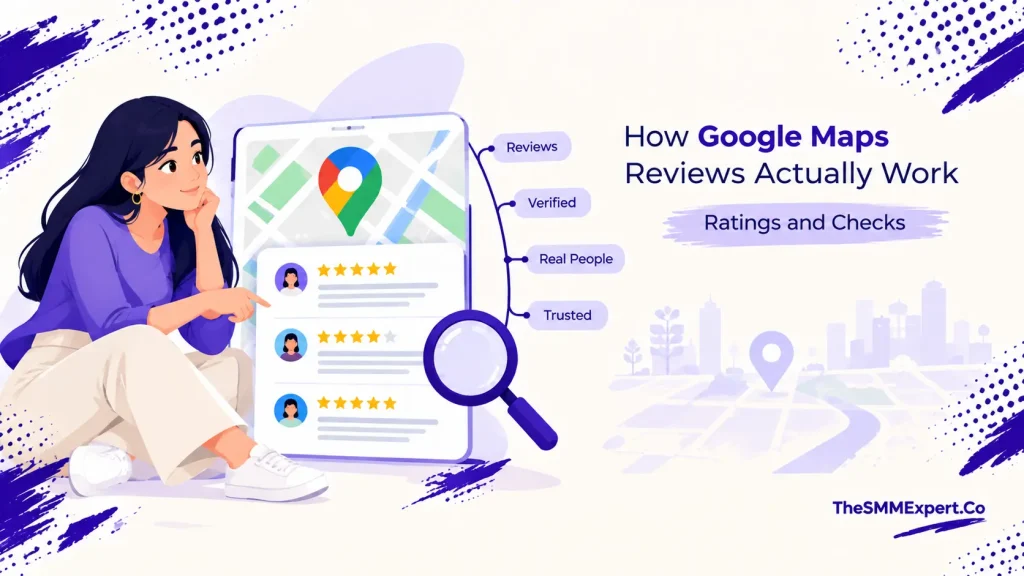
Google Maps reviews work through a public star rating from one to five stars, written feedback, and Google’s checks for policy violations. A customer chooses a place and may add text, photos, or video; Google publishes a review if it passes its systems but can remove or hide content that breaks its rules. A business can reply but can’t simply delete an unhappy review, while the average changes as ratings appear, making one review matter more for a small business than for a place with thousands of ratings.
Google Maps review system
A Google Maps review passes through several parts before it helps readers. The customer creates the content, Google checks it against its policies, the listing ties it to a place, and the public rating reflects visible reviews.
| Part or input | What it does | What you notice when it goes wrong |
|---|---|---|
| Google Business Profile | Identifies the place | Wrong listing appears |
| Star rating | Adds a score | Average changes unexpectedly |
| Written review | Explains the experience | Details are missing |
| Photos or video | Shows evidence visually | Media stays unpublished |
| Google moderation | Checks policy compliance | Review disappears or delays |
| Business response | Adds the owner’s side | Reply doesn’t appear |
A review can look different depending on where you view it. If the reviewer can see a review while signed in but other people can’t see it on the public profile, it may be pending, filtered, removed, or attached to another listing. Don’t ask them to post the same review again; duplicates can create more moderation problems.
Make sure the review is on the correct listing before chasing a rating issue. This matters for businesses with duplicate profiles, departments, or practitioners inside a larger location. A review on the wrong profile may help the wrong place and leave the intended listing unchanged.
Google separates review display from exact local search position. Reviews can influence reputation and may factor into local visibility. Google doesn’t publish a simple rule saying one exact rating creates a particular search position.
How Google Maps reviews work
A review follows a short path from the customer’s experience with the business to the public listing. The exact timing can vary, especially when Google’s systems need to check the content. Reviews are public; avoid including private information you wouldn’t want other readers to see.
-
The customer opens the correct listing. They search for the business, choose its Google Maps profile, and select the review option. The place name, address, and category should match the visit. If the customer picks a nearby branch instead, the review may describe a real experience but sit on the wrong profile. The customer must post through a Google account.
-
The customer chooses a star rating. Google uses a five-star scale, with one star meaning a very poor experience and five stars meaning a very positive one. The customer can submit a rating without writing text, although a written explanation gives readers more context.
-
The customer adds words or media. Text can describe the service, product, wait, problem, or result. Photos and videos can support that account. The content should come from the customer’s own experience, not from copied material, payment, or instructions from a business. A business may request an honest review, but it must not offer rewards or dictate the rating.
-
Google checks the submission. Automated systems and human reviewers can look for spam, fake engagement, offensive material, conflicts of interest, and other prohibited content. A review may appear quickly, be delayed, or fail to appear if Google’s systems identify a possible policy problem.
-
The review joins the listing’s public record. If it stays visible, the star rating contributes to the business’s displayed average. The written review, date, reviewer name, and approved media may also appear. Google can later remove content if it receives a report or finds a new policy issue. The customer can also delete their own review later.
-
The business may reply. The owner can answer publicly from the business profile. A useful reply addresses the concern without exposing private customer information. It doesn’t erase the original review, and the customer may later edit the rating or text.
-
Readers compare the wider pattern. One review shows one person’s account. A group of recent reviews can reveal repeated complaints, changing service, or an unusual burst of praise. Google doesn’t publish a simple public formula for how every review affects search placement. Check dates before treating the average as a picture of current service.
Why Google Maps reviews change
A missing review doesn’t always mean the business deleted it. Google says content can be removed for policy reasons, and its user-generated content policy explains the types of material that aren’t allowed. A review can also be delayed while systems check it.
The first useful clue is the missing review’s status. If the writer can see it on their profile but not on the business listing, the content may be under review, filtered, or attached to a different place. If the writer can’t see it anywhere, they should check the account used and confirm that the submission finished.
A review that contains a clear personal experience usually has a stronger chance of staying useful than one made only of insults or repeated marketing words. Google’s rules cover more than false statements. They also cover fake engagement, paid or incentivized content, conflicts of interest, personal information, harassment, and content unrelated to the place.
The star average can move sharply when a business has few reviews. For example, a listing with two five-star ratings can fall to a three-star average after one one-star rating. A listing with hundreds of ratings usually changes more slowly because the new score is added to a larger total.
That doesn’t mean a high rating proves perfect service. A business can have excellent food but slow delivery, or friendly staff but poor accessibility. Read the text beside the stars, check the dates, and look for repeated details rather than treating the average as a complete verdict.
The business response has a different job from the customer review. It can clarify a policy, apologize, explain a fix, or invite private contact. It shouldn’t reveal names, order details, medical information, phone numbers, or other private facts in a public reply.
If a review breaks Google’s rules, reporting it’s the correct route; reporting it only because it’s negative usually isn’t. If it follows the rules but contains a factual dispute, the business can post a calm response and provide its side. Google isn’t a general court for deciding every disagreement between a customer and a business.
A common costly mistake is asking staff, friends, or customers to leave several reviews from the same place or wording. That can create a suspicious pattern, lead to removals, and damage trust even if the business had good intentions. Genuine invitations are safer than scripts, rewards, or pressure.
Google doesn’t publish every signal used to filter reviews or calculate local visibility. You can find your exact figure on the review’s status, wording, date, and listing, but you can’t predict a guaranteed posting time or ranking change from those details alone.
What you can control in reviews
You control the accuracy and honesty of your own review, plus how you respond to feedback as a business. You don’t control Google’s moderation decision, another person’s opinion, or whether a review changes the public average.
If you’re the reviewer, you can edit or delete your review when facts change. If you’re the business, you can answer it and report it if it violates policy. Don’t offer refunds, discounts, or favors in exchange for a higher rating.
You can control
- Choose the correct business listing.
- Describe one real customer experience.
- Add specific, truthful details, such as the service, location, or date.
- Keep private information out, including phone numbers, addresses, medical details, and employee-only records.
- Correct your own mistake quickly.
- Reply without threats, pressure, insults, or demands that the review be removed.
Google or design controls
- The five-star rating scale.
- The public average calculation.
- Automated review screening.
- Review visibility after moderation.
- The timing of moderation or appeals.
- Whether another user edits content.
Report a review once with the clearest policy reason you can support. Repeating the same report doesn’t make a weak case stronger. If it involves threats, identity theft, defamation, regulated claims, or a serious safety risk, contact platform support, law enforcement, a regulator, or a qualified attorney.
Better habits for Google Maps reviews
Write the review soon after the visit, while the details are still clear. State the approximate date of your visit, what you bought or used, and what happened. Mention the result and how it compared with a reasonable expectation. If you had to wait, cancel, return, or contact support, say what occurred rather than relying on words like “terrible.”
Use the correct listing before you submit. Check the business name, address, and branch, especially when several locations share a brand. Confirm that the listing describes the place you visited, not a similarly named business. If the wrong profile receives your review, contact Google support or use available editing tools instead of posting the same review again.
Keep one review tied to one experience. Separate firsthand observations from what another person told you. If you return and service changes, edit the original or add a new account of the later visit without copying earlier wording. Mention what changed, so readers can tell whether the issue was isolated or repeated.
Businesses should ask real customers for honest feedback without offering money, gifts, discounts, or a preferred star rating. Don’t ask only happy customers, since that skews what readers see.
If a customer reports a problem, fix the service first. Then respond publicly with a short explanation, and keep personal details out of the response.
Read patterns, not just averages. Three recent reviews mentioning the same delay deserve attention, even when older ratings keep the score high. Compare dates, services, and branches before treating them as one trend. If reviews suddenly repeat identical phrases, treat the pattern cautiously. Report policy concerns through Google rather than making accusations.
Conclusion
Before choosing where to spend your money, read several recent comments and look for specific details rather than reacting to an isolated opinion. If you run a business, invite honest feedback, respond calmly, and use recurring concerns to improve. That approach won’t remove criticism, but it can build trust over time.
Frequently asked questions
A Google Maps review can disappear because it breaks a content rule, appears on the wrong listing, or is still being checked. A negative review alone isn’t automatically a violation. The writer should confirm the account, reopen the correct business profile, and check whether the review appears in their contribution history. The business should report clear policy violations, not simply reviews it dislikes.
Can a business delete a bad Google review?
No, a business usually can’t directly delete a customer’s review. It can report the review if it appears to break Google’s rules, and Google decides whether it should be removed. The owner can also post a public reply and explain the situation calmly. Asking the customer to remove honest criticism, offering a reward for a better rating, or posting a fake response can create a bigger trust problem.
Why is my Google review not showing up?
Your Google review may not show because it’s delayed, filtered, attached to another listing, or removed for a policy concern. Check the place name and address, then look in your Google Maps contributions while signed into the account that posted it. Don’t submit repeated copies, because duplicate posts can look like spam. If the review remains missing, use Google’s support or appeal options shown in your account.
How long does it take for a Google review to appear?
A Google review may appear immediately, but there’s no guaranteed posting time because Google can delay content for checks. The time can vary with the wording, attached media, account activity, and listing details. If it hasn’t appeared, check the contribution history first. A blank or duplicate review may be treated differently from a detailed account of a genuine visit.
Is it safe to leave a Google review?
Yes, leaving a Google review is generally safe when you share only truthful details that don’t expose private information. Don’t publish a person’s phone number, home address, medical details, payment information, or private messages. A business can see the public profile connected to the review, so choose your account and wording carefully. Avoid threats and accusations you can’t support.
What happens if a business reports my Google review?
Google may leave the review visible, remove it, or limit its visibility after a report. Reporting doesn’t automatically prove that the review is false, and a business doesn’t get to choose the result. You may be asked to appeal or provide more information. Keep records of the visit, use factual language, and don’t repost the same content while the report is being reviewed.
Does it matter if a Google review is verified?
A verified visit can add context, but it doesn’t turn a review into guaranteed proof or make every other review unreliable. Google may use account and place signals to identify unusual activity, yet it doesn’t present readers with a complete reliability score for each review. Consider the details, date, photos, and repeated patterns instead of relying on one label.
Can I change my Google Maps review later?
Yes, you can usually edit or delete your own review from your Google Maps contributions. You can change its text, star rating, or attached media when your experience changes or you need to correct a clear fact. Google may still check the revision; don’t replace it with copied promotional language or someone else’s review.
 Written byAbdul HalimAbdul Halim writes about online reputation management and the challenges businesses face when trying to build trust online. His content covers customer feedback, online reviews, how people see brands, reputation monitoring, negative feedback, and ways to maintain a strong online presence. Abdul shares simple steps businesses can use to learn what customers say, respond to reputation concerns, build credibility, and earn lasting trust. He wants to help people understand reputation management more easily and give businesses ideas for keeping and growing their online reputation.LinkedIn