On this page
- First, Don’t Panic – and Don’t Do These 4 Things
- Why This Is Probably Removable – Even Though the Reviews Look “Allowed”
- Confirm It’s a Coordinated Attack (the Fingerprints)
- Build the Evidence File Before You Report
- Report the Reviews the Right Way (Cite the Policy)
- What Happens Next – The Report Timeline
- What if the competitors threaten you?
- What you can do in the meantime
- Frequently Asked Questions(FAQ).
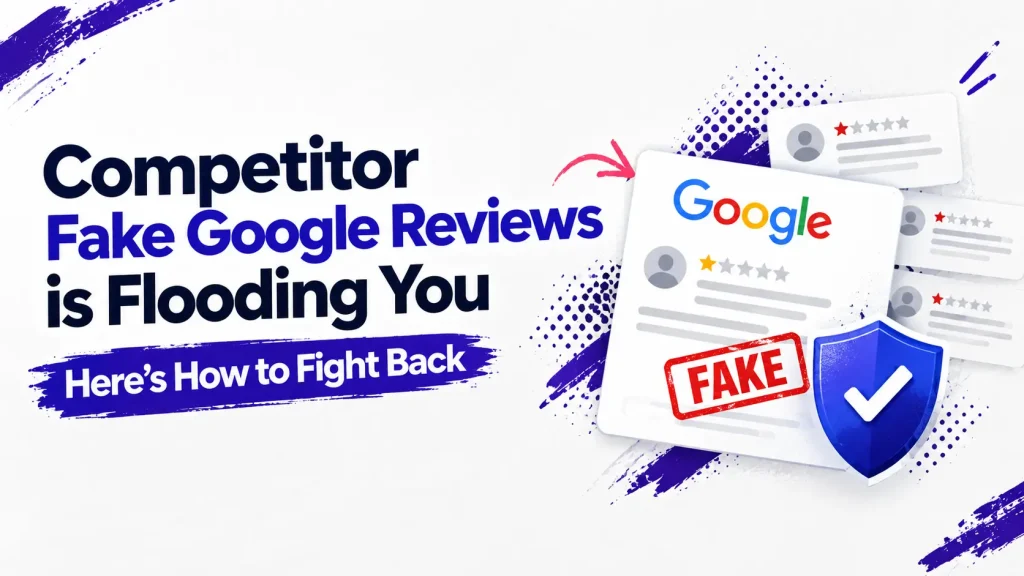
Competitor fake Google reviews are one of the many frustrating things that can happen to your Google profile. You can use Google’s Reviews Management Tool inside your Business Profile dashboard to report and monitor these reviews. It’s a well-known strategy used by many businesses to leave fake 1-star reviews on their competitors’ Google Business Profile.
Review bombing, or a coordinated attack on your page, can dramatically impact your rating overnight. Google will not remove a review from your profile unless it breaks a policy.
So, it’s important for you to understand how to properly handle competitor review attacks and how to report them to Google so that they get deleted for conflict of interest. Let’s look at how to remove fake 1-star Google reviews by your competitors and what things you need to look out for when they attack your business profile with negative reviews.
First, Don’t Panic – and Don’t Do These 4 Things
Don’t make it worse by doing something that goes against Google policy and the regulations set by the FTC (Federal Trade Commission). When you are flooded with negative reviews, you might be tempted to take drastic measures that might do more harm than good. Here are 4 things to look out for:
Don’t mass-flag from staff/friend accounts
You might think that mass-flagging the fake reviews will result in the reviews getting taken down quicker. But it’s not that simple. If you ask your staff or friends to use their accounts to report these fake reviews, Google can trace their IP locations and find that they are all flagging from the same place, significantly reducing the effect of flagging. It’s better to tackle each negative review at a time rather than spamming the flag option on all the reviews.
Don’t buy 5-star reviews to bury it.
You might be tempted to buy 5-star reviews from customers to increase your rating score, but this is an FTC violation. The new FTC fake-review rule no longer allows review gating or incentivised reviews from customers. This can have serious consequences, with you being fined up to $50,000 for each fake review that you bought. It’s better to handle negative reviews the official way through the official channels of Google and the FTC.
Don’t pay anyone – including the reviewer.
It is strictly against Google policy to pay someone for writing positive reviews. You can never pay to remove negative Google reviews as well. Sometimes you might want to persuade the reviewer with money to remove their reviews on your profile, but these are violations of the platform policy, and these will be used against you in court if proper evidence is given. Use Google’s support tools to report fake reviews to remove them.
Don’t rant in a public reply.
You shouldn’t reply to negative or fake reviews emotionally. Don’t amplify the situation; just stay professional and reply to the reviews in a calm manner. Ask for details about their experience and strongly indicate that there is no such record at your business. You should reply to these with the next reader in mind, who could be a potential customer. You don’t want to act unprofessional in front of them.
Why This Is Probably Removable – Even Though the Reviews Look “Allowed”
Whether a review is removable or not depends on whether it violates Google policy. A review that is negative is not the same as a removable review. Negative reviews can be genuine experiences from customers. They will remain live even after you flag them for a policy violation. Let’s look at how to properly report fake negative reviews from competitors and get Google to delete them from your profile.
Negative ≠ removable – but a competitor attack breaks policy
Not all negative reviews are removable. Real customers sharing genuine bad experiences with the business doesn’t violate any rules; it’s a matter of honest opinion vs policy violation to understand which reviews get deleted and which do not.
When a competitor uses negative reviews against your profile, they are not talking about a real experience; you can flag these reviews as Fake and Misleading Content.
The two policies an attack almost always violates
Any attack from competitors or former employees follows a common pattern. There are two main policies they always break.
- Conflict of Interest. When competitors try to attack you with bad reviews, they always try to compare your business to theirs to mention how good their business is. Reviewing a rival falls under this category.
- Fake Engagement. Reviews that are not based on real experiences fall under this category. Reviewers talk about an experience that never happened to paint a negative picture of the business.
The biggest mistake businesses make
The biggest mistake businesses make while reporting fake reviews on their profile is not specifying the specific policy that the review breaks. Writing a generic report on the review often gets filtered by Google’s AI spam filters.
To report false Google reviews, make sure you select the policy that best suits the situation and context of the review. This can help you get past the filters and reach the review team.
Confirm It’s a Coordinated Attack (the Fingerprints)
The first thing you need to do is identify whether the reviews are genuine or if they are coordinated attacks. Some signs might indicate whether you’re getting targeted with fake reviews. Review bombing – a sudden velocity spike in the number of reviews you receive is an indicator that something abnormal is happening. You can also use fake Google review detector tools that can help you track fake reviews. Here are some other things to check:
The velocity spike (a burst in 24-72 hours)
A sudden wave of negative reviews in the span of a short amount of time can be due to a coordinated attack on your profile. These usually appear within 24-72 hours. You can also notice that they happen around odd hours, such as late-night batches. You can filter by date and look at the trend of these reviews to understand if this is an attack or not.
Blank 1-stars/near-identical wording
These are the most troubling reviews. Blank 1-star reviews seriously damage your profile’s rating and reputation, but they provide no text, making it difficult to report to authorities. Another type of reviews can be a batch of similar copy-paste language reviews that are really generic and have no details at all. Most of the time, these reviews are hard to report to Google, as no context means that the reviews do not fall under any category of Google’s policies.
Suspicious reviewer profiles
Other than the review itself, the profile of the reviewer also gives a clue as to whether the review is a fake review or not. You can check the reviewer profile history, and if you find that the account is a brand-new account with no profile photo having this single review, it is most probably a fake. You can report these profiles to Google and show evidence using screenshots of the profile and of the reviews to ask them to delete it.
The “smoking gun” – they gave you 1 star and your rival 5
The easiest types of reviews to identify are smoking-gun reviews. They talk badly about your business, name-drop a competitor, and start comparing the differences between your services. This is the sign of a competitor review attack. These types of reviews fail to comply with the “Conflict of Interest” Google policy and thus can be removed by Google. You just need to provide ample evidence to suggest that this review was written by competitors to sabotage your business.
Build the Evidence File Before You Report
Make sure to gather enough evidence before submitting your report.
- Find your service logs and prove that the reviewer was not a real customer.
- Take screenshots of reviews in case they get deleted.
- Check out the reviewer’s profile to see their activity history.
- Provide transaction details that prove that the reviewer is lying.
- Keep a log of every report attempt you’ve made to Google.
Report the Reviews the Right Way (Cite the Policy)
Reporting the right way increases the chance of winning the report. Use Business Profile, Maps, or Search to report the right way. Follow the steps below.
File the Business Redressal Complaint Form for coordinated fraud.
Much like fake reviews, you can also report competitors to Google who you think are trying to sabotage your business. Google has its own Business Redressal Complaint Form where you can provide your information and the details of your competitor, including their website link or Google Profile link, along with sufficient evidence to suggest they’re behind the recent fraudulent activity on your profile. Google spam team will check if they are repeat offenders who keep posting negative reviews on your profile or if they are innocent.
Report the reviewer’s profile, not just each review.
While the contents of the review are very important to judge whether or not the review is malicious, the contributor profile of the reviewer is also a very good source of information. You can check the reviewer’s account and look at his past activity. If you see that he has regularly posted fake reviews on your profile, report the profile to Google and give them screenshots of the profile.
What Happens Next – The Report Timeline
After you’ve reported a review to Google, it can take a few days for you to get feedback on whether or not the review will be deleted from your profile. Single reviews can take anywhere between 3 and 14 days, whereas waves of reviews will take longer. Re-reporting your reviews gets ignored by Google’s system; don’t do it.
What if the competitors threaten you?
The competitors that leave fake reviews on your profile can also threaten you using these fake reviews. The Google Merchant Extortion Form can help you report these incidents to Google. Input your personal and business information, proof of the extortion attempt, and details about the incident, with evidence attached to the report. You mustn’t pay the competitor any money, and you should take screenshots of every conversation that can act as evidence for the successful removal of those fake reviews on your profile.
What you can do in the meantime
Google can take a while to respond to your reports of fake reviews. You should focus on your Google review collection. In the meantime, let’s look at some of the things you can do:
- Reply publicly to those fake reviews.
- Don’t get emotional; write in a calm and collected way.
- Don’t accept blame and apologise to the reviewer; it makes you look guilty.
- Respond strongly, saying you have no records of the experience the reviewer mentions.
- Don’t try to buy positive reviews to hide the negative ones; these go against Google’s policies.
If you are unsure what to do, you should consult a review management professional, such as TheSmmExpert, to handle the situation in the meantime.
Frequently Asked Questions(FAQ).
Can you get fake 1-star reviews from a competitor removed?
Yes. You can report these fake 1-star reviews to Google and wait for them to delete them. It is important to mention the exact policy violation the review makes, or else Google’s AI filters will not find it a provable case.
How do I report a competitor who’s leaving fake reviews?
You can use Google’s Reviews Management Tool to report and track the competitor’s fake reviews you flagged. You can also directly report a competitor who’s leaving fake reviews using the Business Redressal Complaint Form, where you can talk in detail about the incident with ample proof against the competitor.
Can I sue a competitor for fake reviews?
Yes. You can sue competitors for defamation if their targeted attacks try to ruin your reputation by misrepresenting your business and making claims about it. It’s important to document all of your competitors’ actions to use as proof.
How do I stop a competitor from leaving fake reviews for good?
You can report your competitor to Google. You can also mark several fake reviews and escalate it as a coordinated attack on your profile. You need to document the pattern of the attack. You can also ask for help in the Google Business Profile Help Community.
How can I actually prove a review came from a competitor and not a real customer?
Check account creation date, language, purchase invoice, and service log matching to identify the fake reviews.
A former employee is leaving fake reviews – is that treated the same as a competitor?
Yes, ex-employees fall under the same category since they have a personal stake and no actual relationship.
Will my star rating recover after the fake reviews are removed?
Yes, if you can remove the fake reviews through reporting, your star rating will be recovered and back to the previous stage.
Does the competitor get penalised, or do they just get their reviews deleted?
Both are possible. However, proving a specific competitor does this is a big challenge. If you can convince the authority to believe that, the reviews will be removed and the competitor will be penalized.
What if the fake reviews keep coming back after Google removes them?
Keep a running log of each wave of reviews with dates, use your community, and use the Business Redressal Complaint form to flag the competitor.
Can I report a competitor’s fake business listing at the same time?
Yes, if the competitor has a fake business listing, you can report it through Google’s redressal and listing-report channels.
 Written byAbdul HalimAbdul Halim writes about online reputation management and the challenges businesses face when trying to build trust online. His content covers customer feedback, online reviews, how people see brands, reputation monitoring, negative feedback, and ways to maintain a strong online presence. Abdul shares simple steps businesses can use to learn what customers say, respond to reputation concerns, build credibility, and earn lasting trust. He wants to help people understand reputation management more easily and give businesses ideas for keeping and growing their online reputation.LinkedIn