On this page
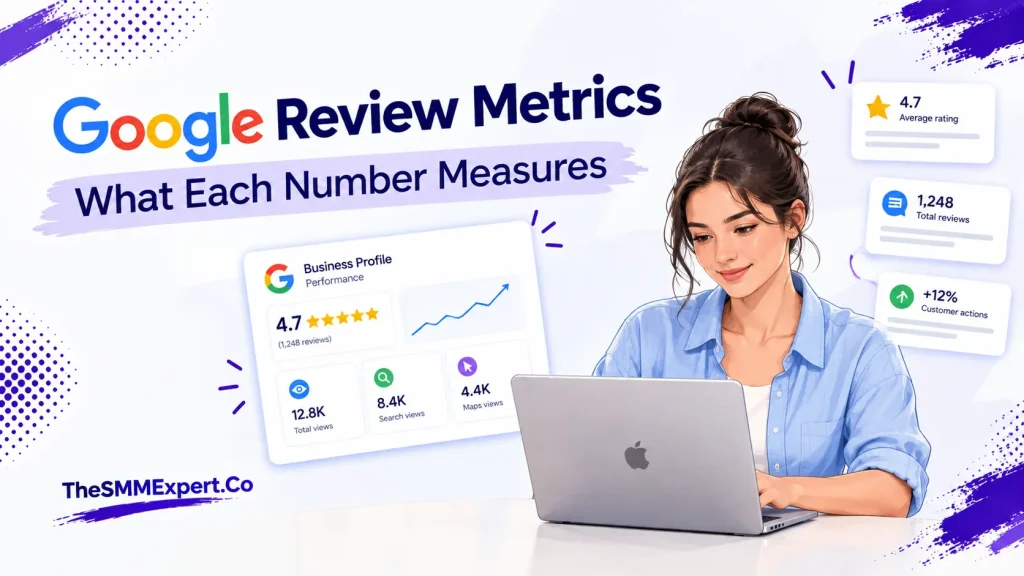
Star rating, review count, review recency, response rate, keyword frequency, and sentiment score are the numbers that shape a business profile on search. They all track what customers say about you on your listing. The single thing that separates them is whether they measure volume, speed, or the actual words people use. If you’re trying to improve local visibility, paying attention to google review metrics is where the work starts. A high star rating pulls clicks, but without enough recent reviews, that number doesn’t hold its weight in local search results.
Types of Google review metrics
These six signals cover every angle of customer feedback on a business profile. Each one answers a different question a buyer asks before visiting.
| Metric name | Best used for | Real example |
|---|---|---|
| Star rating | Overall trust signal | 4.5 out of 5 stars |
| Review count | Proof of consistent service | 120 total written reviews |
| Review recency | Showing current activity | Three new reviews this week |
| Response rate | Proving active management | Owner replied to 90% |
| Keyword frequency | Matching search queries | “fast shipping” in 30 reviews |
| Sentiment score | Gauging emotional tone | Mostly positive text analysis |
Star rating
The star rating is the average score from one to five that sits at the top of your business profile. It suits any local business that relies on strangers walking through the door or calling for the first time. This number is usually the first thing a potential customer sees before reading a single word.
A perfect five isn’t always the goal. Buyers often trust a 4.6 more than a flat 5.0 because it looks real. If your score drops below 4.0, expect fewer calls from your listing; if it stays above 4.5, you’ll see higher click-through rates on search pages.
- Builds instant trust before anyone reads the details.
- Filters your business into the top local map results.
- Sets the baseline expectation for product or service quality.
- Reduces hesitation for first-time buyers comparing options.
This metric assumes a steady flow of new ratings. A 4.8 based on only four reviews won’t carry the same weight as a 4.7 built on three hundred. You can check your exact average on your live Business Profile dashboard.
A local plumbing company with a 4.7 star rating across 215 reviews will typically outrank a competitor holding a 5.0 rating from just 12 reviews, because the algorithm trusts the larger sample size when ranking local map results.
Review count
Review count is the total number of times customers have left a rating or written feedback on your profile. It suits established businesses that handle high daily volume and need to prove consistency over time. Unlike the star rating, which averages out, this number only goes up.
This is the metric that proves your star rating isn’t a fluke. A high count tells the search engine that real transactions happen here constantly. It also gives future customers a sense of scale. If you serve fifty people a day but only have ten reviews, something looks off.
- Validates the reliability of your overall star rating.
- Signals to search algorithms that your business is active.
- Gives hesitant buyers social proof through sheer volume.
- Helps you stand out against competitors with fewer entries.
Don’t trade quality for quantity here. Pushing unverified buyers to leave feedback just to inflate the count can backfire if the platform flags those accounts. Let the number grow alongside your actual sales.
A busy downtown coffee shop might aim for 50 new reviews each month to match its foot traffic. That pace keeps the profile looking alive. You can find your total by opening your profile on Maps and checking the number in parentheses next to your stars.
Review recency
Review recency measures how much time has passed since your last customer left feedback. It suits seasonal businesses or fast-moving retail shops where today’s experience matters more than last year’s. Search engines favor profiles that show fresh activity over dormant ones.
If your newest review is older than three months, your profile starts losing ground to competitors who received feedback yesterday. Freshness acts as a pulse check for your business.
- Keeps your profile visible in local map pack rankings.
- Shows potential customers that you’re currently operating.
- Reflects recent changes in staff, menu, or service quality.
- Prevents old negative experiences from defining your brand.
You don’t need a flood of new entries every single day. One or two fresh reviews a week is enough to keep the recency signal strong for most small businesses. Check the date stamp on your latest entry to see where you stand.
A restaurant that gets three new reviews every Friday night maintains better weekend visibility than one that earned twenty reviews in January and went quiet until summer. The gap between dates is the only thing that counts here.
Response rate
Response rate tracks the percentage of customer reviews that receive a public reply from the business owner. It suits service-based companies where complaints need quick resolution and happy clients deserve thanks. This metric shows effort rather than raw popularity.
Ignoring feedback makes you look absent. Replying to both praise and criticism proves someone is actually running the place. If your response rate falls below 50%, customers might assume you don’t care about their experience after taking their money.
- Demonstrates active customer service to future buyers.
- Gives you a chance to fix misunderstandings publicly.
- Adds extra text to your profile containing relevant keywords.
- Encourages past customers to return because they felt heard.
Keep replies short and specific. A generic “thanks for visiting” repeated fifty times looks automated. Mention something they wrote.
A dental clinic that replies to 9 out of 10 reviews within 24 hours builds a stronger reputation than one that ignores everyone. You can calculate yours by dividing your total replies by your total reviews, then multiplying by 100.
Keyword frequency
Keyword frequency counts how often specific words or phrases appear naturally inside the text of your reviews. It suits niche businesses trying to rank for very specific services or products. These aren’t tags you add yourself; they’re the exact words your customers type.
When people repeatedly mention “gluten-free pizza” in your reviews, search engines start connecting your profile to that phrase. You don’t control this directly. You control the service that prompts people to write those words. This metric bridges the gap between what you sell and what people search for.
- Connects your profile to long-tail search queries organically.
- Highlights your strongest selling points without advertising copy.
- Reveals exactly why customers choose you over competitors.
- Guides your team on which services generate the most praise.
Don’t ask customers to stuff specific words into their feedback. Forced phrasing gets flagged and removed. Instead, deliver the experience so well that they use those terms naturally when describing what happened.
If you run a repair shop and 40 reviews mention “same-day screen repair,” that phrase becomes tied to your listing. Read through your last 20 reviews and note which service names repeat the most. That list is your actual keyword data.
Other signals to watch
Beyond the main five, a few smaller signals still influence how your profile performs in search results.
- Sentiment score measures the overall emotional tone of your text reviews using third-party software. Reach for this if you manage multiple locations and need to compare branches quickly without reading every single entry manually.
- Photo attachment rate tracks how many reviews include images uploaded by customers. Use this if you run a visual business like landscaping or interior design, where pictures prove the final result better than text alone.
- Attribute mentions count references to specific features like wheelchair accessibility or outdoor seating. Monitor these if your location relies on physical amenities to draw in local foot traffic.
- Reviewer authority weighs feedback differently based on the history of the account leaving it. Pay attention to this if you notice highly detailed reviews from active Local Guides driving more profile visits than short, anonymous ratings.
Choosing the right metric for your goals
Picking the right focus depends entirely on what your business needs right now. Don’t try to push all six at once. Look at your current situation and pick the one that solves your biggest problem.
If your profile has fewer than 30 total reviews, ignore everything else and build your review count. Without that foundation, no other number holds weight. Ask every happy customer to leave one until you cross that line.
If you already have over 100 reviews but your phone isn’t ringing, check your review recency. When your last review is older than 60 days, your profile looks closed to the algorithm. Start asking recent buyers to share their experience immediately after checkout.
If your traffic is fine but your conversion rate is low, your response rate is likely the issue. Buyers read replies to see how you handle problems. If you haven’t answered the last five complaints, fix that before spending money on ads.
If you get plenty of visitors but rank poorly for your main service, look at keyword frequency. Your customers might be praising your friendly staff while ignoring the specific product you want to rank for. Adjust your follow-up questions to guide them toward mentioning the actual service.
For established brands managing dozens of locations, sentiment score is the only way to spot a failing branch before it drags down the whole region. You can’t read a thousand reviews a week manually.
These metrics don’t cancel each other out. A high star rating combined with poor recency still loses to a slightly lower rating with fresh weekly feedback. Pick your primary target based on your weakest point, maintain the others at a baseline level, and adjust your focus every quarter as your profile grows.
Starting with your profile data
For the next thirty days, focus your review requests on the metric that lags furthest behind your closest competitor. Track that number and your profile impressions in your monthly performance report. If your profile receives a manual suspension or reviews disappear faster than you can earn them, contact a local search specialist for help.
Frequently asked questions
How long does it take for a new review to change my rating?
It updates instantly once the review passes the platform’s spam filter and goes live. Assuming standard processing, a new five-star review added to a profile with 50 existing reviews will shift the average immediately. If your review is stuck in “pending,” it hasn’t been published yet. Check your live profile on Maps to confirm the exact moment the math changes.
Why did my overall star rating drop overnight?
A sudden drop usually means an old, high-scoring review was removed by the system for violating content policies, or a batch of new low scores arrived at once. The average recalculates automatically when any entry disappears. Check your total review count first. If the number went down, a review was deleted.
Can I delete a bad review myself?
No, business owners can’t remove reviews directly. You can only flag a review that violates content policies, such as spam, hate speech, or conflicts of interest. The platform’s support team decides if it comes down. If it stays, your only option is to write a professional public reply addressing the issue.
Does it matter if I reply to five-star reviews?
Yes, it adds text to your profile and improves your overall response rate. While replying to complaints is critical for damage control, thanking happy customers encourages them to return. Keep these replies brief. A simple sentence acknowledging their specific compliment works better than a long paragraph.
Is it safe to offer discounts in exchange for reviews?
No, offering incentives for reviews violates platform policies and consumer protection laws. If caught, your reviews will be deleted and your profile could face suspension. You can politely ask customers to share their honest experience, but you can’t tie that request to a coupon, refund, or free item.
What happens if I buy fake reviews for my profile?
Your profile risks permanent suspension. Automated systems actively scan for unusual patterns, like sudden spikes from accounts with no prior history. Beyond platform penalties, the Federal Trade Commission enforces rules against deceptive endorsements. Buying fake feedback costs you your entire listing and damages your legal standing.
How many reviews do I need to rank in the local map pack?
There’s no fixed number, because ranking depends on your city’s competition level. In a small town, 20 detailed reviews might put you at the top. In a dense city, you might need 150 to compete. Compare your total count against the three businesses currently sitting in the top spots for your main search term.
Do reviews from Local Guides count more than regular ones?
The platform doesn’t officially assign a higher mathematical weight to Local Guide reviews. However, these reviews tend to be longer, include photos, and contain specific keywords. Because they provide richer data, they naturally improve your profile’s relevance for search queries more effectively than a blank star rating from a new account.
 Written byAbdul HalimAbdul Halim writes about online reputation management and the challenges businesses face when trying to build trust online. His content covers customer feedback, online reviews, how people see brands, reputation monitoring, negative feedback, and ways to maintain a strong online presence. Abdul shares simple steps businesses can use to learn what customers say, respond to reputation concerns, build credibility, and earn lasting trust. He wants to help people understand reputation management more easily and give businesses ideas for keeping and growing their online reputation.LinkedIn