
Google reviews win when your goal is to improve local search ranking in SERP and Google Maps and be found by new customers. Facebook recommendations are good when you want to gain community trust and social discovery.
You need to understand your audience and where they are before choosing the right platform. Many guides will tell you to use both. But most small businesses do not have enough time and energy to get reviews for both platforms.
It is wiser to pick one platform first and leave the other one for a natural outcome. This guide will show you the differences, which one to pick, and how to get more reviews.
Facebook Reviews vs Google Reviews: Comparison Table
| Factor | Google Reviews | Facebook Recommendations |
|---|---|---|
| Where it appears. | Google Maps + Google Search. | Your Facebook Business Page, under the Recommendations tab. |
| Audience reached | People searching for a product or service on search engines. | Your followers and their friends. |
| SEO/local ranking impact | Direct impact on local search and Maps visibility. | Little to no impact on Google rankings. |
| Current review format | 1-5 star rating + text, photos, video. | “Do you recommend it?” Yes/No + text, tags, photos. |
| Account needed to post | Google account (Anyone without Gmail). | Facebook account. |
| Ads integration | Appear as seller ratings in Google Ads. | Limited; not shown directly in Facebook Ads. |
| Removing fake reviews | Report through Business Profile; slow but possible. | Reportable, easier to flag. |
| Longevity | Permanent on your listing. | Can get buried over time. |
| Shows in AI search | Increasingly feeds AI/LLM local answers. | Rarely surfaced by AI tools. |
| Overall rating display | Clean star average. | Estimated number. |
| Cost to manage | Free (Google Business Profile). | Free (Facebook Page) |
| Best-fit business | Local, service, high-ticket, discovery-driven. | Community, social, events, repeat-purchase B2C. |
What Each One Actually Is in 2026
Before knowing the differences, you need to know exactly what these are and the changes in 2026.
Google reviews
Google reviews are feedback that appears on your Google Business Profile. Customers rate your business from 1 to 5 and add text, photos, or videos to share their experience that will appear directly in Google Maps and Google Search. The audience can see the snippet before even clicking the business. These reviews act as a trust signal and discovery tool that will drive organic traffic to your business website.
Facebook Recommendations (the format that confuses everyone)
Facebook does not have any star rating anymore. Now, you will see recommendations instead of those star counts. When a customer wants to rate the business, Facebook shows a prompt: “Do you recommend [Business Name]?” – with Yes or No options. Then they can write a short description and choose tags like “friendly staff” or “great value” and attach photos.
However, the page shows a rating that is determined by the Facebook algorithm based on the recommendations. Strong recommendations spread through the feed to the customers’ friends and followers, increasing the social reach that you don’t get on Google reviews.
Key Differences That Actually Matter for You
Visibility and how customers find you
This is the main difference between Facebook reviews and Google reviews. Google captures the intent behind the review and shows the business on the search results based on the reviews.
Facebook captures social discovery through showing the recommendations to the reviewer’s friends. Both are valuable, but 71% of consumers said that they consult Google before choosing a business.
SEO and local ranking impact
Google reviews impact the local search ranking, and Google has publicly stated that. A business with a 100 50star rating with positive reviews will beat a business with a 50 4-star rating with mixed reviews. Review quality, quantity, and freshness influence the ranking.
Facebook recommendations have almost zero impact on local search ranking. Yes, if someone searches by your business name, these reviews may impact the ranking. However, these will not work to drive organic traffic for your business.
Trust and social proof
Both work as social proof, but when it comes to trust, Facebook reviews win. Google reviews come from people you don’t even know. Hundreds of unconnected voices are sharing their experience.
On the other hand, Facebook gives you proximity. When someone recommends your business, his friends see that and you get immediate trust. It carries more weight when it comes to decision-making.
Getting the review: the account-friction reality.
Both review platforms require users to log in before leaving a review. Most people are logged in when you ask them to leave a review. Though the scenario is the same for Google, when asking for a Google login, some people ignore and you lose the review. That’s why send a direct review link so that they can easily leave the review. You can check our content How to get more reviews on Facebook
Fake reviews and removal
You cannot delete the negative reviews from Facebook or Google My Business unless they violate the policies. However, you can report the fake and inappropriate ones, such as threats, conflicts of interest, personal information, and others, according to the platform policies. In general, Facebook recommendations are easy to remove through a report.
You can check our content for a better understanding : Can Negative Google Reviews Be Removed?
Reviews Are Disappearing on Both Platforms (2026)
Many businesses are losing reviews on Facebook and Google, but the reasons are different.
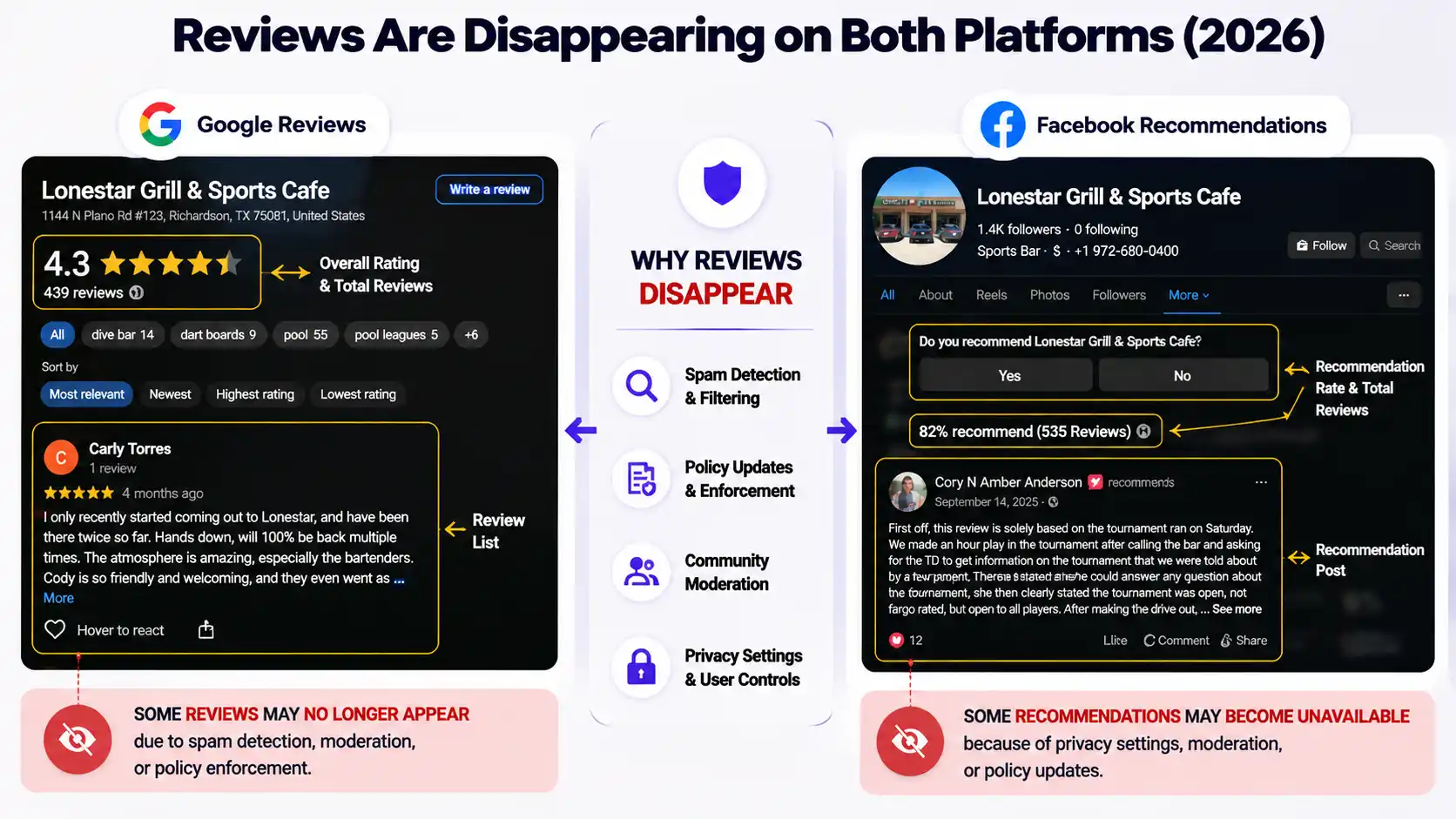
On Facebook: The main causes are delay, privacy, and Facebook glitches. Recommendations require some time to show up since these are filtered by Facebook. Sometimes, the reviewers set the privacy to ‘Friends’ instead of ‘Public’. Facebook glitches are another common reason that happens after the layout changes.
Check out the guide for details on this issue and how to fix it: Facebook Reviews Not Showing?
On Google: There are no known reasons for Google reviews vanishing. Google is monitoring the issues where thousands of reviews disappear overnight.
The AI Search Shift Nobody’s Talking About
Customers are using AI tools such as ChatGPT, Google AI Mode, Gemini, and others to find local businesses instead of Google search. The number jumped from 6% to 45% in the last year, and the growth is increasing.
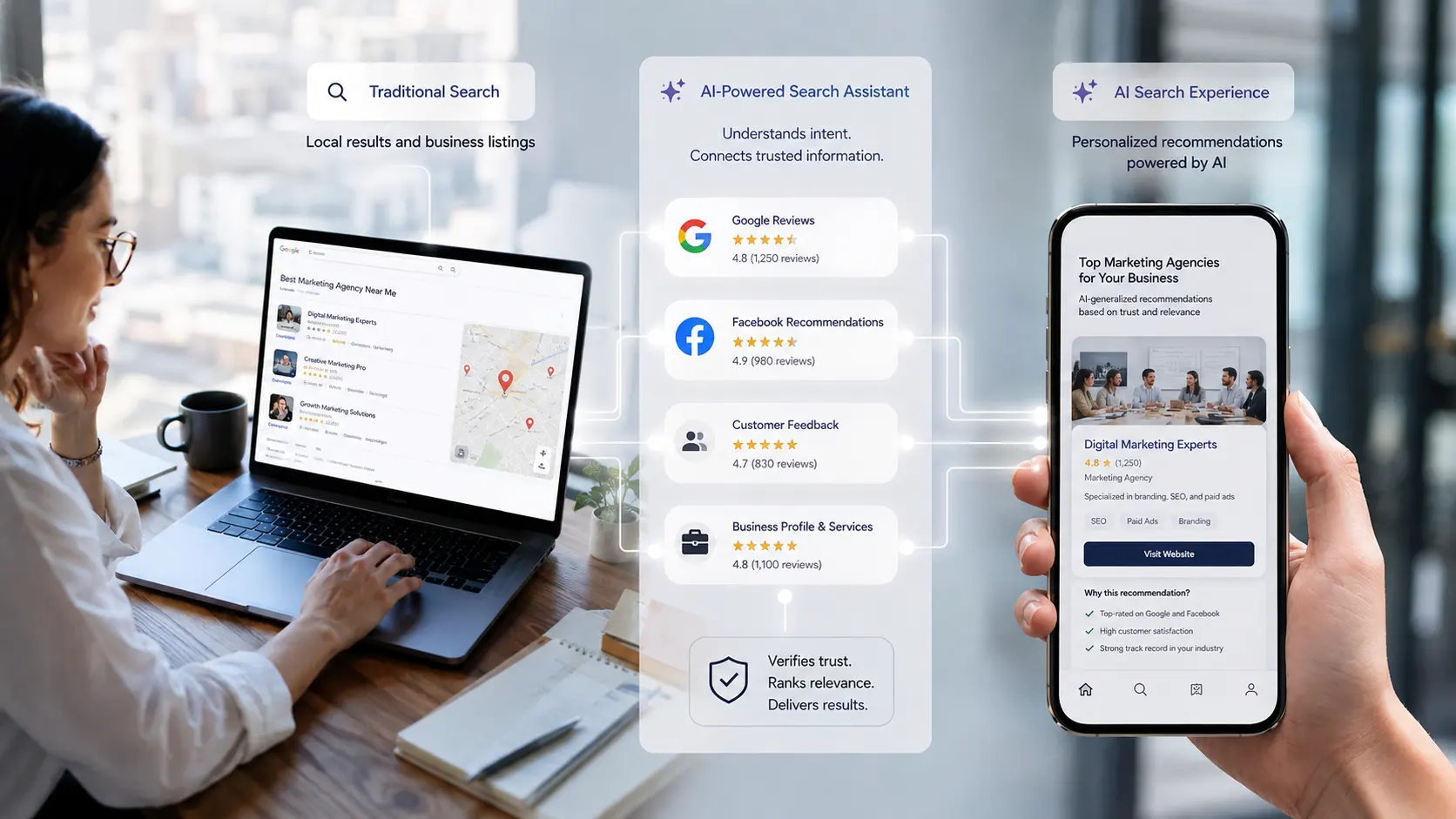
This matters because AI assistants are pulling data from crawlable, structured, and search-indexed sources that Google reviews can offer. Facebook recommendations live behind the social platforms that AI can rarely scrape. Since AI-drive discovery is growing, the visibility gaps between these two review platforms are increasing as well and Google is winning it.
When to Choose Which One
Check the table to understand your situation and choose the right one.
| Your situation | Prioritize | Why |
|---|---|---|
| Local businesses (restaurant, salon, clinic, trades) | Google first | You depend on local search + Maps visibility. |
| High-ticket or long sales cycle (B2B, home services) | Google first | Buyers research heavily on Google. |
| Community, events, or repeat-purchase B2C | Facebook adds real value | Peer trust and social engagement. |
| Brand with an active, engaged social following. | Facebook worth the effort | Recommendations spread through the network. |
| Anyone relying on AI/search discovery. | Google first | Google reviews feed search and AI answers. |
Should you use both?
Many businesses benefit from a presence on both platforms, and they are also present on other review platforms such as Yelp, Trustpilot, and others. However, local businesses should always focus on Google first, and business on community engagement should focus on Facebook recommendations.
How to Get Reviews on the One You Picked
Once you choose the review platform, you should follow these steps to get reviews.
For Google reviews:
- Share a direct Google review link through SMS, QR code, or email and make the process smooth.
- Ask after a satisfying service or positive interactions.
- Respond to every review, positive or negative, to make the customers feel valuable and encourage others to leave more reviews.
You can even buy Google reviews from authentic platforms that will give you original reviews from your actual customers with purchase history and active profiles.
For Facebook Recommendations:
- Make sure to turn on the recommendation setting so that anyone can write a recommendation.
- Send the direct link to your Page’s Reviews/Recommendations tab.
- Ask customers with a personalized message after a positive interaction.
- React and reply to all the recommendations. If possible, share the screenshot with your followers to encourage them
Some people buy Facebook reviews to stay ahead of your customers. However, make sure to buy from providers who can deliver original reviews from your original customers who have actual profiles and real engagement history. No bot or fake accounts are good for your business since they damage your reputation. TheSmmExpert is one such good provider who can offer you quality services.
Frequently Asked Questions
Are Facebook or Google reviews better for SEO?
Google reviews are better for SEO since they influence your local search and Maps ranking. Facebook recommendations have limited to no impact.
Do Facebook reviews still use star ratings?
No, Facebook reviews do not use star ratings. However, Facebook offers ratings based on the recommendations.
Can Facebook reviews show up on Google?
Yes, sometimes, Google can show Facebook reviews on the search results, especially when someone searches by your business name.
Can you leave a Google review without a Gmail account?
Yes, you can leave a Google review without a Gmail account. However, a lot of customers do not know this and leave the page without writing the review.
Do I need both?
No, you can start with one, but having two will help you gain more social proof and trust.

