On this page
- What this setting actually does
- How does campaign budget optimization work?
- Facebook campaign budget optimization numbers
- Getting the best results from this method
- Fixing common delivery problems
- Rules and limits to follow
- Maintaining performance after launch
- When not to use this a
- Conclusion
- Frequently asked questions
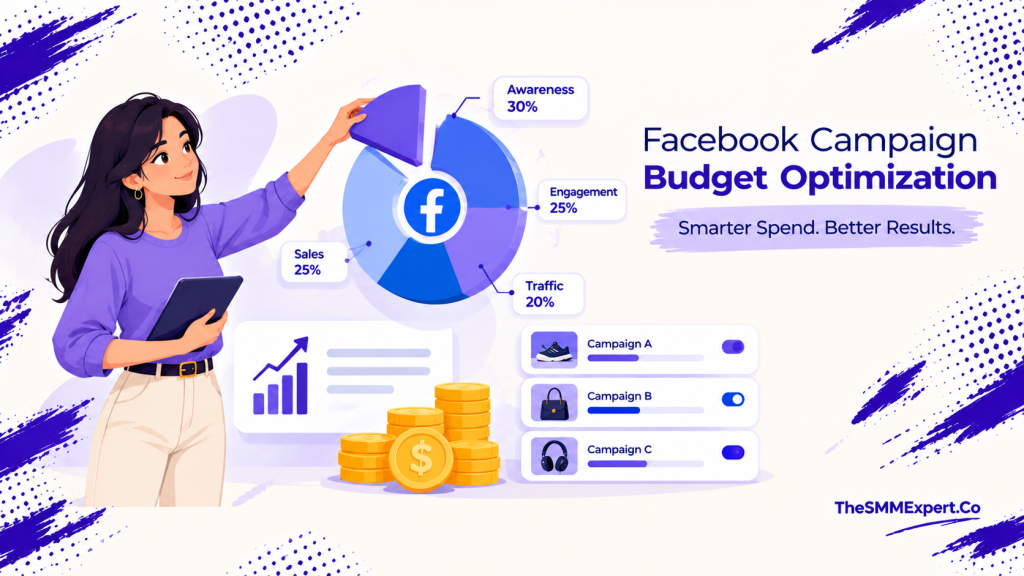
Facebook campaign budget optimization lets Meta’s system split your daily or lifetime spend across ad sets to get the most results for the lowest cost. You turn it on at the campaign level, and the algorithm moves money toward the audiences delivering the cheapest conversions in real time. It works best when you have three to five ad sets with similar audience sizes and a shared conversion goal. This guide covers how to set it up, the numbers that matter, and when you should keep budgets at the ad set level instead.
What this setting actually does
Facebook campaign budget optimization is a toggle inside Ads Manager that hands control of your spending to Meta’s delivery system. Instead of you deciding exactly how much each ad set gets, the platform shifts funds throughout the day toward whichever audience is currently performing best. It’s built for advertisers running multiple audiences against a single goal, like purchases or lead form submissions.
The mechanism relies on Meta’s auction system. When two of your ad sets enter the same auction, the system picks the one with the highest estimated action rate and total value, then spends the campaign’s money there. It doesn’t just divide your budget evenly; it chases the cheapest result.
Advertisers often think this tool guarantees better performance automatically. It doesn’t. If your audiences are very different in size, the algorithm will dump nearly all your money into the largest one before the smaller ones can gather enough data to compete. That’s why it needs balanced inputs to work well.
You’ll find it useful if you’re scaling winning audiences and don’t want to manually adjust bids every few hours. It saves time, but it trades away your ability to force spend on a specific group. If you need an exact amount spent on a retargeting list, this isn’t the right setup.
How does campaign budget optimization work?
Turning this on takes about two minutes, but the settings you choose around it determine whether your ads deliver cheaply or stall out entirely. Follow these steps exactly as written.
- Open Ads Manager and click the green Create button to start a new campaign.
- Choose an objective that supports this feature, like Sales, Leads, or App Promotion. Objectives focused purely on awareness don’t give the algorithm enough conversion signals to optimize properly.
- At the campaign level, find the Advantage+ campaign budget toggle (Meta renamed CBO to this in 2023) and switch it on.
- Enter your budget. For daily budgets, start with at least $50 per day if you plan to run five ad sets; this assumes a standard cost-per-click niche under $2. For expensive industries like insurance, you’ll need closer to $150 daily to exit the learning phase. Lifetime budgets require a minimum of $100 spread over at least seven days.
- Create your first ad set. Pick your audience, placements, and optimization event. Don’t use a custom bid cap yet—let the system find the baseline cost first.
- Duplicate that ad set two to four times, changing only the variable you’re testing (like lookalike percentage or interest stack). Keep the audience sizes within 20% of each other.
- Publish the campaign. The system enters the learning phase immediately. Don’t edit anything for the first 72 hours.
- After three days, check your cost per result. If one ad set has spent 80% of the budget while others sit near zero, your audience sizes aren’t balanced. Pause the giant one, duplicate the starved ones with slightly broader targeting, and restart.
The single judgment call that separates a good result from a bad one is knowing when to intervene. If your cost per acquisition climbs above your break-even point after 50 optimization events, turn off the campaign and rebuild your creatives. The algorithm can’t fix a bad offer; it only distributes money efficiently among the options you give it.
Facebook campaign budget optimization numbers
These figures apply when you’re running standard conversion campaigns on Meta’s platform. Your actual costs depend heavily on your industry, creative quality, and the country you’re targeting. Always check your own Ads Manager reporting for the values that apply to your account.
| Situation | What to use | How long | What to watch for |
|---|---|---|---|
| Testing 3 new audiences | Daily budget, $50–$100 total | 3–4 days minimum | One ad set hoarding 90% of spend |
| Scaling a winning campaign | Daily budget, increase by 20% | Every 48–72 hours | Cost per result jumping suddenly |
| Short flash sale (under 7 days) | Lifetime budget | Exact sale duration | System spending too slowly on day one |
| High-ticket B2B leads | Daily budget, $150+ | 7+ days | Very slow learning phase exit |
| Retargeting past website visitors | Ad set budget (turn CBO off) | Ongoing | Frequency climbing past 4.0 |
| Broad targeting with Advantage+ | Daily budget, $100+ | 5–7 days | Overlapping audiences inflating costs |
If you’re using a lifetime budget, the system tries to pace your spend evenly across the scheduled dates. But if it finds cheap results early, it might spend faster than you expect. Check your pacing every morning during the first half of the schedule. For daily budgets, the system resets its spending target at midnight based on your ad account’s time zone. Changing that time zone later will disrupt delivery.
Getting the best results from this method
Experienced buyers don’t just flip the toggle and walk away. They structure their ad sets so the algorithm has fair choices to make. The biggest difference between accounts that scale profitably and those that burn money lies in how audiences are grouped before the campaign goes live.
Balancing audience sizes and overlap
If you put a broad audience of 10 million people in one ad set and a tight retargeting list of 5,000 in another, the system will ignore the small list entirely. It calculates the cheapest path to your goal, and larger pools almost always offer cheaper initial impressions. To prevent this, keep all ad sets within the same order of magnitude. If one audience is naturally smaller, combine it with a similar group or broaden the targeting slightly.
Check your audience overlap before publishing. Meta’s Audience Overlap tool inside Ads Manager shows you how many people exist in multiple ad sets simultaneously. If two ad sets share more than 30% of their users, they’ll compete against each other in the auction, driving your own costs up. Merge overlapping groups into a single ad set rather than letting the system fight itself.
Knowing when to leave it alone
Once the campaign starts, the urge to tweak is strong. Resist it. Every time you change a budget by more than 20%, edit an audience, or swap a creative, the learning phase resets. That means the system throws away the data it just bought and starts guessing again. Wait until you have at least 50 optimization events recorded in a seven-day window before judging the final cost.
Don’t add bid caps during the first week either. A cap tells the system not to bid above a certain amount. If you guess too low, your ads simply won’t enter auctions, and your budget sits unspent. Let the algorithm establish a natural cost per result first. Once you know your baseline, you can introduce a cap 10-15% above that number to protect your margins while scaling.
Fixing common delivery problems
When things go wrong, the symptoms usually show up in your spend distribution or your cost metrics within the first 72 hours. Here’s how to match what you see to the right fix.
| What you notice | What it usually means | What to do first |
|---|---|---|
| One ad set spends everything | Audiences are unbalanced in size or estimated action rate | Pause the heavy spender, broaden the others |
| Zero spend after 24 hours | Bid is too low, or audience is too small for the budget | Remove any bid caps or increase the audience size |
| Costs double overnight | Learning phase restarted due to a major edit | Revert the recent change and wait 48 hours |
| High frequency, low clicks | Creative fatigue or audience pool is exhausted | Swap in new images or copy without changing the ad set settings |
| Budget paces too slowly | Lifetime budget end date is too far out | Shorten the schedule or switch to a daily budget |
If your costs stay high even after balancing audiences, the problem usually isn’t the budget setting—it’s the creative. The algorithm can only distribute money; it can’t make a bad ad appealing. Test new formats before blaming the optimization method.
Also, verify your attribution window. If you recently changed from a 7-day click to a 1-day click window in your ad set settings, reported conversions will drop sharply. The system didn’t stop working; it’s just measuring a shorter timeframe. Keep your attribution settings consistent across all ad sets in the campaign so the algorithm compares them fairly.
Rules and limits to follow
Meta enforces hard limits on how budgets function, and ignoring them causes delivery failures. The absolute minimum daily budget for an ad set charged for impressions is $1 USD. For campaigns optimized for clicks, likes, or video views, the minimum rises to $5 USD. If you’re optimizing for rarer events like app installs or conversions, the floor is $40 USD per day. These figures come directly from Meta’s advertising guidelines, and your campaign won’t publish if you fall below them.
When you increase a daily budget, don’t jump by more than 20% at a time. Larger increases reset the learning phase because the system has to completely recalculate its bidding strategy for the new spending power. If you need to scale faster, duplicate the campaign and run both versions rather than shocking a single campaign with a massive budget hike.
There’s also a limit to how many active ad sets you should run under one campaign budget. While Meta allows dozens, running more than six or seven dilutes your data. The algorithm needs roughly 50 optimization events per ad set per week to exit the learning phase.
If your total budget can’t support that math across all your ad sets, some will remain stuck in “learning limited” indefinitely. Calculate your expected cost per result first. If you can’t afford 50 times that cost for every ad set you’ve created, consolidate them before you hit publish.
Maintaining performance after launch
A campaign that works today won’t necessarily work next month. Audience fatigue sets in as the same people see your ads repeatedly, and competitor activity shifts auction prices. You need a routine to keep performance stable without triggering constant resets.
Review your reports twice a week. Look specifically at the cost per result trend line, not just the daily average. If the line creeps upward steadily over ten days, your creative is losing impact. Swap in fresh images or videos, but do it by adding new ads to the existing ad sets rather than creating new ad sets from scratch. This preserves the historical data the algorithm relies on.
Keep a simple spreadsheet tracking your budget changes and the dates you made them. When performance dips, you’ll know if it aligns with a 20% budget increase or a paused ad. Without that record, you’re guessing.
For evergreen campaigns running continuously, plan to refresh your core creatives every three to four weeks. You don’t need to change the targeting or the budget settings—just the visual and text assets. The system will re-evaluate the new ads against the old ones and shift spend to whatever maintains the lowest cost. If you let a campaign run untouched for months, expect the cost per acquisition to climb as the initial audience pool exhausts itself.
When not to use this a
This method gives control to the algorithm, which means it’s the wrong choice whenever you need strict manual control over where your money goes.
If you’re running a retargeting campaign aimed at people who abandoned their shopping carts, don’t use it. Retargeting audiences are small and highly valuable. The algorithm will starve them of budget in favor of cheaper, broader prospecting audiences that generate clicks but rarely buy. Set your budgets manually at the ad set level so your cart abandoners get the exact spend you assign them.
It’s also a poor fit for testing drastically different concepts. If one ad set promotes a $20 e-book and another promotes a $500 consulting package, the system will push money toward whichever gets the cheapest initial signal—usually the e-book. You won’t learn if the consulting offer is viable. Test different offers in separate campaigns with separate budgets.
Finally, skip it if your total daily budget is very tight. With less than $30 a day split across multiple ad sets, none of them will gather enough data to exit the learning phase. You’ll pay higher costs across the board. In that case, consolidate into a single ad set and manage it manually until you have the budget to scale properly.
Conclusion
Don’t just turn this on and walk away. Check your results after a few days to see which audiences are actually buying or signing up. If one group isn’t performing, you’ll want to pause it and test a fresh angle instead.
Frequently asked questions
Can I use campaign budget optimization with a lifetime budget?
Yes, you can select a lifetime budget instead of a daily one when you turn the setting on. The system will try to pace your total spend evenly across the dates you choose. However, if it finds unusually cheap results early in the schedule, it may spend faster than expected. Check your pacing daily during the first half of the flight.
Why is one ad set getting all the spend?
This happens when one ad set has a significantly larger audience or a much higher estimated action rate than the others. The algorithm follows the cheapest path to your goal. To fix it, pause the dominant ad set temporarily or broaden the targeting on the underfunded ones so their audience sizes match more closely.
How long does the learning phase take?
The learning phase ends when an ad set records 50 optimization events within a seven-day window. If your cost per purchase is $10 and your daily budget is $50, you’ll get about five events a day, meaning it takes roughly ten days to exit. Campaigns with lower budgets or more expensive goals take longer, and some never exit at all.
Is it safe to change the budget while a campaign runs?
Small changes are fine, but increasing or decreasing your daily budget by more than 20% at once will reset the learning phase. The system treats the new amount as a fundamentally different campaign and starts gathering data from scratch. If you need a large change, make it in 20% increments spaced 48 hours apart.
What happens if I turn it off after launching?
If you disable the setting on an active campaign, you must manually enter a budget for every individual ad set before the campaign can continue running. The transition often disrupts delivery because the system loses its centralized pacing logic. It’s usually better to duplicate the campaign with your preferred settings rather than editing a live one.
Does this work for local businesses with small audiences?
It struggles here. Local targeting creates very small audience pools. When you split a small pool into multiple ad sets, none of them have enough people to generate 50 events quickly. The algorithm stays stuck in the learning phase, driving your costs up. Small local businesses usually perform better with a single ad set and manual budget control.
How many ad sets should I run under one campaign?
Three to five ad sets is the practical limit for most budgets. Each needs enough daily spend to generate roughly seven optimization events per day to exit the learning phase within a week.
 Written byMatthew WilliamsMatthew Williams is a digital marketing writer and social media expert with over 8 years of experience. He works with Facebook, Gmail, and online reputation problems. He writes clear, useful content to help people, creators, and businesses fix Facebook problems, keep their pages safe, and use Meta’s tools more effectively. His work talks about Facebook Ads, Business Manager, keeping your pages safe, growing your audience.