On this page
- Facebook ad optimization hacks at a glance
- Campaign objective and conversion event
- Meta Pixel and Conversions API
- Facebook ad creative testing
- Audience, placement, and delivery controls
- Remaining Facebook ad optimization hacks
- How to choose the right hacks
- Frequently asked questions
- First steps for Facebook ad optimization
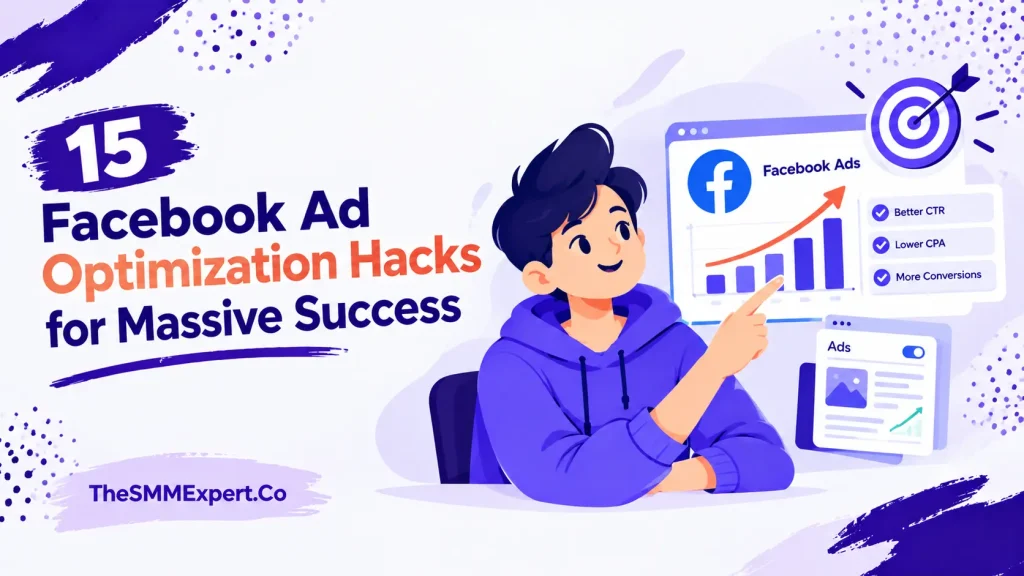
15 facebook ad optimization hacks for massive success are choosing the right objective, tracking real conversions, testing creative angles, matching audiences, controlling delivery, improving the landing page, and reviewing results before making changes. They all aim to help Meta find better ad opportunities with the budget you have. The main difference is where each hack works: campaign setup, ad content, audience, delivery, measurement, or the post-click experience.
Facebook ad optimization hacks at a glance
These 15 hacks fit into six working areas, so you can see where each one affects your campaign.
| Optimization area | Best for | Recognizable example |
|---|---|---|
| Objective and event choice | Better delivery signals | Sales objective with Purchase event |
| Pixel and Conversions API | Stronger conversion data | Browser and server events |
| Creative testing | Finding winning messages | Short video with clear hook |
| Audience and placements | Reaching useful users | Broad audience with Reels |
| Budget and bidding | Controlling spend | Advantage+ campaign budget |
| Funnel and measurement | Better profit decisions | Landing page and CPA review |
Campaign objective and conversion event
A campaign objective tells Meta what result to seek, while the conversion event tells it what success looks like. This setup suits advertisers who want sales, leads, or app actions rather than simple views or clicks.
Choose the result closest to your real business goal. A traffic campaign may bring visitors, but it isn’t the right choice when you need completed purchases.
- Match the objective to the outcome: Use Sales for purchases, Leads for submitted forms, and Engagement for actions such as video views or post interactions.
- Select one useful event: A Purchase event is stronger for a store selling products, while a Lead event fits a form-based service.
- Use the deepest reliable event: If purchase data is available, don’t optimize only for landing-page views.
- Name events clearly: Clear event names make reporting easier when several campaigns run at once.
If your account has too little purchase data, start with the deepest event that happens often enough to measure, then move closer to purchase as data improves. Don’t switch events every day; unstable signals make it harder to compare results.
A common costly error is optimizing for link clicks because they look cheap. You may get plenty of visitors, but the campaign can spend money on people who never complete the action that pays your business.
For example, an online store selling shoes could use the Sales objective, select Purchase as the conversion event, and send users to the product page for the exact shoes shown in the ad.
Meta Pixel and Conversions API
Meta Pixel tracks browser activity, while Conversions API sends selected events from your server or another connected system. This combination suits advertisers who need more dependable conversion reporting across browsers, devices, and privacy settings.
The setup needs care. An event shouldn’t be sent twice through the browser and server without deduplication, or the account may count one purchase as two.
- Install the Pixel: Check that page views, content views, carts, and purchases fire on the correct pages.
- Add Conversions API: Use your ecommerce platform, customer data platform, or a qualified developer when a server connection is needed.
- Deduplicate events: Use the same event ID for matching browser and server events.
- Check event quality: Compare Meta purchases with your store or CRM records over the same date range.
This hack isn’t for someone who can’t access the website, store integration, or server setup. If an event sends customer data incorrectly, stop and ask your platform provider or a privacy professional to review the connection.
Meta’s Conversions API documentation explains the event setup and server connection requirements. Follow the documentation for your platform instead of copying code from an unrelated account.
The trade-off is setup effort versus better signal quality. A basic Pixel installation is faster, but a suitable server connection can give your reporting a wider view of conversion activity.
For example, a Shopify store might send a browser Purchase event and a matching server Purchase event with one event ID after a completed checkout.
Facebook ad creative testing
Creative testing compares different messages, images, videos, and offers without changing every part of the campaign at once. It suits advertisers who have impressions but weak click-through rates, low engagement, or rising costs.
Test a clear difference, not tiny changes that nobody can see. You might compare a product demonstration with a customer problem, while keeping the offer and landing page the same.
- Test the opening hook: Put the problem, result, or product use in the first seconds of a video.
- Test the format: Compare a vertical video, a single image, and a carousel when each format fits the message.
- Test the offer angle: Compare free shipping, a bundle, or a clear product benefit only when those offers are real.
- Test the call to action: Use wording that matches the next step, such as Shop Now for a product page or Sign Up for a form.
Keep the audience, placement, budget, and conversion event stable during a focused comparison. If you change all five at once, you won’t know which change affected the result.
If your ad has a strong click rate but few purchases, don’t assume the creative is the only problem. Check the product page, price, shipping details, page speed, and checkout before producing ten more ads.
The limit here is that creative performance changes with the audience, offer, season, and placement. Read your own result against the same campaign goal and date range, not against a general “good” number from another business.
For example, a meal-kit company could compare a 15-second vertical cooking video with a static image showing the same weekly box and the same subscription offer.
Audience, placement, and delivery controls
Audience and placement choices decide where Meta can show an ad and which people it can reach. This area suits advertisers who have a clear customer profile, a large enough market, or useful past-customer data.
Start with the simplest audience that can reasonably find buyers. Extra interests and narrow filters can remove potential customers before the system has a chance to learn.
- Test broad targeting: Let Meta use location, age, and basic eligibility rules when your conversion signal is reliable.
- Use custom audiences: Reach past website visitors, customers, or people who watched your videos when a follow-up message makes sense.
- Build lookalike audiences carefully: Use a high-quality source, such as purchasers, rather than a mixed list of weak leads.
- Review placements: Keep automatic placements when your creative works in feed, Stories, and Reels; separate placements only when the message or format truly differs.
If your ad only works in one placement, make a placement-specific version rather than forcing one square image into every space. If your audience is small, use broader delivery; if it includes existing buyers, exclude them from a prospecting campaign.
Some controls can be combined, but they shouldn’t compete. For example, a broad prospecting campaign and a customer retargeting campaign can run together, while excluding current customers from prospecting keeps the messages cleaner.
Remaining Facebook ad optimization hacks
The remaining hacks focus on money, timing, measurement, and the page after the click. Use them after the basic tracking and campaign goal are correct.
- Budget changes: Raise or lower spend in small, planned steps when results are stable. If performance is already poor, fixing the event or creative comes before adding money.
- Bid strategy: Use the strategy that matches your goal, such as getting the most conversions or controlling a cost when your account has enough data. Don’t set a strict cost target that blocks delivery.
- Retargeting windows: Match the window to the buying cycle. A short window can fit an impulse product, while a longer window may suit considered purchases.
- Frequency checks: Watch how often the same people see an ad. If frequency rises while clicks and conversions weaken, refresh the creative or widen the audience.
- Landing-page match: Keep the headline, product, price, and call to action consistent from ad to page. A strong ad can’t repair a confusing checkout.
- Breakdown reports: Compare results by placement, age, device, and region only when you have enough delivery to make the comparison useful.
- Automated rules: Create rules for alerts, spend limits, or review points. Automations should flag decisions, not blindly turn campaigns off after one weak hour.
How to choose the right hacks
Your current problem should decide which hack you try first. If purchases aren’t recorded correctly, start with the Pixel and Conversions API; if tracking works but the ad gets little response, test the creative before changing the audience.
Your available time also matters. If you have limited time, use one clear campaign objective, one reliable event, and a small set of creative variations. If you can review performance regularly, add placement, audience, and landing-page comparisons without changing all of them together.
Your sales cycle points to the right retargeting window. A low-cost product that people buy quickly may suit a shorter follow-up period, while business software or higher-priced services need a longer path with different messages.
Choose broad targeting when your conversion data is dependable and your market isn’t tiny. Choose custom audiences when you have meaningful past visitors or customers. Choose lookalike audiences when your source list represents the customers you actually want.
Choose creative testing when people see the ad but don’t respond. Choose landing-page testing when people click but don’t complete the action. If both stages are weak, fix the offer and message match before splitting the budget.
These hacks can work together, but one choice can limit another. For example, a strict bid or cost control may reduce delivery, while broad targeting and automatic placements give Meta more room to find opportunities.
Frequently asked questions
Can facebook ads optimize for purchases?
Yes, Facebook ads can optimize for purchases when the campaign uses a Sales objective and Meta receives a usable Purchase event. The event must fire after a real checkout, not only after a product-page visit. Check the event in Events Manager, then compare reported purchases with your store records. If purchase data is too limited, use the deepest reliable event temporarily and move back to Purchase when tracking is ready.
Why are my facebook ad clicks not turning into sales?
Clicks may fail to become sales because the offer, landing page, price, checkout, or traffic quality doesn’t match the ad. Check whether the ad promise appears on the page, whether the product is available, and whether the checkout works on mobile. Also compare link clicks with landing-page views. A high click count with weak page visits can point to slow loading or accidental clicks.
How long should you test a facebook ad?
Give a test enough delivery to produce a useful comparison, rather than stopping after a few hours. The needed time depends on your budget, audience size, conversion rate, and sales cycle. Keep the objective, event, audience, and offer stable during the test. Stop sooner if the ad has a tracking error, broken link, policy issue, or clearly wrong offer.
Is it safe to use broad targeting on facebook?
Yes, broad targeting can be suitable when your event tracking works, the offer serves a wide market, and location or eligibility limits are clear. It isn’t a good fit for a very small service area or a product with strict customer requirements. Start with the controls your business needs, then avoid adding interests simply because the audience looks more detailed.
What happens if facebook counts the same purchase twice?
Duplicate purchase events can inflate reported conversions and make the campaign seem more profitable than it is. This often happens when browser and server events are sent without a matching event ID. Check the event setup in your platform and Meta’s event diagnostics. Don’t change budgets based on inflated numbers; fix deduplication and compare the account with your actual order records.
Does ad frequency affect facebook ad performance?
Yes, frequency can matter when the same audience sees an ad repeatedly and response weakens. There isn’t one safe frequency for every campaign, because product price, audience size, creative quality, and sales cycle change the result. Review frequency beside click, conversion, and cost trends. If response drops as frequency rises, refresh the creative or expand the audience.
How often should you change facebook ad settings?
Change settings only when the result or tracking evidence supports a change. Frequent edits can make comparisons unclear, especially when you change the event, audience, budget, and creative at the same time. Keep a simple record of each change and its date. If tracking is wrong or the destination page is broken, fix that immediately rather than waiting for more data.
First steps for Facebook ad optimization
Start by checking the objective, conversion event, Pixel, server events, and landing page before changing the budget. In Events Manager, confirm that the intended event fires on the right page and that its value, currency, and purchase details match your store or CRM. Test the same path a customer uses, including checkout, rather than relying on the ad preview. Record the test result before optimizing.
Check that browser and server tracking don’t duplicate events and that the ad’s promise matches the page offer through checkout. If events are missing or differ from store or CRM records, pause delivery changes and ask your developer, platform provider, or Meta support to investigate. If attribution windows explain discrepancies, compare them first; change one variable at a time and monitor results.
 Written byMatthew WilliamsMatthew Williams is a digital marketing writer and social media expert with over 8 years of experience. He works with Facebook, Gmail, and online reputation problems. He writes clear, useful content to help people, creators, and businesses fix Facebook problems, keep their pages safe, and use Meta’s tools more effectively. His work talks about Facebook Ads, Business Manager, keeping your pages safe, growing your audience.