
Imagine this: you log into Facebook, and suddenly, someone else looks like you. They copied your profile, your photos. It’s unsettling. It’s confusing. And worst of all, it puts your privacy and reputation at risk.
If this sounds familiar, you’re not alone. Facebook cloning happens more often than you think. But don’t panic. There are simple, clear steps you can take right now to stop the fake account and keep your real profile safe.
How to Spot a Cloned Facebook Account
First things first: you need to know what to look for. A cloned account is basically a copy of your profile made by someone else. They use your photos and info to trick your friends and family. Sometimes, they send messages pretending to be you or post things you wouldn’t.
Here are some red flags:
- Odd friend requests from a profile with your name but a different photo or details.
- Duplicate profiles when you search your name on Facebook — the fake one usually has fewer friends and posts.
- Weird messages or posts your friends mention receiving from your account.
- Small profile differences like missing info or very few updates.
For example, your real profile might have dozens of friends and regular posts. The clone? Maybe just a handful of friends and no recent posts. Spotting these little details early helps stop trouble before it spreads.
Steps to Secure Your Real Facebook Account
Finding out your account was cloned can feel like a punch in the gut. But quick action can save you a lot of headaches. Here’s what I recommend:
1. Change Your Password Right Away
- Go to Settings > Security and Login.
- Click Change Password.
- Pick a strong password with letters, numbers, and symbols — nothing obvious like birthdays.
- Save your changes.
2. Turn On Two-factor Authentication (2fa)
- This adds a second step when logging in — a code sent to your phone.
- Find it under Settings > Security and Login > Use Two-Factor Authentication.
- Follow the prompts to activate it.
3. Check And Remove Unknown Devices
- Look under Where You’re Logged In in Security settings.
- Click See More to see all devices.
- Log out of anything you don’t recognize.
4. Update Your Contact Info
- Make sure your email and phone number are current.
- This helps if you ever need to recover your account.
Report the Fake Profile to Facebook
Don’t wait. Reporting helps Facebook remove the fake account faster. Here’s how:
- Go to the cloned profile.
- Click the three dots (•••) near the cover photo.
- Select Find support or report profile.
- Choose Fake Account and follow the steps.
Facebook may ask for ID to confirm you’re the real owner. It’s a quick process that helps protect your identity.
Tell Your Friends and Family
Once you know about the clone, let your contacts know ASAP. Why? Because scammers might try to trick them, too.
Send a simple message like:
“My Facebook account was cloned. Please don’t accept friend requests from any other profile with my name.”
You can:
- Post on your real Facebook timeline.
- Send private messages.
- Text or call close friends.
- Use email if needed.
Help your friends spot fake accounts by sharing what to look for:
- New friend requests from your name that seem off.
- Messages asking for money or personal info.
- Links that look suspicious.
- Profiles that look like yours but have fewer friends.
Encourage them to report the fake profile too — the more reports, the faster Facebook acts.
Keep Your Account Safe Going Forward
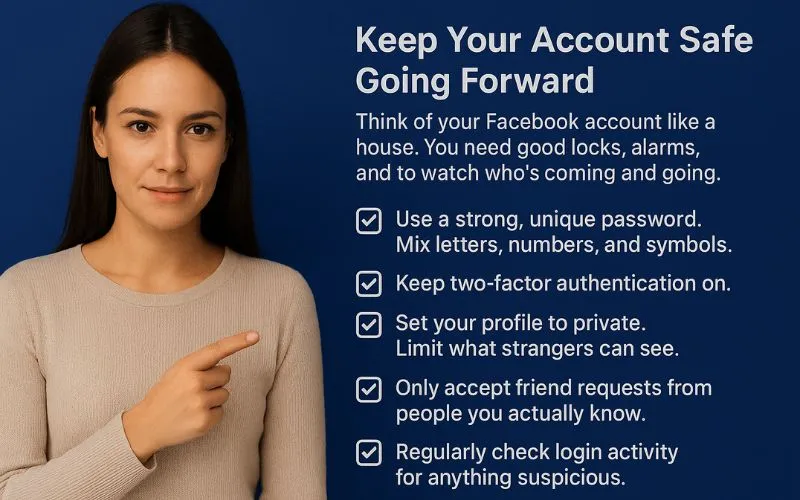
Think of your Facebook account like a house. You need good locks, alarms, and to watch who’s coming and going.
Here’s a quick checklist:
- Use a strong, unique password. Mix letters, numbers, and symbols.
- Keep two-factor authentication on.
- Set your profile to private. Limit what strangers can see.
- Only accept friend requests from people you actually know.
- Regularly check login activity for anything suspicious.
Watch for Warning Signs
Look out for:
- Logins from strange locations.
- Messages you didn’t send.
- Friend requests you don’t recognize.
- Posts or changes you didn’t make.
Frequently Asked Questions
How Can I Tell If My Facebook Is Cloned?
Look for duplicate profiles using your name and photos. Your friends might get weird friend requests or messages from a fake account.
What Should I Do If My Facebook Is Cloned?
Report the fake profile to Facebook, change your password, turn on two-factor authentication, and alert your friends.
Can Cloning Affect My Account Security?
Yes. Cloning can lead to scams, identity theft, or misuse of your personal info.
Will Facebook Remove Cloned Profiles Quickly?
Usually, yes. But it depends on the case. Reporting quickly helps speed things up.
Can My Friends Help?
Absolutely. They can report the fake profile and warn others not to trust it.
Wrapping Up
A cloned Facebook account is more than just annoying — it can hurt your reputation and privacy. But with fast action, you can stop it in its tracks.
Here’s the bottom line:
- Spot the fake account early.
- Secure your real profile.
- Report the clone to Facebook.
- Warn your friends and family.
- Keep your security tight.
Stay alert. Protect your online self. Small steps now save big trouble later.
If someone copies your account, it is a sign that you need to keep your personal stuff separate from your work. You should try to not mix these things. For example, if you run ads, handle many pages, or work on things for clients, having a dedicated account for work can help you be more organized.

