On this page
- What Brand Collabs Manager became
- How to use creator marketplace
- Brand Collabs Manager settings at a glance
- What improves creator campaigns
- Brand Collabs Manager problems and fixes
- Disclosure and platform rules
- Keep campaign records organized
- When Facebook’s Brand Collabs Manager isn’t right
- Frequently asked questions
- Conclusion
The tool is no longer a standalone product for most users. Today, the complete guide to using facebook’s brand collabs manager is mainly a guide to Meta’s newer Creator Marketplace and related brand-collaboration tools. You’ll use them to find creators, review audience information, send project briefs, manage permissions, and measure results. Access can vary by country, account type, and Meta’s current product layout.
What Brand Collabs Manager became
Brand Collabs Manager was Facebook’s system for connecting brands with creators for paid partnerships. Brands could search creator profiles, review audience details, send collaboration requests, and manage campaign information in one place.
Meta has moved this work into Creator Marketplace, Meta Business Suite, and Instagram’s professional tools. So, an old tutorial may show buttons or pages you don’t see today. The name, menu location, and available features can change by market and account.
The main misconception is that you can open Brand Collabs Manager and use every feature on any Facebook account. You can’t. A brand normally needs a suitable business setup, while a creator usually needs a professional account and access to creator tools.
Creator Marketplace is used to match brands with creators, not to replace a full campaign platform. You may still need Ads Manager for paid distribution, Business Suite for messages and scheduling, and a separate contract or payment process.
Meta’s current creator tools can connect brands with eligible creators for partnership opportunities, but access isn’t guaranteed. If the old Brand Collabs Manager page is missing, check Meta Business Suite and the professional dashboard linked to the Facebook or Instagram account you manage.
How to use creator marketplace
Use this process when your account has access to Meta’s current creator-collaboration tools. The labels can differ slightly between Facebook, Instagram, and Meta Business Suite.
- Set up the business account first. Confirm that your Facebook Page, Instagram professional account, ad account, and business portfolio are connected. Use the account that will own the campaign and pay for advertising.
- Open Creator Marketplace or the creator-collaboration area. In Meta Business Suite, look for creator, partnership, or branded-content tools. If you only see older help pages for Brand Collabs Manager, the feature may have moved or may not be available to your account.
- Write the campaign brief before searching. Add the product, audience, campaign dates, required platforms, content format, key message, approval process, and payment terms. Don’t ask a creator to guess these details.
- Filter and review creators. Check the creator’s recent content, audience location, language, content style, and past brand work. Treat platform metrics as screening information, not as proof that a campaign will succeed.
- Send a clear invitation or message. Include the deliverables, deadline, payment arrangement, usage rights, approval steps, and required disclosure. If the creator asks for a change, put the final agreement in writing before work starts.
- Approve the content before publication. Check factual claims, music rights, product names, links, required disclosures, and brand-safety concerns. Don’t request edits that change the creator’s honest opinion or violate the agreed brief.
- Grant permissions only when needed. If you’ll boost a creator’s post, use the partnership-ad or branded-content permission offered by Meta. Don’t ask for a creator’s password or broad account access.
- Measure the agreed results. Record reach, video views, clicks, saves, comments, conversions, and spend according to the campaign goal. Save the post link, approval record, invoice, and final report.
The key judgment is fit, not the largest follower count. If the creator’s audience matches your buyers, review the profile more closely; if the audience doesn’t match, move on even when the account looks popular. Payment contracts, tax questions, and rights disputes need a qualified lawyer or accountant.
Brand Collabs Manager settings at a glance
These are the main choices to settle before you invite a creator. Exact menu names and access can change, so compare them with the options shown in your Meta account.
| Situation | What to use | How long | What to watch for |
|---|---|---|---|
| Finding suitable creators | Creator Marketplace search and filters | Before outreach | Audience location, language, content quality, and recent activity |
| One sponsored post | A written brief and partnership request | Until the post is approved | Disclosure, deadline, format, and payment terms |
| Several posts or videos | A campaign brief with separate deliverables | Across the full campaign period | Whether each post has its own due date and approval status |
| Boosting creator content | Meta’s partnership-ad or branded-content permission | For the agreed ad period | Platform permissions, ad account access, and usage rights |
| Product review or demonstration | Product claims checklist and content approval | Before publication | Claims must be accurate and supportable |
| Tracking campaign results | Agreed metrics and saved reports | From publication through reporting | Don’t compare views, clicks, and sales as if they mean the same thing |
What improves creator campaigns
Strong campaigns start with a useful brief. State who the content is for, what the creator must show, what they must avoid, and how success will be judged. A vague request such as “make it engaging” leaves too much room for disagreement.
Work in this order: choose the audience, define the offer, set the deliverables, agree on payment and rights, then contact creators. Checking prices or sending invitations before defining usage rights can create a costly argument later. Paid ad usage, whitelisting, exclusivity, and raw-file delivery should each be written down.
Check the creator’s recent posts, not only the profile summary. Look for repeated sponsored content, sudden changes in audience or topic, copied material, unexplained engagement spikes, and comments that suggest the audience doesn’t trust the account. These checks won’t predict results, but they can reveal a poor fit.
Leave the creator’s normal voice alone unless it conflicts with the brief or a legal requirement. Over-editing often makes the post sound like an advertisement, while giving no review process can lead to incorrect claims. The trade-off is clear: tighter control can protect the brand, but it can also reduce the creator’s credibility.
A common costly mistake is agreeing only on the post price. If you later want to reuse the content in ads, on a website, or in email, you may need extra rights or payment. Decide where the content can appear, for how long, and whether the creator can end that permission.
Brand Collabs Manager problems and fixes
A missing menu doesn’t always mean your account is broken. Meta can limit features by account type, country, eligibility, or product rollout. Start with the checks below before changing business settings.
| What you notice | What it usually means | What to do first |
|---|---|---|
| Brand Collabs Manager won’t open | The old product has moved or is no longer available to your account | Check Creator Marketplace and Meta Business Suite |
| You can’t invite a creator | The creator or brand may not be eligible for that collaboration feature | Confirm account type, country, and professional status |
| Creator results look incomplete | The platform doesn’t expose every audience or performance detail | Review public content and request relevant media-kit information |
| A creator can’t tag the partnership | The post, account, or branded-content setting may not qualify | Check the professional account and branded-content tools |
| Your ad can’t use the creator’s post | The required partnership permission wasn’t granted | Ask the creator to approve the correct Meta ad permission |
Don’t create a second business portfolio just because one menu is missing. That can split assets and make permissions harder to track. If safe account checks don’t solve the issue, use Meta Business Help or an authorized business-support contact rather than changing ownership settings at random.
Disclosure and platform rules
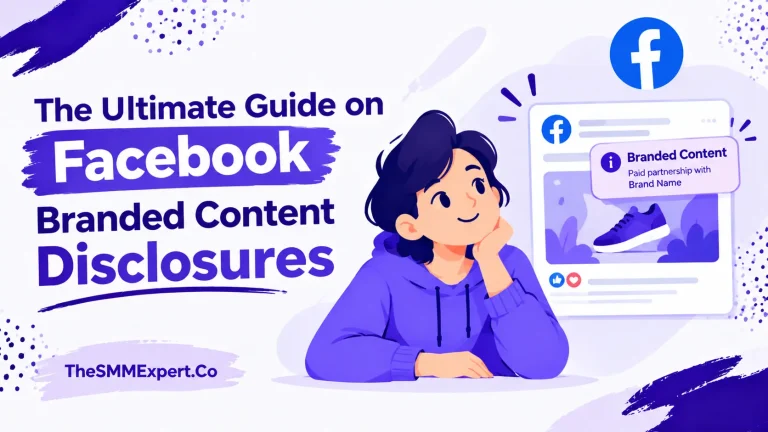
Paid creator content needs clear disclosure. The Federal Trade Commission says an endorsement connection should be disclosed when the audience might not expect it, including a paid relationship, free product, or other benefit. The FTC’s endorsements and influencer guidance explains how those disclosures should work.
Use plain terms such as ad, sponsored, or paid partnership where the audience can see them. A disclosure hidden after a “more” link, in a long hashtag group, or behind an unclear abbreviation may not be clear enough.
Meta also has its own branded-content and partnership-ad rules. They can cover account eligibility, prohibited content, political or regulated topics, music, intellectual property, and ad permissions. Check Meta’s current rules inside Business Help for the country and account you’ll use.
If the campaign involves health, money, alcohol, children, employment, housing, politics, or regulated products, don’t rely on a normal creator workflow. Ask the relevant compliance professional or lawyer to review the claim and targeting before publication.
Keep campaign records organized
Save the brief, agreed fee, invoice, approval messages, final files, post links, permissions, and performance report in one campaign folder. Record which account published the content and where the brand is allowed to reuse it.
Review the campaign when the agreed reporting period ends, or when the post stops receiving useful activity. There’s no universal lifespan for a creator post or partnership permission; the deciding value is the end date in your contract and the permission shown in Meta.
If a creator post needs correction, contact the creator promptly and document the requested change. Don’t delete or replace content without checking the agreement, because removal can affect payment, reporting, and promised deliverables.
When Facebook’s Brand Collabs Manager isn’t right
Brand Collabs Manager or Creator Marketplace isn’t a good fit when you need a large, repeatable creator program with complex contracts, payments, approvals, and rights tracking. Use a specialist influencer-management platform or agency instead.
It’s also the wrong choice when your campaign depends on precise conversion tracking across several websites or ad networks. Use Ads Manager with properly configured measurement, and involve an analytics specialist when the customer journey crosses multiple systems.
This approach isn’t for a creator who only wants to publish casually without brand approvals or paid partnership obligations. A direct, written agreement may be simpler, but both sides still need to settle payment, disclosure, deadlines, and content rights.
Frequently asked questions
Is Brand Collabs Manager still available?
No, not as a single tool that every Facebook user can open. Meta has moved creator collaboration features into newer products, including Creator Marketplace and related professional tools. Your available options depend on your account, country, connected assets, and eligibility. Old links or screenshots may show a workflow your account no longer supports.
Can I use Creator Marketplace without Instagram?
Sometimes, but access varies. Meta’s creator-collaboration tools are closely connected with Instagram professional accounts, Facebook Pages, and Meta Business Suite. A Facebook-only brand may see fewer options than a business with connected professional accounts. Check the tools available in your own business portfolio before planning the campaign.
Why can’t I find a creator in Meta’s marketplace?
The creator may not meet the feature’s eligibility rules, may use a different account type, or may not have joined the available program. Search results can also differ by country, audience filters, language, and platform. Review the creator’s public profile directly, then contact them through an approved business channel.
How long does Meta take to approve a creator account?
There’s no reliable universal approval time. The deciding factors include the account’s eligibility, country, policy status, and the product being requested. Check the status message in the professional dashboard or Business Suite. Don’t promise a campaign date until the creator can access the required branded-content tools.
Is it safe to give a creator ad access?
It can be safe to authorize the brand to run a partnership ad using the creator’s content, provided the permission is limited to the agreed campaign; don’t give the creator ad-account access unless it’s separately necessary. Don’t share passwords or give full business-admin access for a single post. Review who can create ads, which content can be used, and when the permission ends.
What happens if a creator doesn’t disclose a paid post?
The brand and creator may face platform action, audience complaints, or regulatory attention. Ask for a clear disclosure before publication and keep a record of the instruction. If the post is already live, contact the creator quickly and request a correction; don’t assume adding a disclosure later removes every risk.
Can small businesses use Meta creator tools?
Yes, if the business and creator accounts meet Meta’s current eligibility requirements. A small budget doesn’t remove the need for a written brief, clear disclosure, accurate claims, and agreed content rights. If the marketplace isn’t available, a direct creator agreement can still support a compliant campaign.
Conclusion
Meta’s product names will keep changing, so focus on the functions rather than the old label: find a suitable creator, agree on the work, disclose the relationship, control permissions, and save the records. That workflow still works even when Brand Collabs Manager appears under a different menu.
 Written byMatthew WilliamsMatthew Williams is a digital marketing writer and social media expert with over 8 years of experience. He works with Facebook, Gmail, and online reputation problems. He writes clear, useful content to help people, creators, and businesses fix Facebook problems, keep their pages safe, and use Meta’s tools more effectively. His work talks about Facebook Ads, Business Manager, keeping your pages safe, growing your audience.