On this page
- What Facebook branded content means
- How to publish Facebook branded content
- Facebook branded content settings
- Details that improve branded content
- Facebook branded content problems
- Rules for Facebook promotions
- Keep campaign records organized
- When Facebook branded content isn’t right
- Frequently asked questions
- Conclusion
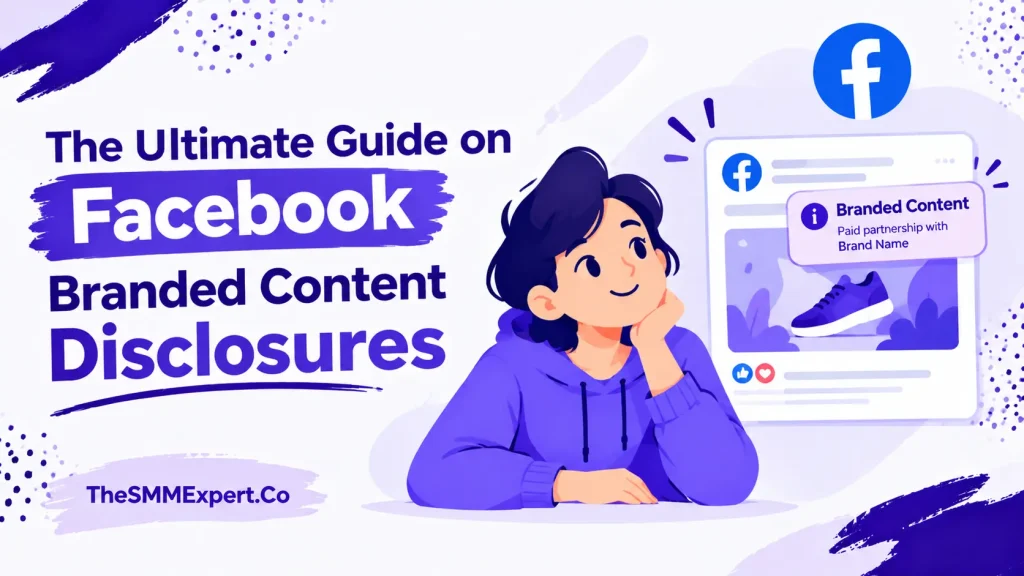
The ultimate guide on facebook branded content is simple: disclose the business relationship, use Meta’s paid partnership label, and follow both Facebook’s rules and advertising law. Branded content covers posts where a creator receives payment, free products, or another benefit from a business. You’ll also need clear wording when the relationship isn’t obvious from the platform label. The details below explain setup, approval, captions, common errors, legal limits, and when another ad format is a better choice.
What Facebook branded content means
Facebook branded content is creator content connected to a business relationship. A creator might receive money, a free product, a discount, travel, services, or another benefit for mentioning a brand. The post can still use the creator’s normal voice, but the relationship must be clear to viewers.
This format is made for creators, publishers, public figures, and businesses working together. It’s useful when a brand wants a person’s content style and audience, rather than a standard ad made only by the brand.
The main misconception is that a free product doesn’t count because no money changed hands. It can still create a material connection. The Federal Trade Commission (FTC) says that people should disclose relationships that could affect how audiences judge an endorsement.
On Facebook, eligible creators can use Meta’s branded content tools and the Paid partnership with label. Meta’s branded content policies set platform requirements for this type of post. The label helps, but it doesn’t replace a clear disclosure when the caption or creative needs more explanation.
Branded content isn’t the same as an ordinary business post. It also isn’t automatically the same as a normal ad. A brand may later turn eligible creator content into a partnership ad, but that requires the correct permissions and ad setup.
Use it when the creator’s contribution is central to the post. If the business controls every word, image, and audience setting, a standard ad may be clearer and easier to manage.
How to publish Facebook branded content
Start with the relationship, not the button. Decide what the creator receives, what the business expects, who owns the content, and whether the brand can promote the post later.
-
Choose an eligible creator and Page. Confirm that the creator can access Facebook’s branded content tools and that the business has the correct Facebook Page. If the tool isn’t available, don’t label an ordinary post as branded content by hand and assume it has the same platform status.
-
Agree on the deliverables in writing. Record the number of posts, format, publishing date, key claims, required tags, approval process, payment or free products, and any permission for paid promotion. Keep the agreement specific enough that both sides know what must appear.
-
Prepare the post as creator content. The creator should make or publish the content from the account that represents them. Don’t copy a creator’s image or video to the brand’s Page and call it branded content unless the agreement and platform permissions allow that use.
-
Add the paid partnership label. In the Facebook post tools, choose the branded content or paid partnership option and tag the business partner. The exact menu can change by account, country, and app version, so use the current option shown in the creator’s publishing screen.
-
Write a clear caption disclosure. Put the disclosure where people can see it without expanding a long caption. Words such as ad, advertisement, or paid partnership with [brand] are clearer than vague wording such as “thanks to,” “ambassador,” or “collab.”
-
Check claims before publishing. The creator and brand should review prices, results, health statements, comparisons, and required disclaimers. A creator shouldn’t claim personal experience with a product they haven’t used, and a brand shouldn’t ask them to hide a material connection.
-
Publish, then save the record. Keep the final caption, creative file, approval message, agreement, and publication date. If the business plans to promote the post, check the partnership ad permission and identity before building the campaign.
The key judgment is disclosure visibility. If a viewer can miss the relationship while quickly scrolling, make the wording more direct and place it earlier; if the connection is already unmistakable, keep the wording clear without burying it in a long block of text. Anything involving regulated claims, a contract dispute, or a rights issue should go to an advertising lawyer or qualified compliance professional.
Facebook branded content settings
These settings cover the common situations you’ll face. Meta can change menu names and eligibility by account, country, or product, so the live publishing screen remains the final check.
| Situation | What to use | How long | What to watch for |
|---|---|---|---|
| Paid creator post | Paid partnership label plus clear caption disclosure | Before publishing | Tag the correct business Page |
| Free product or service | Paid partnership label when the platform tool applies | Before the post goes live | Free items can still create a material connection |
| Creator makes a product claim | Approved wording and a visible disclosure | During drafting and final review | Don’t use unsupported results or guarantees |
| Brand wants to promote creator content | Partnership ad permission and the correct ad identity | Before campaign setup | Organic posting permission may not equal ad permission |
| Creator posts from a personal profile | Available branded content tools for that account | Before publishing | Not every profile or country has the same tools |
| Brand reposts creator content | Written reuse rights and the correct Facebook format | Before copying or editing | A tag alone doesn’t prove copyright permission |
If the partnership includes several posts, check every post separately. A disclosure on one post doesn’t automatically cover a different post, Story, video, or repost.
Details that improve branded content
Good branded content starts with a short brief, not a long script. Give the creator the approved product facts, prohibited claims, required tags, disclosure wording, deadline, and contact for questions. Leave room for the creator’s natural voice, because forced wording can make the relationship look less credible.
Review the order of information before reviewing small design details. The audience should see the disclosure, understand the product or offer, and then see the supporting claim. Check the mobile view, the first lines of the caption, on-screen text, audio, and any text hidden behind a “See more” control.
A common costly mistake is approving the creative first and checking compliance after publication. That can lead to an edited post, a missed campaign date, wasted production work, or a need to remove the content. Check the partnership label, business tag, disclosure, claims, music rights, image rights, and landing-page match in one final review.
Leave unrelated claims alone. Don’t add “best,” “guaranteed,” medical promises, income promises, or performance numbers just because they sound persuasive. If a claim needs evidence, use the exact evidence and wording approved by the responsible business or legal reviewer.
Facebook branded content problems
Start with the visible symptom, then check the account, label, and permissions. Don’t keep changing settings when the account simply isn’t eligible for the feature.
| What you notice | What it usually means | What to do first |
|---|---|---|
| The business doesn’t appear as a partner | The creator selected the wrong Page or the Page isn’t available to that account | Confirm the exact Page name and partnership access |
| The paid partnership option is missing | The account, country, content type, or tool access may not support it | Check Meta’s current eligibility and account settings |
| The label is present but the caption is vague | The platform label may not give enough context on its own | Add clear words such as “ad” or “paid partnership” near the start |
| The brand can’t promote the post | Ad permission, identity, or content rights are missing | Review partnership ad access and the written content agreement |
| The post was rejected or limited | The creative or claim may conflict with Meta’s advertising rules | Read the notice, remove the unsupported claim, and request review when appropriate |
| The creator wants to edit the disclosure later | The original post may have been published without a clear notice | Update the post promptly and keep a record of the corrected version |
If the problem involves a disabled account, payment dispute, copyright complaint, or legal demand, stop experimenting and contact Meta support or a qualified professional.
Rules for Facebook promotions
The FTC requires endorsements to disclose material connections, including payment and other benefits that could affect how an audience views the recommendation. The disclosure must be easy to notice and easy to understand. “Thanks” or a brand tag may not explain the relationship clearly enough.
The FTC also expects endorsers to describe only experiences and claims they can support. A creator can’t present an untested result as personal experience, and a business shouldn’t direct a creator to make a claim that lacks reasonable support.
Meta has its own branded content and advertising requirements. These can cover prohibited products, restricted categories, targeting, intellectual property, misinformation, and the use of platform tools. Read the current rule that applies to the post type and country, because a Facebook organic post and a paid ad may face different checks.
If the content involves alcohol, gambling, financial products, health products, political issues, children, or regulated professions, get specialist review before publishing. A social media manager shouldn’t guess at a license, consent rule, or industry requirement.
Keep campaign records organized
Save the final post link, screenshot, caption, disclosure, creative file, approval messages, agreement, payment or product record, and any ad authorization. Use a folder or system that lets you connect each creator, post, brand Page, and campaign.
Review the post when the offer changes, the product changes, or the business asks for a new claim. A disclosure that was clear in one image may become unclear after cropping, reposting, or editing.
Watch for signs that the content needs attention: the label disappears, the brand Page changes, the creator edits the caption, a link stops working, or a viewer could misunderstand the offer. If that happens, correct the post and record what changed.
There’s no safe universal lifespan for a branded content approval. The claim, product, agreement, and platform rules can change, so use the next campaign review or a new version of the creative as the point to check it again.
When Facebook branded content isn’t right
Facebook branded content isn’t the best choice when the brand needs strict control over every word, image, audience, placement, and delivery date. Use a standard ad made from approved brand creative instead. This matters most for a fixed launch date or creative requiring several approvals, because late changes can delay publication.
It’s also a poor fit when the creator has no real connection to the product or can’t describe it honestly. Choose a creator who has relevant experience, or use product-focused advertising without an endorsement. A large following can’t fix weak product fit; forced praise can reduce credibility.
Don’t use this format when the product or claim needs specialist legal, medical, financial, or regulatory review that hasn’t happened. Pause the campaign and send it to the appropriate compliance team before publication. Don’t ask the creator to interpret disclosures or claim language; route those decisions through compliance.
If the main goal is direct sales tracking, a standard conversion campaign may offer cleaner control over the landing page, event tracking, budget, and audience. The trade-off is that you may lose some of the creator’s personal voice and trust. Use the standard campaign when measurement matters more; use branded content when creator context matters more.
Frequently asked questions
Can I use branded content on a Facebook personal profile?
Yes, but access depends on the account, country, content type, and Meta’s current eligibility rules. A personal profile doesn’t automatically qualify for every branded content feature. If the tool isn’t available, disclose the relationship clearly in the post and don’t claim that an ordinary tag gives you Meta’s branded content status.
Why is the paid partnership label missing on Facebook?
The label may be missing because the account or post type isn’t eligible, the feature isn’t available in that country, or the app needs an update. Check the account’s professional tools and Meta’s current branded content requirements. If access still doesn’t appear, use clear disclosure wording and contact Meta support before publishing a paid campaign.
How long does Facebook branded content approval take?
There’s no single public approval time for every Facebook branded content post. Some posts can publish after the creator adds the label, while other accounts or ad campaigns may face review. Build time for a manual review before the campaign date, and don’t promise a launch time until the post and any paid promotion are approved.
Is it safe to rely only on Facebook’s paid partnership label?
No, not always. The label identifies the partnership on Facebook, but the disclosure still needs to be clear to the audience and fit the creative. Add direct wording such as “ad” when the relationship or benefit might not be obvious. The FTC’s endorsement guidance is the better reference for disclosure clarity.
What happens if I forget to disclose a brand deal?
The post can confuse viewers, attract platform action, or create an advertising compliance problem. Correct the disclosure quickly, keep a record of the change, and tell the brand what happened. Don’t delete evidence or quietly repost the same content without fixing the wording and reviewing the approval process.
Can a brand turn Facebook branded content into an ad?
Yes, when the creator and brand have the required permission and the content meets Meta’s advertising rules. Organic posting access alone doesn’t guarantee ad access. Confirm the partnership ad authorization, Page identity, creative rights, audience settings, and claims before building the paid campaign.
Conclusion
Before your next collaboration, agree on the disclosure wording, approval process, and audience before anything goes live. Keep a copy of the business’s permission and your final post, then check Meta’s current guidance when policies change. It won’t take long, and this small routine can protect trust and make future partnerships easier
 Written byMatthew WilliamsMatthew Williams is a digital marketing writer and social media expert with over 8 years of experience. He works with Facebook, Gmail, and online reputation problems. He writes clear, useful content to help people, creators, and businesses fix Facebook problems, keep their pages safe, and use Meta’s tools more effectively. His work talks about Facebook Ads, Business Manager, keeping your pages safe, growing your audience.