On this page
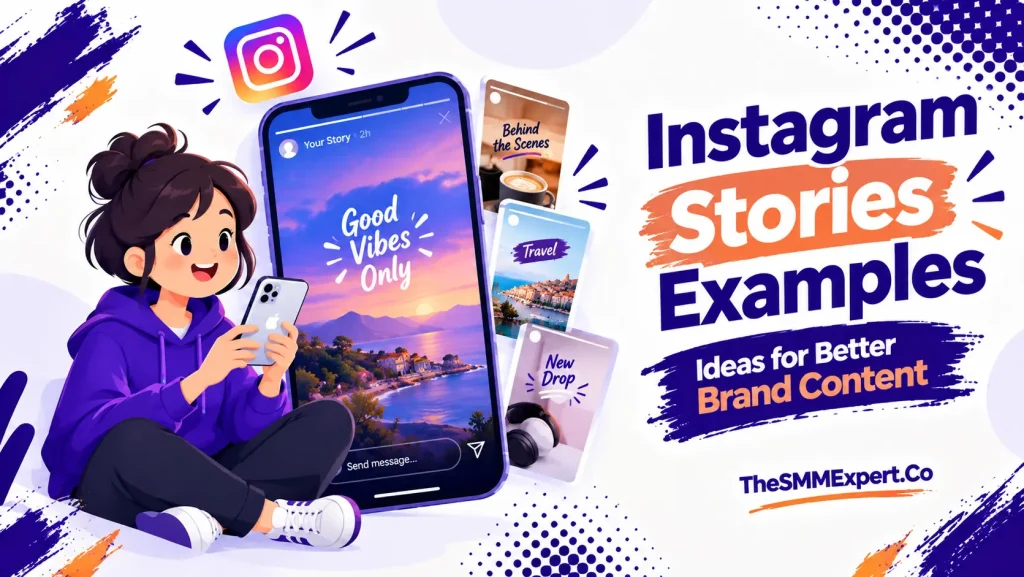
Instagram stories examples include product showcases, behind-the-scenes clips, tutorials, polls and questions, customer testimonials, user-generated posts, and announcements. They all use short, vertical posts that help a brand or creator share information in a casual way. The main difference is the result each format targets: sales, trust, teaching, replies, proof, community content, or timely news. Stories can include photos, videos, text, stickers, links, and other interactive tools. They’re useful for businesses, creators, nonprofits, and personal accounts, but the best format depends on what you want viewers to do next.
Instagram Stories formats at a glance
Each format below fits a different goal, so choose the row that matches the action you want from viewers. If you want a purchase, show the product and its next step. If you want replies, use an interactive sticker.
| Story format | Best for | Recognizable example | Add to make it useful |
|---|---|---|---|
| Product showcase Stories | Showing a product clearly | New shoe color reveal | Show the product in use, then add a product tag or link sticker. |
| Behind-the-scenes Stories | Building personal trust | Packing today’s orders | Include a person, workspace, or process instead of polished brand graphics. |
| Tutorial Stories | Teaching a simple task | Three-step makeup guide | Put one action on each frame and show the finished result. |
| Poll and question Stories | Getting quick replies | “Which design should launch?” | Ask one specific question with answer choices people can tap quickly. |
| Customer testimonial Stories | Adding buyer proof | Customer review screenshot | Identify the customer when permitted and connect the quote to a product benefit. |
| User-generated Stories | Sharing community content | Customer wearing your product | Request permission before reposting, and tag the original creator. |
| Announcement Stories | Sharing timely news | Event date or sale notice | State what is happening, when it happens, and where viewers should act. |
Don’t use a testimonial screenshot as user-generated content unless the customer has shared usable content, such as a photo or video. Keep the first frame focused on one message; place details, context, and the call to action on later frames.
Product showcase Stories
Stories that showcase a product present it through clear images, short video clips, or a simple demonstration.
Use this format when the item needs visual proof. A single photo may show the product, but several connected frames can answer the questions a buyer usually has.
- Show the main result: Display the finished item in use, not only on a plain background.
- Explain one useful feature: Show the pocket, texture, size, setting, or service step that matters to the buyer.
- Answer a buying question: Add the available color, material, appointment type, or ordering method.
- Create a clear next action: Tell viewers to visit the product page, reply, or save the Story for later.
The trade-off is speed versus detail. A short product Story is easier to watch, but a complex item may need more frames, a demonstration, or a link to full information. If the product has technical, medical, or legal limits, don’t make a Story the only source of instructions.
A common mistake is showing several products in one frame without naming them. Viewers may like the image but still won’t know which item to choose, and the business loses useful buying questions.
For example, a bakery could show one 9-inch chocolate cake, cut it open in the next frame, and add “Order by Friday for Saturday pickup.”
Behind-the-scenes Stories
Behind-the-scenes Stories show work that normally stays outside the finished post. Unlike a product showcase, this format focuses on the people, process, or setting behind the result rather than the item itself.
It suits small businesses, artists, restaurants, event teams, and creators who want a more personal connection. You don’t need a polished studio. A clean, honest clip of preparation can make the account feel more open and active.
- Show the work in progress: Film mixing, sketching, packing, editing, or setting up.
- Introduce the people involved: Put a name and role on screen when someone appears.
- Explain one choice: Show why you selected a material, recipe, location, or design.
- Invite a simple response: Ask viewers which step they’d like to see next.
This format works best when the process has a visible change. A blank table followed by a finished display gives viewers a reason to watch through the frames. If nothing changes, a still photo with text may communicate the point more clearly.
The format isn’t for accounts that can’t show their process because of client privacy, workplace rules, or confidential information. In that case, use a general setup shot and remove names, documents, screens, and private details before posting.
A real example would be a candle maker filming three frames: measuring wax, pouring it into one 8-ounce jar, and showing the finished label on the cooling candle.
Tutorial Stories
Tutorial Stories teach one task through short, ordered frames. They do something the first two formats don’t: they help the viewer complete an action, rather than only view a product or a process.
They suit educators, beauty professionals, fitness creators, cooks, software trainers, and service providers. Keep the subject narrow. “How to prepare this one lunch” is easier to follow than “How to eat better.”
- Break the task into actions: Put one main action in each frame.
- Show the required tools: Name the item, app, ingredient, or setting before the viewer needs it.
- Add the important condition: State the size, version, amount, or starting point that affects the result.
- Show the finished result: Let viewers compare their work with the intended outcome.
A tutorial can lose viewers when each frame contains a large paragraph. Use short text on the video, then place extra detail in the caption or a linked page. If the task involves electricity, medical treatment, dangerous tools, or professional advice, stop at basic information and direct viewers to a qualified person.
This format isn’t for a topic that needs a long explanation, several exceptions, or a safety check. A short Story can introduce the subject, but it shouldn’t replace the manual, class, doctor, or trained technician.
For example, a coffee shop could show how to make one iced latte at home using 2 espresso shots, 6 ounces of milk, ice, and a 12-ounce glass.
Poll and question Stories
Poll and question Stories turn passive viewing into a response. They suit accounts that need opinions, topic ideas, audience questions, or quick feedback before making a decision.
Use a poll when the answer should be fast and limited. Use a question sticker when viewers need to write their own answer. If you need detailed research, a Story reply isn’t enough because respondents may not represent your full audience.
- Test a choice: Ask viewers to pick between two names, colors, designs, or topics.
- Collect questions: Invite questions before a live session, launch, class, or product demonstration.
- Find a problem: Ask what part of a task feels hardest.
- Build a follow-up post: Use common replies to create a tutorial or answer Story.
The trade-off is easy participation versus useful detail. A poll can produce many quick taps, while a question box can give richer ideas but may receive fewer clear replies. If the question affects a medical, financial, or legal decision, treat replies as suggestions, not professional evidence.
Don’t ask a vague question such as “What do you think?” Without context. People may skip it because they don’t know what kind of answer you need.
For example, a clothing shop could ask, “Which spring color should return?” With “Sage” and “Cobalt” as the two poll choices.
Other Instagram Stories formats
The remaining formats work well when you need proof, community involvement, or a timely update. They’re often stronger when combined with a product, tutorial, or question Story.
-
Customer testimonial Stories: Share a real customer’s words, result, or review with permission. This suits businesses that already have feedback and want to reduce doubt before a purchase. Keep the wording accurate, and don’t imply that one customer’s result is guaranteed for everyone.
-
User-generated Stories: Repost customer photos, videos, or mentions when you have permission and the content fits your account. This suits products, events, travel services, and communities. Credit the original creator clearly, and don’t edit their message into a claim they didn’t make.
-
Announcement Stories: Share a launch date, opening time, event update, or service change. This suits information that may become outdated quickly. Add the exact date, time zone when needed, and next action so viewers don’t have to guess what changed.
How to choose an Instagram Stories format
Start with the result you want, not the sticker or visual style. If viewers need to understand an item, choose Product showcase Stories; if they need to trust the people behind it, choose Behind-the-scenes Stories. If they must complete a task, choose Tutorial Stories.
The material you have available also narrows the choice. If you have a real process to show, use behind-the-scenes content; if you have clear customer permission and useful feedback, use customer testimonials or user-generated content. If you have no visual material yet, poll and question formats can help you learn what to create next.
Your time and risk level matter, too. If you can make several clear frames and check every instruction, a Tutorial Story may fit; if you only have one timely fact, an Announcement Story is usually better. Accounts with private workplaces, confidential clients, or regulated advice should avoid revealing restricted details.
If the choice is between speed and detail, pick speed for a date or simple question, and pick detail for a product or task with several conditions. You can combine formats in one sequence, such as a product demonstration followed by a poll, but combining them doesn’t fix unclear wording.
Story performance varies with your audience, topic, timing, and account history, so find your exact figure from replies, link taps, profile visits, and completed actions rather than views alone.
Frequently asked questions
Can Instagram Stories show more than one product?
Yes, but one product per frame is usually easier to understand. If you show several items, label each one with its name, option, or price from the information you’re allowed to publish. Use a product showcase Story for the main item, then direct viewers to a complete product page or message channel for details. A crowded frame may look attractive, but it makes the next action less clear.
Why do my Instagram Stories get views but no replies?
Views don’t always create a reason to respond. Add one specific action, such as choosing between two colors, answering one question, or sending a keyword for details. A general request like “Tell us what you think” asks too much from a viewer. If replies stay low, compare the wording, topic, and timing across several Stories instead of judging one post alone.
How long should an Instagram Story tutorial be?
Use as many frames as the task needs, but keep each frame focused on one action. A simple three-step task may need 3 to 5 frames, while a task with preparation and a result may need more. The correct length depends on the number of actions and conditions, not a fixed frame count. Remove any frame that doesn’t teach, show, or confirm part of the task.
Is it safe to share customer testimonials in Stories?
It can be safe when the customer gave permission and the post doesn’t reveal private information or make a guarantee. Ask before reposting names, faces, messages, photos, or results. Remove order numbers, addresses, medical details, and private conversations. For health, finance, or other regulated topics, have the wording checked by the person responsible for compliance before publishing.
What happens if I repost user-generated content without permission?
The creator may ask you to remove it, and the post can create a privacy, copyright, or brand-trust problem. A public post isn’t automatically permission for commercial reuse. Ask the creator clearly, keep their response, and credit them as agreed. If you can’t confirm permission, use your own image or invite them to submit content through a clear approval process.
Does it matter if a Story has text or video?
Yes, because each format supports a different message. Video can show motion, a demonstration, or a person speaking, while text can make a date, price, choice, or instruction easy to scan. Use the format that makes the key point clearest. Add readable text to important video information so people can follow the message without relying only on sound.
Can an Instagram Story replace a full product page?
No. It can attract attention and answer one or two quick questions, but a full product page can hold complete details, policies, options, and ordering information. Use the Story to show the item and explain the next step. If viewers must know several conditions before buying, send them to the page instead of forcing every detail into small on-screen text.
How to start with Instagram Stories
Start with one goal. Match the format to it: use a product showcase to help people understand, a tutorial to help them act, or a poll to collect feedback. Give the Story one clear next step, such as replying with a question, tapping a link, visiting a profile, or choosing an option. If you need both explanation and feedback, explain first and ask the poll in a frame rather than mixing requests.
Judge the result by the action you asked for. A useful outcome is a clear reply, tap, visit, or completed choice, not a view alone. Check replies and poll results for confusion before treating the Story as successful. Get help before posting if it could reveal private information, create a legal claim, or give safety advice beyond your training.
 Written byMatthew WilliamsMatthew Williams is a digital marketing writer and social media expert with over 8 years of experience. He works with Facebook, Gmail, and online reputation problems. He writes clear, useful content to help people, creators, and businesses fix Facebook problems, keep their pages safe, and use Meta’s tools more effectively. His work talks about Facebook Ads, Business Manager, keeping your pages safe, growing your audience.