On this page
- Key Takeaways
- Facebook Ad Geo-Targeting Basics
- Choose Your Location Structure
- Build Audience Rules
- Set Up a Campaign
- Compare Targeting Options
- Budget and Delivery
- Measure Local Performance
- Fix Common Geo-Targeting Errors
- Improve Results Over Time
- Follow Privacy and Policy Rules
- Frequently Asked Questions
- Conclusion
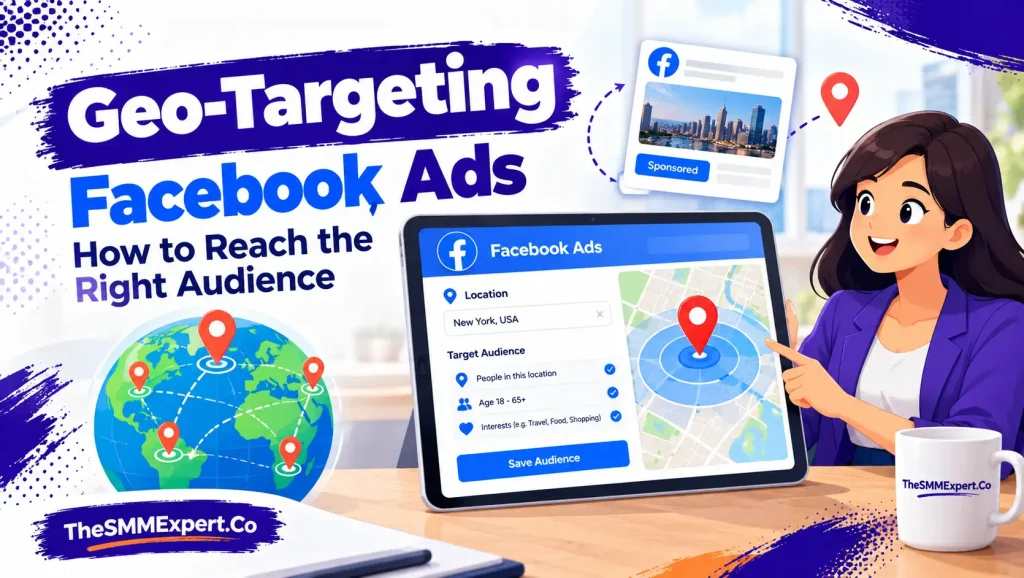
Geo-targeting Facebook ads lets you show campaigns to people in specific cities, ZIP codes, states, countries, or custom areas instead of broadcasting the same message everywhere. The most effective setup combines accurate location boundaries, a clear audience goal, location-specific creative, and conversion tracking that tells you which places produce profitable results.
Key Takeaways
- Choose location structure based on how your business operates: one area for a local store, separate ad sets for materially different markets, and broader regions only when your offer and economics are similar.
- Use the narrowest practical radius, but avoid making audiences so small that delivery becomes expensive or inconsistent.
- Check whether Facebook is targeting people who live in, recently visited, or are traveling in a location before launching.
- Match local creative to the selected area with relevant store names, service boundaries, delivery promises, landmarks, or regional offers.
- Measure results by location using purchases, leads, calls, store visits, and cost per qualified action—not impressions alone.
- Exclude areas you can’t serve, then review performance by ZIP code, city, or region at least weekly during the first campaign.
Facebook Ad Geo-Targeting Basics
Facebook advertising uses location signals to decide whether an account is eligible to see an ad. Depending on the campaign setup and available options, you may target countries, states, provinces, cities, ZIP or postal codes, congressional districts, and radius-based areas around a selected point.
The location setting is an eligibility filter, not a guarantee that every person physically standing inside a boundary will see your ad. Facebook may use information such as a person’s stated location, device signals, profile information, and recent activity. Location accuracy can vary, especially near borders, in rural areas, around airports, and when people use mobile devices or virtual private networks.
Common location choices
- Country: Useful for national ecommerce, digital products, or large service networks.
- State or province: Appropriate when regulations, inventory, shipping, or sales teams differ by region.
- City: Useful for restaurants, clinics, events, gyms, dealerships, and local retailers.
- ZIP or postal code: Helpful for delivery zones, franchise territories, and neighborhood-level testing.
- Radius: Best when customers realistically travel a certain distance to reach a business.
- Dropped pin: Useful for targeting around a store, venue, office, or event location.
Facebook may offer different location-presence choices, such as people living in a location, people recently in a location, or people traveling there. The available wording and options can change by campaign type, account, country, and platform update. Inspect the exact control in Ads Manager rather than assuming the setting from an older tutorial.
Pro Tip: Write down your intended audience in plain language before selecting a location. “People who live within 10 miles of our clinic” is more precise than “local customers,” and that sentence makes later exclusions and tests much easier.
Choose Your Location Structure
The right structure depends on whether locations share the same offer, budget, sales process, and creative. A single campaign can contain multiple ad sets, while each ad set can represent a different audience or geographic group.
Don’t split every ZIP code automatically. Excessive fragmentation reduces the data available to each ad set and can make it difficult for Facebook’s delivery system to learn. Split locations when the difference changes your decision-making.
One campaign or multiple?
| Business situation | Recommended structure | Reason |
|---|---|---|
| One coffee shop serving nearby neighborhoods | One local campaign with a practical radius | Keeps delivery and reporting simple |
| Several stores with similar offers | One campaign with store-based ad sets | Allows store-level budgets and creative |
| National ecommerce with similar shipping costs | Broad regional or national structure | Avoids unnecessary fragmentation |
| Different prices by state | Separate regional ad sets or campaigns | Protects margin and keeps offers accurate |
| Franchisees with separate owners | Separate campaigns or controlled ad sets | Makes permissions and reporting clearer |
| Different legal or product restrictions | Separate campaigns by permitted area | Reduces compliance and delivery mistakes |
A single campaign is usually appropriate when your locations have similar margins and the same landing page. Separate campaigns are more useful when you need independent budgets, different bids, separate reporting access, or distinct conversion events.
When should you split locations?
Create separate geographic groups when any of these conditions apply:
- Different economics: New York and rural Pennsylvania have substantially different lead costs, shipping costs, or customer values.
- Different service areas: A plumber serves selected ZIP codes, while a national brand ships to all states.
- Different inventory: A dealership advertises models available at one lot but not another.
- Different offers: A Phoenix location runs a summer promotion that doesn’t apply in Boston.
- Different language: A campaign needs Spanish creative in one market and English creative in another.
- Different sales ownership: Separate teams need their own lead routing and budgets.
Keep locations together when the same customer experience, price, offer, and conversion process apply everywhere. You can still report performance by location without creating dozens of ad sets.
Build Audience Rules
Geo-targeting is only one part of the audience. Add age, interests, customer lists, or retargeting criteria only when they improve relevance or reflect a real business constraint. An overly narrow audience may prevent the system from finding likely customers within the selected area.
Start with the people your business can actually serve. Then define who should be excluded.
Define inclusion rules
- Service radius: Include people within the distance your staff can reliably reach.
- Delivery territory: Include ZIP codes where your delivery fee and timing remain profitable.
- Store proximity: Include nearby residents and commuters when physical visits matter.
- Event attendance: Include the city or venue area for a concert, conference, or class.
- Customer eligibility: Include states where your product, license, or subscription is available.
- Language needs: Add language considerations only when your landing page and support can handle them.
Define exclusion rules
Exclude areas that create wasted impressions or poor customer experiences:
- ZIP codes outside your delivery map
- States where a product can’t legally be sold
- Locations assigned to another franchise
- Areas with no appointment availability
- Existing customers when the campaign is for acquisition
- Current employees or internal test audiences
- Cities where inventory is temporarily unavailable
Be careful with exclusions based on assumptions. A ZIP code can contain both high-value and low-value customers, and a city boundary may not reflect how people travel. Use actual lead, sales, and service data before permanently removing an area.
Choose the right radius
A radius is measured from a selected location, but the practical audience is shaped by roads, geography, traffic, public transit, and customer behavior. A five-mile radius may be reasonable for a restaurant in a dense city but too small for a rural home-services business.
Test two or three sensible radius levels rather than changing the boundary every day. For example:
- Three miles for immediate lunch delivery
- Eight miles for a neighborhood fitness studio
- Fifteen miles for a dental office or specialty retailer
- Thirty miles for a boat dealer or destination event
Warning: A radius that crosses a river, mountain range, airport, or state line may include people who are technically nearby but unlikely to buy. Inspect the map and compare the included area with your real service territory before publishing.
Set Up a Campaign
The exact Ads Manager interface can change, but the planning sequence remains fairly stable. Build the geographic logic before writing ads so your message, landing page, and conversion event match the people being targeted.
Step 1: Select the campaign objective
Choose the result that reflects the business outcome:
- Sales: Online purchases or catalog transactions
- Leads: Forms, calls, messages, or appointment requests
- Traffic: Visits when reliable conversion tracking isn’t yet available
- Engagement: Video views, post interactions, or event responses
- Awareness: Reach and ad recall for broad local visibility
Don’t choose Traffic when the real goal is qualified leads unless you have a specific reason. The system optimizes according to the selected objective and event signals.
Step 2: Set the location
At the ad set level, open the audience or location controls. Select the country, state, city, ZIP code, or dropped pin that represents the market. Confirm the presence setting, if available, and remove any automatically included areas that your business can’t serve.
Use serviceable boundaries, not vague labels. If the business serves “the greater Dallas area,” define the actual ZIP codes, cities, or radius and document why those boundaries were chosen.
Step 3: Add audience constraints
Set age, gender, language, interests, or custom audiences only when they’re relevant. For a local bakery, location may be the most important filter. For a specialized B2B service, location may need to be combined with job roles or uploaded business audiences.
Avoid stacking too many interests onto a small geographic area. A person may be an excellent prospect without expressing the expected interest on Facebook.
Step 4: Select placements
Automatic placements can help the system find lower-cost opportunities across Facebook, Instagram, Messenger, and eligible partner placements. If your creative works only in one format, create suitable variations before restricting placements.
For local businesses, check how an ad appears in:
- Facebook Feed
- Instagram Feed
- Stories and Reels
- Marketplace
- Search results
- Messenger placements
Step 5: Set budget and schedule
Use a budget your business can afford to spend while collecting enough conversions for a useful comparison. A very small budget spread across ten locations produces little information in each location.
| Testing situation | Typical starting range | Practical use |
|---|---|---|
| One small local market | $15–$40 per day | Test one offer and a few creative variations |
| Several city-level markets | $40–$150 per day total | Compare two to five geographic groups |
| Regional lead generation | $100–$500 per day | Support multiple locations and faster learning |
| National ecommerce test | $100–$1,000 per day | Compare broad regions with enough conversion volume |
These are planning ranges, not guaranteed costs. Competition, audience size, seasonality, objective, creative quality, and conversion rate can change the required budget substantially. Use a campaign budget when you want delivery to shift toward better-performing areas; use ad set budgets when each location needs controlled spending.
Step 6: Build local creative
Make the geographic relevance obvious without making unsupported claims. Useful elements include:
- City or neighborhood name
- Store address or nearby landmark
- Local phone number
- Service-area statement
- Delivery window
- Regional promotion
- Local customer problem
- Map or storefront image
- Language used by the intended audience
A local ad should send people to a page that confirms the same information. If an ad says “same-day delivery in Tampa,” the landing page should show Tampa availability, delivery terms, and an easy way to order.
Step 7: Verify before publishing
Preview each placement and check:
- The location name is spelled correctly.
- The offer applies in that area.
- The phone number routes to the right team.
- The landing page loads on a mobile device.
- The form records city, ZIP code, and source.
- The conversion event fires once.
- Excluded areas don’t appear in the selected map.
- Claims comply with platform and industry requirements.
Compare Targeting Options
Different geographic methods solve different problems. Select based on customer behavior rather than choosing the smallest available boundary.
| Targeting method | Best for | Strength | Main risk |
|---|---|---|---|
| Country | National products and digital services | Large reach and simple management | Too broad for local offers |
| State or province | Regional pricing or regulation | Easy budget and reporting control | Misses meaningful city differences |
| City | Stores, events, clinics, restaurants | Clear local messaging | City boundaries may be arbitrary |
| ZIP or postal code | Delivery and franchise territories | Precise operational control | Small areas may limit delivery |
| Radius | Travel-based businesses | Mirrors distance from a location | Roads and geography distort travel time |
| Dropped pin | Venues and physical sites | Fast setup around a point | May include unsuitable surrounding areas |
| Custom audience location data | CRM-based local marketing | Uses known customer geography | Data quality and privacy requirements |
Facebook’s available location controls and audience definitions can change.
Should you target a whole city?
Target a whole city when customers commonly cross neighborhoods, your service covers the entire municipality, and the offer doesn’t vary by area. Use ZIP codes or a radius when operational boundaries matter more than the city label.
For example, a citywide campaign may suit a concert venue, while a home-cleaning company may need separate territories based on technician availability. A local retailer can begin citywide and later identify which ZIP codes produce the strongest purchases.
Budget and Delivery
Geo-targeting doesn’t create a fixed price. Costs depend on auction competition, audience size, ad quality, objective, season, conversion rate, and the value other advertisers place on the same users.
Plan budgets around the decision you need to make. If you need to compare three locations, give each location enough spending and time to produce meaningful results. If you already know one market is profitable, allocate more budget there and reserve a smaller test budget for expansion.
Practical budgeting approaches
- Equal test budget: Give each geographic group the same daily amount for a clean initial comparison.
- Weighted budget: Give proven markets more money while reserving 20%–40% for new areas.
- Campaign budget: Let delivery favor the ad sets receiving stronger predicted results.
- Ad set budget: Protect minimum spending for every location.
- Lifetime budget: Useful for a fixed event, launch, or seasonal promotion.
Avoid judging a location solely by cost per click. A cheap click from outside your service area isn’t better than a more expensive click that becomes a profitable customer.
Track at least:
- CPM
- Link click-through rate
- Landing-page view rate
- Cost per lead
- Lead qualification rate
- Appointment rate
- Purchase conversion rate
- Revenue or gross profit
- Return on ad spend
Use a seven-day or fourteen-day comparison window when volume allows, but don’t apply a rigid rule to every business. A same-day restaurant decision can be measured quickly; a roof replacement lead may take weeks to close.
Measure Local Performance
Accurate reporting requires more than looking at the Ads Manager map. Connect the campaign to a reliable conversion process, then preserve geographic information when a person becomes a lead or customer.
At minimum, include city and ZIP code in lead forms when those details are necessary for qualification. For phone leads, use call tracking that records campaign and ad identifiers. For ecommerce, use purchase events with value and currency.
Use a location scorecard
| Metric | What it reveals | Action |
|---|---|---|
| Spend by location | Where budget is going | Check whether delivery matches the plan |
| Qualified leads | Whether leads fit service rules | Shift budget toward useful demand |
| Cost per qualified lead | Sales efficiency | Compare markets on business value |
| Appointment rate | Lead intent and follow-up quality | Investigate slow response or weak fit |
| Revenue or profit | Actual commercial outcome | Scale locations that make money |
| Frequency | Repeated exposure | Refresh creative if performance declines |
| Excluded-area leads | Boundary or data problems | Tighten form validation and targeting |
Break down performance by city, ZIP code, age, placement, device, and creative when the data volume supports it. A location with a high cost per lead might still be valuable if its close rate and customer value are much higher.
Connect ad data to sales data
Facebook can report a lead, but your CRM can reveal whether that lead answered the phone, booked an appointment, bought, canceled, or became a repeat customer. Pass campaign information into the CRM and keep geographic fields standardized.
Use consistent values such as “Austin,” not a mixture of “Austin TX,” “Austin, Texas,” and “ATX.” Normalize ZIP codes, especially when leading zeros matter. Assign a source field to every lead so offline sales can be compared with online delivery.
Set decision rules
Decide before launch what will cause you to change the campaign:
- Pause a location after it spends a defined test amount with no qualified action.
- Reduce budget when cost per qualified lead exceeds the acceptable range.
- Expand a location after it produces profitable conversions consistently.
- Refresh creative when frequency rises and click-through rate falls.
- Investigate delivery when impressions appear mostly outside the intended service area.
Pro Tip: Separate optimization from diagnosis. First confirm that tracking, lead quality, follow-up speed, and offer availability are working. Only then conclude that a geographic audience is weak.
Fix Common Geo-Targeting Errors
Most poor local campaign results come from a mismatch between the selected area and the business process, not from one incorrect button in Ads Manager.
Error: Targeting where people work
An office district may contain many daytime visitors but few residents. If the product is for households, use resident-focused messaging and compare results during relevant times. If the offer is for commuters, a broader presence setting or transit-adjacent creative may be more appropriate.
Error: Using a huge radius
A large radius can include customers outside the serviceable area, especially when the map crosses multiple towns. Start with the actual delivery or travel boundary, then expand only when performance supports it.
Error: Ignoring overlap
Two ad sets can target the same people when one uses a city and another uses a nearby radius. Overlap can create internal competition and muddy reporting. Map every ad set before launch and use exclusions or a simpler structure where appropriate.
Error: Splitting too far
Separate ad sets for every neighborhood may look precise but produce thin data. Combine areas when they share the same offer and sales process. Use reporting breakdowns before creating new structures.
Error: Forgetting exclusions
A campaign can waste money on nearby states, unserved ZIP codes, existing customers, or locations where inventory is unavailable. Review both inclusion and exclusion rules after every operational change.
Error: Relying on city names alone
People may identify with a suburb, postal city, neighborhood, or metropolitan area differently. Use the label that matches customer language, but verify it against addresses and sales records.
Error: Sending everyone to one page
A generic landing page can undermine a well-targeted ad. Create regional pages when price, availability, phone routing, testimonials, or service limits differ materially.
Error: Ignoring response time
A local lead loses value quickly when nobody calls back. Compare lead quality by location only after response time is reasonably consistent across locations.
Improve Results Over Time
Start with a controlled test, then make one meaningful change at a time. Changing the location, offer, audience, creative, budget, and landing page simultaneously prevents you from knowing what caused the result.
Test geographic variables
Useful tests include:
- Three-mile radius versus eight-mile radius
- Citywide targeting versus selected ZIP codes
- One regional ad set versus separate city ad sets
- Resident-focused audience versus broader location presence
- Local headline versus generic headline
- Store-specific page versus national landing page
- Equal budgets versus performance-weighted budgets
Use different ad creative when the location changes substantially. “Now open in Scottsdale” isn’t a useful message for a campaign aimed at Minneapolis. Make the location visible in the primary text, headline, image, or landing page, but avoid forcing a city name into every sentence.
Improve lead quality
Add practical qualification questions such as:
- ZIP code
- Service needed
- Desired appointment date
- Property type
- Approximate project size
- Product category
- Preferred contact method
Don’t ask for unnecessary sensitive information. More questions can reduce completion rate, so add only fields that help determine whether the business can serve the person.
Expand carefully
When a location performs well, expand in small steps:
- Increase the radius slightly.
- Add adjacent ZIP codes with similar customer economics.
- Replicate the winning offer and creative.
- Keep the original market identifiable in reports.
- Watch whether new reach lowers overall conversion quality.
Expansion should follow operational capacity. A campaign that generates more leads than a sales team can answer isn’t necessarily improving the business.
Pro Tip: Create a geographic naming convention such as “North-Dallas-10mi” or “CA-South-Coastal.” Consistent names make breakdowns, budget reviews, and CRM exports much easier to interpret.
Follow Privacy and Policy Rules
Location targeting must support a legitimate advertising purpose and comply with platform rules, applicable privacy laws, and industry requirements. Don’t use geographic targeting to make sensitive inferences about individuals or to imply that an ad knows private facts about someone.
Avoid copy such as “Are you struggling with debt in this neighborhood?” Or “People with this medical condition in Phoenix should…” Even if the geographic setting is allowed, the wording may create a sensitive personal-attribute problem.
Use truthful, service-based language:
- “Debt counseling appointments available in Phoenix”
- “Home insurance quotes for eligible Colorado residents”
- “Dental cleanings near downtown Raleigh”
- “Same-week HVAC service in selected Dallas ZIP codes”
For customer-list audiences, obtain and use data lawfully, provide required notices, and follow deletion and access obligations that apply to your business. Keep location data limited to what you need for eligibility, routing, reporting, and service delivery.
Frequently Asked Questions
Can Facebook ads target a specific ZIP code?
Yes, ZIP or postal-code targeting may be available depending on the country, account, campaign, and platform controls. Use it for delivery territories, franchise areas, or neighborhood tests, then verify the map and included locations. ZIP boundaries don’t always match service boundaries, so compare them with operational records.
What is the smallest area Facebook ads can target?
The smallest practical area varies by location availability, audience size, and the targeting interface. A dropped pin or small radius may be possible, but extremely narrow targeting can reduce delivery and raise costs. Choose the smallest area that still contains enough potential customers and supports reliable campaign learning.
Should I target people living in or recently in a location?
Choose the setting that matches the business goal. A local dentist generally wants residents and nearby customers, while a hotel, event, or tourist attraction may want people recently in or traveling to the area. Check the available option in the current ad set interface before publishing.
How much should I spend on local Facebook ads?
A small local test often starts around $15–$40 per day, while several markets may require roughly $40–$150 per day total. These are planning ranges, not guarantees. Budget depends on competition, audience size, conversion rate, offer value, and how many locations you need to compare.
Why are my ads showing outside my service area?
Possible causes include broad location settings, overlapping ad sets, inaccurate map boundaries, recent visitors, imprecise device signals, or lead forms completed by people outside the area. Review the location-presence setting, exclusions, map, form ZIP code, and CRM records before changing the entire campaign.
Conclusion
Geo-targeting works best when the map reflects real service capacity and the measurement system follows customers beyond the click. Start with one clearly defined market, one relevant offer, and a manageable budget; review qualified outcomes by location, then expand only where the business can serve and profitably follow up.
 Written byMatthew WilliamsMatthew Williams is a digital marketing writer and social media expert with over 8 years of experience. He works with Facebook, Gmail, and online reputation problems. He writes clear, useful content to help people, creators, and businesses fix Facebook problems, keep their pages safe, and use Meta’s tools more effectively. His work talks about Facebook Ads, Business Manager, keeping your pages safe, growing your audience.