Trustpilot offers an official API, but you cannot access it easily because it is gated behind OAuth authentication, a paid business plan, and a unique Business Unit ID. Pulling review data with a simple API is impossible, unlike other platforms.
This restriction forces many people to use third-party review API or scrapers to get those reviews. Besides, there are different types of Trustpilot APIs, and choosing the right one is important. This guide will show the types, how to get them, and every other detail needed.
What Is the Trustpilot API? (Quick Answer)
The Trustpilot API is a set of endpoints that allow you to collect reviews, respond to them, display them, and trigger review invitations. You can also get business data like TrustScore or star rating from companies. The main advantage of the Trustpilot API is that you can automate many things instead of doing manual tasks.
For example, instead of copying every review, you simply send an HTTP request and get back structured JSON data to plug into an app, CRM, or dashboard. Trustpilot offers several APIs with different purposes. Here is a full landscape for you.
| API | What it does | Who it’s for | Authentication |
|---|---|---|---|
| Service Reviews API | Get latest reviews, read reviews, respond to reviews, add tags. | Businesses handling their own profile. | OAuth token of business users. |
| Product Reviews API | Handle conversations, comments, and rating summaries, especially for product reviews. | Stores with product reviews. | OAuth token of business users. |
| Invitations API | Trigger and handle review invitations. | Businesses collecting reviews at scale. | API key + OAuth. |
| Data Solutions API | Access consumer reviews, TrustScore, and star rating. | Market researchers, analytics, competitor tracking. | API key |
Remember that every API on this list sits behind developers.trustpilot.com. You need a paid plan with the Connect module enabled to access these.
Can You Use the Trustpilot API for Free?
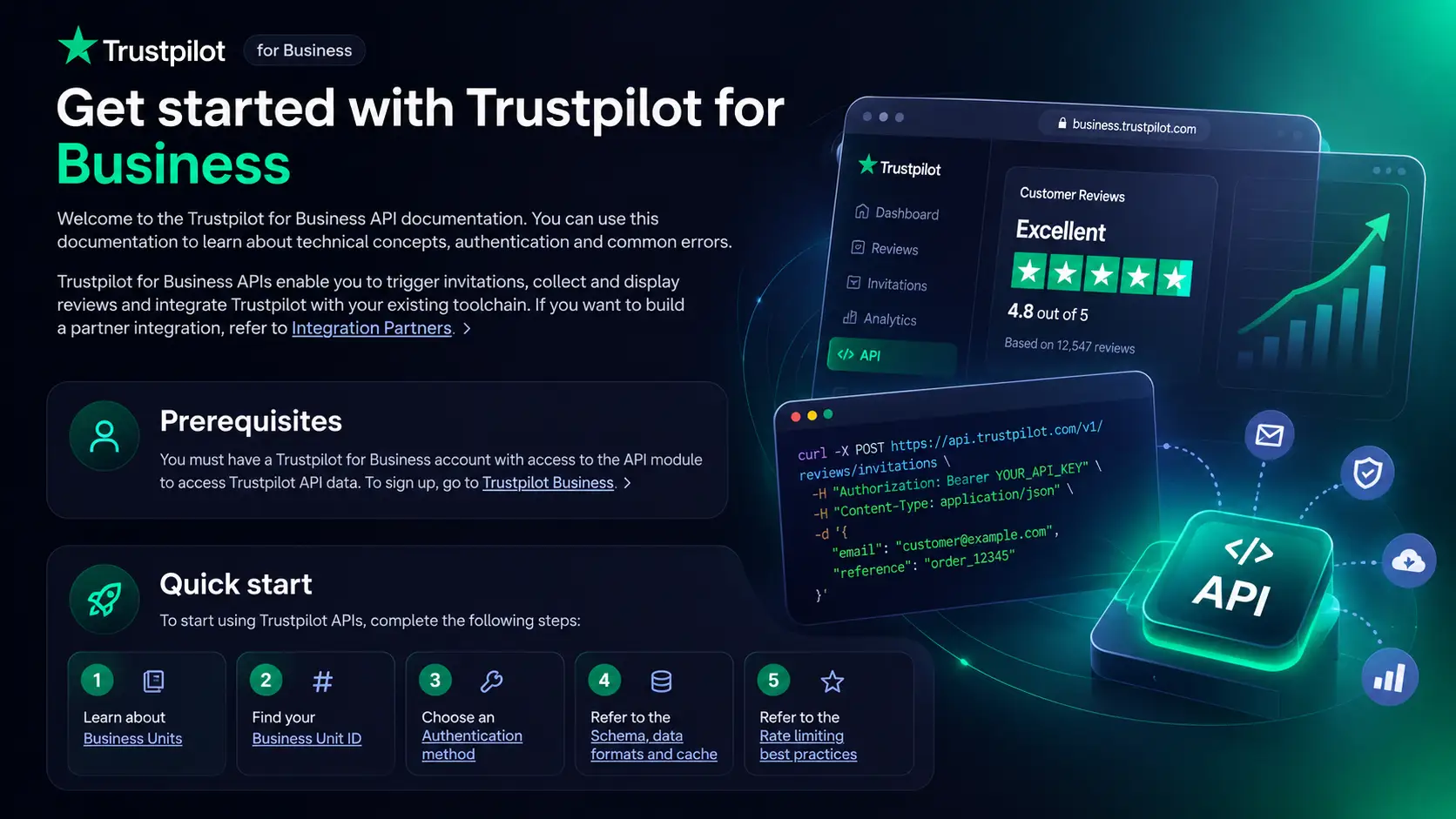
No, you cannot use the Trustpilot API for free the way most people hope. Reading reviews on the platform is free, but the official API has a different story. To use the official API, you need these things.
- A Trustpilot for Business account.
- Access to the Connect module.
- Business Unit ID of your business profile.
- A registered application to generate an API key and secret.
- OAuth Bearer token tied to your profile.
That means you cannot spin up a developer key for free and start pulling the data like a typical public API. The API itself does not cost a penny, but it is bundled with a paid business plan. So the real cost is the subscription plan.
Trustpilot API Authentication: API Key vs OAuth Explained
Authentication is the main problem when dealing with API because different endpoints need different credentials. Let’s see the main points.
Getting Your API Key
Once you register the application in the Trustpilot Business dashboard, you will get an API key and API secret. The key will authenticate simple, read-only calls. For example, some Data Solutions requests use a simple apikey header.
curl -X GET “https://datasolutions.trustpilot.com/v1/business-units?domain=trustpilot.com” \
-H “apikey: YOUR-API-KEY-HERE”
Finding Your Business Unit ID
A Business Unit ID is needed for every endpoint. You need to retrieve it by querying the ‘Find business units’ endpoint with a domain name.
curl -X GET “https://datasolutions.trustpilot.com/v1/business-units?domain=yourcompany.com” \
-H “apikey: YOUR-API-KEY-HERE”
The response will return the ID that you will use for every subsequent request.

OAuth Bearer Token (Business User)
Private actions — You need a business user OAuth token for private actions like replying to a review, tagging, and managing conversations. The token passes as a bearer token in the in the Authorization header:
Authorization: Bearer YOUR-ACCESS-TOKEN
Client Credentials Grant (Service-to-Service)
If you want an automated, server-to-server integration, make sure to use the client_credentials grant type with the API key and secret to obtain an access token. Most production integrations use this pattern since it does not tie the token to any individual username and password.
Official Trustpilot API Endpoints (With Examples)
Using the official Trustpilot API is the best option and offers so many features that third-party tools cannot. Here are some common endpoints businesses use.
Get Business Unit Details & TrustScore
You can pull TrustScore, category, star rating, and total review count of a company with the Data Solutions API:
curl -X GET “https://datasolutions.trustpilot.com/v1/business-units/{businessUnitId}” \
-H “apikey: YOUR-API-KEY-HERE”
The response features the identifying domain, star rating, TrustScore, and display name. This one is suitable for building live trust data for your business or monitoring the reputation.
Reply to a Review (Service Reviews API)
Using the API to respond to a customer review can save you time and prevent missing one. Use the following service reviews API.
curl -X POST “https://api.trustpilot.com/v1/private/reviews/{reviewId}/reply” \
-H “Content-Type: application/json” \
-d ‘{ “message”: “Thanks for your feedback, we appreciate it.” }’ \
-H “Authorization: Bearer YOUR-ACCESS-TOKEN”
Add Tags to a Review
You can also organize incoming reviews with tags:
curl -X PUT “https://api.trustpilot.com/v1/private/reviews/{reviewId}/tags” \
-H “Content-Type: application/json” \
-d ‘{ “tags”: [ { “group”: “generic”, “value”: “Computers” } ] }’ \
-H “Authorization: Bearer YOUR-ACCESS-TOKEN”
Get Product Review Summaries
If you need product review summaries, especially for e-commerce stores, you can use the Product Reviews API. It will return aggregated rating summaries with pagination to check the results.
curl -X GET “https://api.trustpilot.com/v1/private/product-reviews/business-units/{businessUnitId}/summaries” \
-H “Authorization: Bearer YOUR-ACCESS-TOKEN”
How to Get Trustpilot Reviews Without a Business Account
Even if you don’t have a business account, you can still get Trustpilot reviews. Follow the methods below.
1. Third-Party Review APIs
You will find different data providers offering a Trustpilot reviews API that will give you clear JSON without a business account. These third parties charge per use instead of a monthly subscription. Some common such third-parties are.
- DataForSEO – An endpoint for Trustpilot Search and reviews, returning images, date, text, star rating, and reviewer profile. Cost is per listing or review.
- Outscraper – This is another pay-as-you-go model built for a Trustpilot reviews scraper. You can export CSV/XLSX, sort the data, and get API access. The returns come with 15+ fields per review with author name, country code, rating, title, text, likes, and date.
- Apify – This Trustpilot “actor” pulls reviews from Trustpilot along with the sentiment (Negative, Neutral, Positive). You can get data from all countries in exportable JSON, CSV, or Excel format.
2. Open-Source Libraries
If you don’t want to use any ready-made third parties and would like to self-host, you can use several community libraries.
- python-trustpilot – This is a Python HTTP client to extend requests.Session. You will also have automatic authentication and a bundled CLI tool to use with the official API.
- node-trustpilot – This is more of a TypeScript/Node.js wrapper to deliver an axios instance with sane defaults.
- trustpilotreviews (PyPI) – This is an unofficial reviews collector with a label “for academic use only.”
- TrustpilotReviewCollector (PHP) – It is a Composer package that will parse and fetch reviews and profiles by Business Unit ID.
Is Scraping Trustpilot Legal?
Scraping publicly available data is defensible and does not violate any legal terms. However, Trustpilot governs automated access to its platform. Besides, displaying scraped reviews on websites can breach its guidelines even if the data is public. The unofficial scrapers and libraries mentioned above put the compliance burden on you.
Trustpilot API Pricing Compared (Official vs Third-Party)
Here are all the API costs in one place for you. Make sure to check the official page for pricing before committing to anything.
Trustpilot API Pricing Compared (Official vs Third-Party)
Here are all the API costs in one place for you. Make sure to check the official page for pricing before committing to anything.
| Method | Business account needed? | Pricing model | Indicative cost | Best for |
|---|---|---|---|---|
| Official Trustpilot API | Yes (paid plan with connect module) | Bundled with Business subscription. | No per-call cost. | Getting reviews, replying, tagging, and managing your own business profile. |
| DataForSEO | No | Pay-as-you-go | Around $0.00075 per 20 listings/reviews. | Developers requiring cheap bulk data. |
| Outscraper | No | Pay per review. | Free up to 100 reviews, then around $0.001–0.004/review. | Non-coders looking for CSV/XLSX export. |
| Apify | No | Subscription + per-per-usage. | Around $5/month + usage | Sentiment analysis. |
| Open-source libraries | Depends on library | Free (self-hosted) | $0 (your infrastructure + time) | Developers good at coding. |
Common Trustpilot API Errors & Rate Limits
People often face some API errors and rate limits while setting up. Let’s see their solutions.
- 401 Unauthorized – It happens when there is a missing or expired OAuth Bearer token. You can also experience this when using an API key on an endpoint that requires OAuth. Make sure to match the auth method to the endpoints.
- 403 Forbidden – You may see this when the Business account does not have the Connect module. Sometimes, it happens because your app isn’t authorized for that specific endpoint scope.
- Rate limiting – Trustpilot enforces rate limits to ensure best practices and prevent misuse. To avoid this, batch your requests, use pagination instead of hammering endpoints, and cache responses. Some third-party scrappers route through cloud servers to prevent this limitation.
- Empty responses on pagination – It happens when you request a page number beyond the existing results return an empty array instead of an error. Check that in your loop logic to fix the problem.
Which Trustpilot Data Method Should You Choose?
Understand your situation and use the right data method.
-
- “I want to display my own reviews on my site” – Use an approved Trustpilot widget instead of using the API and handling such a developer hassle. Check our widget guide to understand the benefits.
- “I want to reply to or manage my reviews” – Use the official Service Reviews API with OAuth and automate the reply.
- “I want to collect more reviews from customers” – You can use the Invitations API to automate the invitation.
- “I want any company’s public reviews at scale” – Try a third-party Trustpilot reviews API such as DataForSEO, Outscraper, or Apify since there are no such official APIs.
- “I’m not technical and just want the data in a spreadsheet” – Use a simple no-code scraper like Outscraper with CSV/XLSX export.
- ‘I want to get more reviews for my own business’ – You don’t need an API here. Focus on a quality product and streamline Trustpilot review collection. You can also consult a reputation management expert to fasten the process.
Frequently Asked Questions
Does Trustpilot have a free API?
Trustpilot APIs are free, but you need a paid business plan with the Connect module to use those APIs.
Do I need a Business account to use the Trustpilot API?
Yes, you need a business account to use the Trustpilot API. However, there are third-party tools to use if you are not interested in getting a business plan.
Can I scrape Trustpilot reviews?
Yes, you can scrape Trustpilot reviews through several tools and libraries whenever it is permitted.
Is there a Trustpilot API for Python?
Yes, there is a Trustpilot API for Python- the python-trustpilot library. This is an HTTP client for the official API.
What is the Trustpilot API rate limit?
Trustpilot enforces rate limits to prevent abuse and ensure best-practice guidance for cache responses, batch requests, and using pagination to stay within limits.