On this page
If you run a hotel or restaurant, you know how big an impact online reviews have. Sites like Google, Yelp, and TripAdvisor can either bring in guests or send them away. How you respond to reviews—good or bad—says a lot about your business.
Think of it this way: replying to reviews isn’t just about protecting your reputation. It’s also a smart way to market your place. When you engage with guests online, you show you care. That can help you rank higher in local searches, get repeat customers, and prove you’re serious about quality.
What Does Responding to Reviews Mean?

Simply put, it means:
- Thanking guests for positive feedback
- Addressing complaints politely and professionally
- Replying quickly to show you’re on top of things
Doing this well builds trust, improves your online image, and makes your business easier to find.
Why Bother Responding?
1. Build Trust
People trust businesses that talk back. When you thank someone for a nice review, it feels personal. When you address a problem, it shows you care and take responsibility.
2. Boost Your Reputation
Most folks read reviews before choosing where to stay or eat. If you respond often and politely, it shows you’re active and professional. Even unhappy guests might turn into regulars if you handle their concerns well.
3. Help Your Seo
Google notices when you respond to reviews. It can push your business higher in local search results. Plus, the more you engage, the more likely others are to leave reviews too.
How to Respond to Positive Reviews
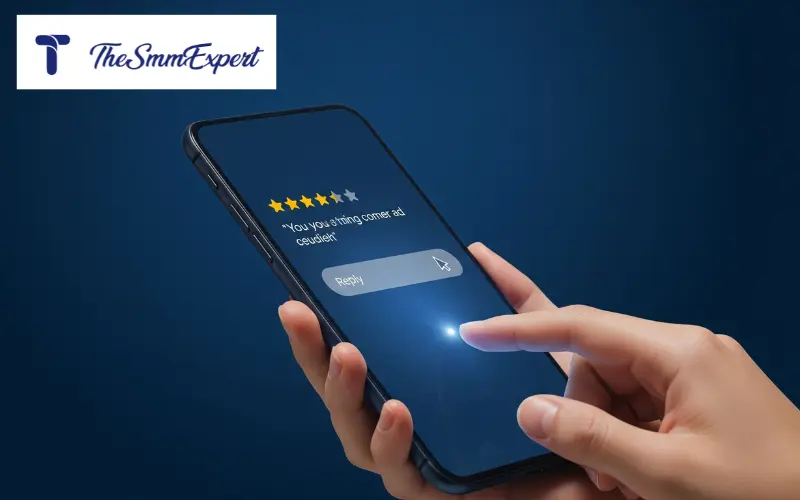
- Be personal: Use the guest’s name and mention what they liked. Instead of “Thanks for your review,” say, “Thanks, Sarah, for loving our seafood platter!”
- Invite them back: Mention upcoming specials, new menu items, or loyalty perks.
- Share the love: Tell your team about great reviews. It boosts morale and reminds everyone why they do what they do.
How to Handle Negative Reviews
- Stay calm: Don’t reply right away if you’re upset. Take a breath and respond politely.
- Say sorry: A simple apology goes a long way. Avoid blaming the guest or your staff.
- Offer a fix: Suggest solutions like discounts or a chance to talk privately.
- Take it offline: Give a phone number or email to continue the conversation away from public view.
- Learn: Use feedback to improve your service or operations so similar complaints don’t happen again.
Example response: “We’re sorry your check-in took longer than expected, John. We’re working to fix this and hope to welcome you back soon.”
Timing and Tips for Responding
- Reply fast: Aim for within 24 to 48 hours. It shows you care.
- Focus on key reviews: Detailed reviews or those from repeat guests deserve special attention.
- Be consistent: Have a clear process for responding. Use templates but add personal touches.
Going Further: Advanced Tips
- Share on social media: Post positive reviews with guest photos (with permission). It’s great content and builds trust.
- Show reviews on your website: Embed Google or TripAdvisor reviews to encourage direct bookings.
- Watch your competitors: See how they respond and learn from their strengths and mistakes.
- Use tools: Automate alerts for new reviews and use templates to save time, but keep responses personal.
Common Mistakes to Avoid
- Ignoring negative reviews or waiting too long to reply
- Using robotic, copy-paste responses
- Getting defensive or emotional in replies
- Not making changes based on feedback
- Failing to track your review trends and responses
Wrapping Up
Responding to reviews might seem like extra work. But it pays off. When you thank happy guests and handle complaints with care, you build trust and improve your online presence. Quick replies and learning from feedback help you stand out and bring in more customers. Plus, using reviews smartly on social media and your website keeps your brand strong and trusted.
FAQ
Why is responding to reviews important?
It builds trust, improves your reputation, helps SEO, and can lead to more bookings.
How do I respond to negative reviews?
Stay calm, apologize sincerely, offer solutions, and take sensitive issues offline.
Can I automate responses?
Yes, for common replies. But always personalize important ones.
How fast should I reply?
Within 24 to 48 hours is best to show you’re attentive.
Should I show reviews on my website?
Definitely. It builds trust and encourages direct bookings.
Does responding affect local SEO?
Yes. Active engagement signals to Google that your business is relevant and reliable.
 Written byAbdul HalimAbdul Halim writes about online reputation management and the challenges businesses face when trying to build trust online. His content covers customer feedback, online reviews, how people see brands, reputation monitoring, negative feedback, and ways to maintain a strong online presence. Abdul shares simple steps businesses can use to learn what customers say, respond to reputation concerns, build credibility, and earn lasting trust. He wants to help people understand reputation management more easily and give businesses ideas for keeping and growing their online reputation.LinkedIn