On this page
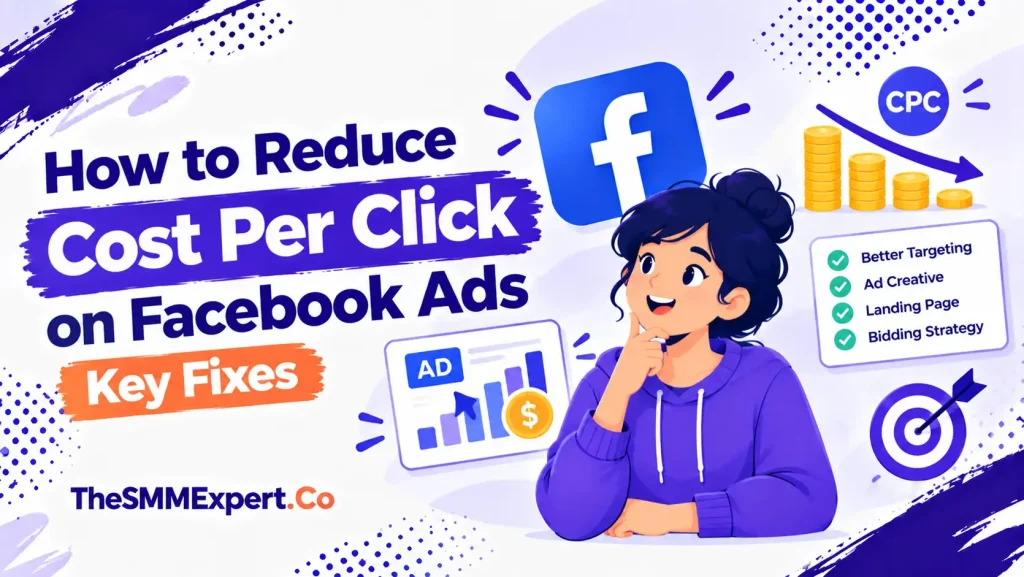
Lowering how to reduce cost per click on facebook ads starts with better ad relevance, a focused audience, and a clear conversion goal. First, check whether your campaign is optimized for the result you actually want. Then test one new audience or creative at a time, instead of changing everything together. The most common cause of expensive clicks is a weak match between the ad, the audience, and the landing page.
Why Facebook ad clicks cost more
Facebook doesn’t charge one fixed price for every click. Your ad enters an auction against other ads trying to reach similar people. The result depends on factors such as your bid, the estimated chance of action, and the ad’s quality. Meta explains this in its ad auction explanation.
A narrow audience can raise costs when many advertisers want the same people. This often happens with high-value groups, such as business owners, homeowners, or people showing strong buying intent. A very small audience also gives the system less room to find cheaper placements.
Poor creative is another common cause. If people scroll past your ad, Facebook gets fewer useful signals from the impression. A low click rate can make the campaign less competitive, even when your budget is high.
The campaign goal matters, too. A traffic campaign may find people who click easily but rarely buy. A sales campaign usually looks for stronger buying signals, so its clicks may cost more, but those visitors can be worth more to your business.
Your landing page can also affect results indirectly. If the ad promises one thing and the page shows another, visitors leave quickly. That mismatch wastes paid traffic and makes it harder to tell whether the audience or the offer is the real problem.
Match the audience to the offer
This fix is for campaigns where the audience is too narrow, too broad, or only loosely related to the offer. Open Ads Manager and review the audience size, location, age range, interests, and exclusions. Remove restrictions that don’t clearly help the sale, but keep limits that reflect your real service area or customer type.
If you sell locally, keep the location tight enough to serve customers, but don’t add many unrelated interests on top. If you sell online, test a broader audience against your current interest audience. Let each ad set use the same creative, budget, placements, and campaign goal so the audience is the main difference.
Use one clear customer group per test. For example, separate people interested in running from people interested in home workouts if the message and product differ. Don’t combine five unrelated interests and then assume the group’s average CPC tells you which interest worked.
Check whether the new audience brings cheaper clicks and useful visits. Look at landing-page views, add-to-cart events, leads, or purchases, not just the CPC. If a broader audience lowers CPC but produces no business result, keep the more qualified audience.
If X is a true business restriction, keep it; if it’s only a guess about who might buy, test without it. Audience size and competition vary by country, season, and offer, so read your own result from CPC alongside conversion rate and cost per result.
Replace weak creative quickly
Use this fix when people see your ad but don’t stop, understand it, or click it. Create at least three genuinely different versions, not the same image with a new button. Change the opening line, visual, proof, and reason to act while keeping the offer consistent.
Show the product or outcome early. Use short text that says who the offer helps and what problem it solves. A local service might name the service area, while an online product might show the product in use. Don’t hide the main benefit below several lines of copy.
Make the first frame useful for video ads. People may watch without sound, so add readable captions and make the message clear visually. Check the ad on a phone before publishing; small text that looks fine on a desktop can disappear on a mobile screen.
Keep the destination consistent with the ad. If the ad promotes a free guide, the page should show that guide immediately. If it promises a discount, the same offer should be visible without forcing visitors to search.
Pause an ad when its clicks are expensive and the message is clearly weaker than the other versions. If one version earns cheaper visits but fewer qualified actions, don’t choose it on CPC alone. The trade-off is simple: a creative can win the click while losing the customer.
Change the campaign goal and bid
Use this harder fix when your ad gets clicks but few leads, purchases, or other valuable actions. First, check that the selected campaign objective matches the result you want. A campaign built only for traffic may optimize for visits rather than completed purchases.
Choose the conversion event that your website can reliably record. If purchases are too rare for useful optimization, a lead event may provide more signals, but it must still represent a real business step. Check Events Manager for missing or duplicated events before changing the campaign.
Review the bidding setting only after the objective, audience, and creative make sense. Automatic or highest-volume bidding is usually the simpler starting point. A cost-control setting can restrict delivery when your target is below what the auction can realistically provide.
Don’t judge a new setup after a few impressions. Let it collect enough delivery to show a pattern, then compare CPC, conversion rate, and cost per result with the old version. Keep the test period and budget similar so the comparison is fair.
This option isn’t for someone who can’t track the final action or who needs guaranteed daily volume. Tracking, event setup, and advanced bid controls can affect sales data and budget use; ask a qualified Meta advertising specialist to check them if you’re unsure.
Stop shortcuts that raise CPC
The following habits are common, but they can hide the real problem or make delivery less stable. Test one change at a time, then compare results over the same reporting window:
- Changing the audience, creative, budget, and goal at once: You won’t know which change helped, and the next campaign may repeat the same expensive setup. Keep inputs stable, and judge lead quality or purchases.
- Choosing the ad with the cheapest click automatically: A low CPC can come from low-intent visitors who never submit a form or buy. Compare CPC with conversion rate and cost per qualified lead or purchase.
- Narrowing the audience again and again: Extra interests and exclusions can remove cheaper potential customers while leaving you in a crowded auction. Add restrictions only for a clear quality problem, not guesses.
- Editing a live ad every few hours: Constant changes make short-term results hard to compare and can interrupt delivery while the system adjusts. Record changes; fix broken tracking or landing pages immediately.
- Sending every ad to the homepage: Visitors must find the promised product or offer themselves, so paid clicks can be wasted before the first useful action. Send visitors to a relevant page with one obvious next step.
Prevent high Facebook ad costs

Use the same review order each time: audience first, then creative, tracking, and business results. This makes it easier to spot whether the expensive click comes from poor reach, weak attention, or low-quality traffic.
| If you’re doing this | Do this instead | Why |
|---|---|---|
| Targeting a tiny interest group for a broad online offer | Test a broader audience with the same ad | It gives delivery more room while keeping the comparison fair |
| Using one image for every audience | Make separate messages for each major customer group | The words can match the person’s actual problem |
| Judging success by CPC alone | Compare CPC with landing-page views and conversions | Cheap clicks aren’t useful if visitors don’t take action |
| Editing the active ad after every small change | Duplicate a clear test version and record the change | You can compare results without losing the original reference |
| Sending traffic to a general homepage | Link to the page that matches the ad promise | Visitors can act without searching through the site |
Your real limit is the value of a converted customer: read your acceptable CPC from your conversion rate and profit per sale, not from a universal Facebook benchmark.
Frequently asked questions
Can a bigger budget lower Facebook ad costs?
Yes, but only when the campaign has room to find more results. A higher budget can help a strong ad reach additional people, but it won’t repair a poor offer, weak tracking, or a mismatched audience. Increase spending gradually and watch cost per result, not only CPC. If costs rise quickly, return to the last stable budget and test the audience or creative before adding more money.
Why did my Facebook CPC suddenly increase?
A sudden increase often comes from a changed audience, new competition, creative fatigue, tracking problems, or a seasonal shift. Compare the current period with an earlier period using the same date length. Check impressions, reach, frequency, click-through rate, and conversion data. If frequency is rising while engagement falls, prepare a fresh message. If delivery dropped after an edit, review the change before rebuilding the whole campaign.
How long does it take to lower Facebook CPC?
Give a clean test about 3 to 7 days when the campaign has steady delivery and enough budget for meaningful results. The shorter end may work for a busy account with many impressions; the longer end fits a small account with fewer daily results. Don’t use a fixed time alone. Keep the winning version only when cheaper clicks also bring better-quality visits or actions.
Is it safe to broaden a Facebook ad audience?
Yes, broadening is generally safe when your location, age limits, product rules, and budget are correct. Start with a controlled test rather than replacing the original ad set. Watch for irrelevant comments, poor landing-page behavior, and weak conversion quality. If the broader group brings traffic but not customers, stop that version. A wider audience isn’t automatically better; it must still fit the offer.
What happens if I choose the wrong Facebook campaign objective?
You may receive the wrong type of visitor. For example, a traffic-focused setup can produce people who click but don’t complete your desired action. The campaign may look healthy in Ads Manager while sales or leads stay weak. Check the event used for optimization and the action recorded on your website. If tracking is wrong, fix it before judging the objective.
How much should I pay for a Facebook click?
There’s no safe universal CPC target: the right amount depends on your conversion rate, profit, and customer value. At a 2% conversion rate, a click supports a different cost than at 5%. Calculate your break-even amount from profit per customer and expected conversion rate, then compare actual results over a consistent period.
Conclusion
Keep a simple record of each test, including the audience, creative, cost, and result. Review it weekly to spot patterns and decide what deserves more budget. As your data grows, you’ll make faster decisions, avoid costly guesses, and build campaigns that attract better clicks without sacrificing the conversions that matter.
 Written byMatthew WilliamsMatthew Williams is a digital marketing writer and social media expert with over 8 years of experience. He works with Facebook, Gmail, and online reputation problems. He writes clear, useful content to help people, creators, and businesses fix Facebook problems, keep their pages safe, and use Meta’s tools more effectively. His work talks about Facebook Ads, Business Manager, keeping your pages safe, growing your audience.