On this page
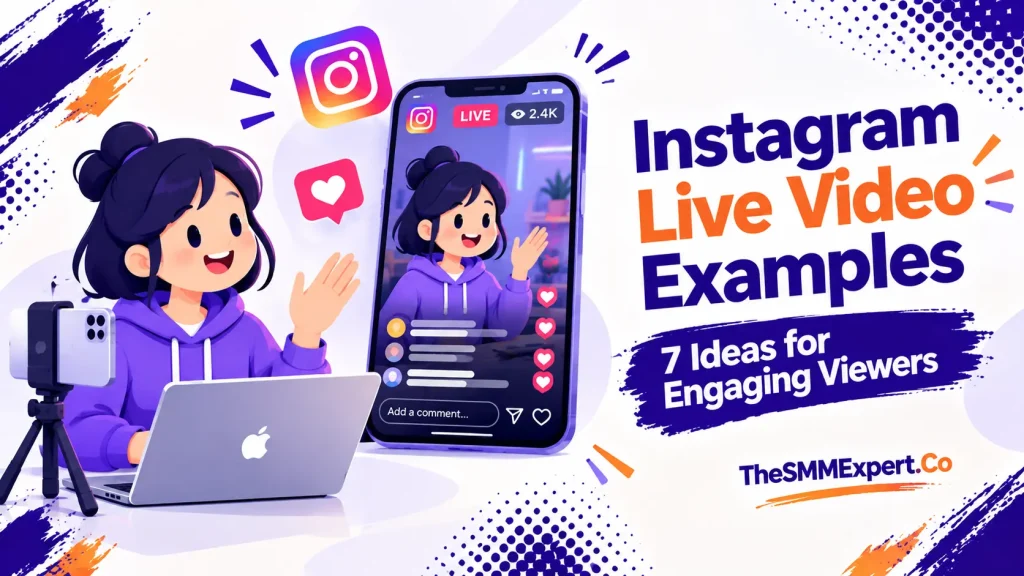
Instagram Live video examples include Q&A sessions, behind-the-scenes tours, tutorials, interviews, product launches, event coverage, and creator takeovers. Each gives viewers a real-time reason to watch, comment, and stay involved. The viewer’s role may be asking questions, learning a skill, seeing something exclusive, meeting a guest, or reacting to an announcement. Choose one clear topic, a simple opening, and a way to participate without long pauses, unclear audio, or private information on camera.
Instagram Live video ideas
These examples cover common goals, from answering audience questions to showing a product or event as it happens. Choose the format according to the viewer’s job: asking, learning, evaluating, or experiencing something with you. If another person’s perspective is the main value, invite a guest instead of hosting the entire Live yourself.
| Live video example | Best for | Recognizable example |
|---|---|---|
| Q&A session | Answering audience questions | Ask me anything |
| Behind-the-scenes tour | Showing exclusive access | Studio setup tour |
| Live tutorial | Teaching a clear skill | Makeup application demo |
| Guest interview | Sharing another person’s view | Founder interview |
| Product launch | Presenting something new | New collection reveal |
| Event coverage | Bringing viewers to an event | Live conference check-in |
| Creator takeover | Reaching another audience | Guest creator hosts |
Plan one clear audience action before you start. For a Q&A, collect questions in advance and repeat each one before answering. For a tutorial, list materials and show the finished result first. If viewers need product details, leave time for questions after the reveal. During event coverage, get permission before filming attendees or private areas. A takeover needs a brief introduction so new viewers understand the collaboration.
Q&A session
A Q&A session is a live broadcast where you answer questions from viewers about one focused subject. It suits creators, coaches, business owners, and community managers who already receive repeated questions in comments or direct messages.
This format works best when you set a topic before going live. A broad “ask me anything” session may attract questions, but a focused title gives viewers a clearer reason to join. You can collect questions beforehand, then leave time for new questions during the broadcast.
- Clarifies confusing points: Answer questions that repeatedly stop people from buying, joining, or starting.
- Builds direct trust: Let viewers hear your full answer instead of reading a short text reply.
- Finds future content ideas: Note questions that deserve a separate post, Reel, or longer tutorial.
- Handles objections openly: Explain limits, requirements, or common problems without hiding them.
Keep a short question list beside your phone. If comments slow down, move to the prepared questions instead of filling time with repeated greetings. You’ll also need a moderator if the audience is large enough that questions, spam, or personal information become hard to manage.
For example, a fitness coach could host “Beginner strength questions” and answer how to choose a starting weight, how often to train, and when to ask a qualified professional for help.
Behind-the-scenes tour
A behind-the-scenes tour shows how a product, service, event, or creative project is prepared. Unlike a Q&A, it gives viewers access to a place or process they normally don’t see, so it suits brands, artists, restaurants, studios, and event teams.
The setting is the main content. Walk through the space in a planned order, and tell viewers what they’re seeing before moving the camera. A fixed route keeps the broadcast easier to follow than turning the phone toward every interesting object.
- Makes a process visible: Show packing, setup, filming, decorating, or preparation.
- Creates exclusive access: Let viewers see work before the public launch or opening.
- Humanizes a brand: Introduce the people and decisions behind the finished result.
- Answers practical questions: Show size, materials, layout, tools, or preparation details.
The trade-off is control: a tour feels natural, but the camera can reveal private documents, customer details, or unfinished work. Check each area before you start, and keep confidential screens, addresses, and personal information out of view.
For example, a bakery could stream a 15-minute morning tour from the ingredient station to the ovens, showing how a day’s first batch is prepared without filming customer orders or private labels.
Live tutorial
A live tutorial teaches viewers how to complete a task while they watch. It suits people who can demonstrate a visible process, such as cooking, drawing, styling, repairing, crafting, or using software.
This format needs more preparation than a casual chat. Put every tool or ingredient within reach, test the camera angle, and decide what viewers should have ready. If the process has a safety risk, stop at the point where qualified training or professional equipment is needed.
- Shows each action clearly: Viewers can watch hand position, settings, or technique.
- Makes questions useful: People can ask about the exact step they’re following.
- Reveals real problems: Small mistakes can become helpful teaching moments.
- Creates reusable content: Save the broadcast only after checking the current Instagram controls and audience settings.
A live tutorial isn’t for viewers who need a polished, edited lesson with perfect pacing. They may prefer a recorded video, while live viewers usually value direct answers and real-time adjustments.
For example, a home cook could demonstrate one 20-minute pasta recipe, measuring each ingredient before the broadcast and showing the finished texture before ending the live.
Guest interview
A guest interview is a live conversation with another person who adds knowledge, experience, or a different point of view. It suits professional communities, fan groups, nonprofits, brands, and creators whose viewers want access to a specialist or collaborator
The guest should have a clear role, not just a recognizable name. Agree on the subject, opening question, time limit, and topics to avoid before the broadcast. Both speakers also need stable audio, suitable lighting, and a quiet place.
- Adds expert context: Let a qualified guest explain a difficult subject in plain language.
- Introduces a new audience: Invite someone whose community shares a relevant interest.
- Gives a personal story: Use open questions to reveal choices, setbacks, and lessons.
- Supports a launch: Discuss the reason, process, or use of a new project.
The main risk is uneven conversation. If one person speaks for too long, viewers may leave before the useful part. Prepare follow-up questions, but don’t read every line like a script.
For example, a small-business owner could interview a local designer about choosing packaging, asking for three practical checks before ordering printed boxes.
Product launch
A product launch live introduces a new product, service, collection, or feature while viewers can react and ask questions. It suits businesses with a clear announcement and enough detail to show, explain, or demonstrate.
A launch should give people more than a sales message. Show the product in use, explain who it’s for, state what it doesn’t do, and answer practical questions about access, fit, materials, or support. Check the official product information before making claims on camera.
- Shows the product in context: Demonstrate the use case instead of only displaying packaging.
- Explains the change: Compare the new version with the previous option using accurate details.
- Handles buying questions: Cover availability, timing, included parts, and support.
- Collects immediate reactions: Watch comments for confusion that needs a clearer explanation.
This example isn’t for a product that has no confirmed details yet. Delayed stock, changing prices, or unapproved claims can damage trust, so use the details on the product page or internal launch brief.
For example, a clothing brand could reveal one new jacket, show its pockets and fit on one model, answer sizing questions, and state where the official size chart can be read.
Other Instagram Live examples
These formats suit narrower goals and may need less preparation than a full launch or tutorial.
-
Event coverage: Use short live check-ins to show a conference, market, or performance from an approved location. Reach for it when viewers want atmosphere or access but can’t attend. Explain the setting briefly. Don’t stream private conversations or restricted areas without permission. If noise or weak reception makes the feed hard to follow, use brief updates instead.
-
Creator takeover: Let a guest creator host part of the broadcast for their audience. It fits collaborations with a shared topic. Agree on roles and moderation first, including who introduces the guest and answers questions. Give the guest a defined prompt, so the session doesn’t become two unrelated promotions. A co-host works best when both audiences have a reason to stay.
-
Live announcement: Share one important update, such as a schedule change, opening date, or community decision. Use it when the message needs context and questions. State the update early, then explain what changes and what viewers should do next. A short recorded post may be better if viewers only need one sentence. Keep unrelated announcements separate.
-
Community check-in: Ask members about progress, needs, or ideas around one shared project. It suits clubs, teams, and ongoing programs. Prepare two focused prompts and invite specific examples. Choose this when discussion matters more than presenting a finished result. If the group needs a formal decision, collect input live but use the agreed voting process afterward.
How to choose an Instagram Live format
Choose the format by starting with the viewer’s main action. If viewers need answers, choose Q&A session; if they need to see a process, choose Behind-the-scenes tour or Live tutorial. If they need another viewpoint, choose Guest interview; if they need to understand a new offer, choose Product launch.
Your available setting also matters. If you have a controlled space, clear tools, and a repeatable process, Live tutorial is a stronger fit. If the setting is active or changing, Behind-the-scenes tour or Event coverage may feel more natural, but you’ll give up some control over sound and framing.
Your guest list and audience reach can change the choice. A suitable collaborator points to Guest interview or Creator takeover, while a direct community need points to Q&A session or Community check-in. If you have no guest and no physical access to show, don’t force those formats.
These formats can be combined, but keep one main purpose. For example, a product launch can include a short guest interview and Q&A; if each part gets equal time, viewers may miss the product’s main message. Check Instagram’s official live video guide before broadcasting, because available controls can change by account, device, or app version.
Frequently asked questions
Can I use Instagram Live for a product launch?
A product launch can work on Instagram Live when the product details, availability, and audience message are ready. Show the product in use, answer practical questions, and say where viewers can check the official information. Don’t announce a date, price, feature, or stock level unless your current product information confirms it.
Why do people watch Instagram Live videos?
People watch Instagram Live videos for direct access, real-time answers, exclusive views, and the chance to influence the conversation. A live broadcast gives viewers a reason to comment because the host can respond immediately. That doesn’t guarantee strong attention, though. A clear topic, useful opening, and visible activity usually make the session easier to follow than an unplanned broadcast with long pauses.
How long should an Instagram Live video be?
A useful Instagram Live video can be 15 to 30 minutes when it has one focused goal and prepared talking points. A tutorial or interview may need longer, while a single announcement may need less time. End when questions stop producing useful discussion or the demonstration is complete. Don’t stretch a short message into a long live just to reach a time target.
Is it safe to show a workplace on Instagram Live?
It can be safe when you remove private information, get permission from people shown, and avoid restricted areas. Check screens, paperwork, shipping labels, customer details, entry points, and background conversations before starting. If you can’t control what the camera may reveal, use a fixed view or a recorded video instead. Stop the broadcast if private information appears and you can’t remove the risk.
What happens if nobody asks questions on Instagram Live?
If nobody asks questions, move to your prepared points instead of waiting silently. Explain the topic, demonstrate one useful step, or answer questions collected before the broadcast. You can also ask a simple choice question that viewers can answer quickly. If the audience stays quiet and the planned material is finished, end the live rather than repeating yourself or making unsupported claims.
Does it matter who hosts an Instagram Live?
Yes, the host should match the viewer’s reason for watching. A qualified person suits a technical explanation, a product user suits a personal demonstration, and a community leader suits a group check-in. The wrong host can make a useful topic feel unclear or promotional. Choose the person who can answer likely questions accurately and knows when to refer viewers to a specialist.
Start with one Instagram Live format
Start by choosing one viewer action: ask, watch, learn, meet, buy, or attend. Then shape the live around that action instead of trying to cover everything. Prepare the setting, opening point, and three questions or details that support it. If viewers should learn, plan one example they can see; if they should buy or attend, state the next step and where to find it.
A successful live should leave viewers with a clear answer, visible process, or useful next step. Test the camera, sound, lighting, and any screen or product before you begin, and keep private documents, addresses, and notifications out of view. Stop and get help from a qualified person if the broadcast could expose private information, create a safety risk, or require claims you can’t verify.
 Written byMatthew WilliamsMatthew Williams is a digital marketing writer and social media expert with over 8 years of experience. He works with Facebook, Gmail, and online reputation problems. He writes clear, useful content to help people, creators, and businesses fix Facebook problems, keep their pages safe, and use Meta’s tools more effectively. His work talks about Facebook Ads, Business Manager, keeping your pages safe, growing your audience.