On this page
- Who runs the ads when you advertise on Google
- What changes your ad results
- Setting up your first search campaign
- How situations change the setup
- Details that separate good ads from poor ones
- When your ads stop working
- Rules you have to follow
- What you actually spend
- Keeping your account healthy
- When search ads are the wrong choice
- Frequently asked questions
- Start your first campaign today
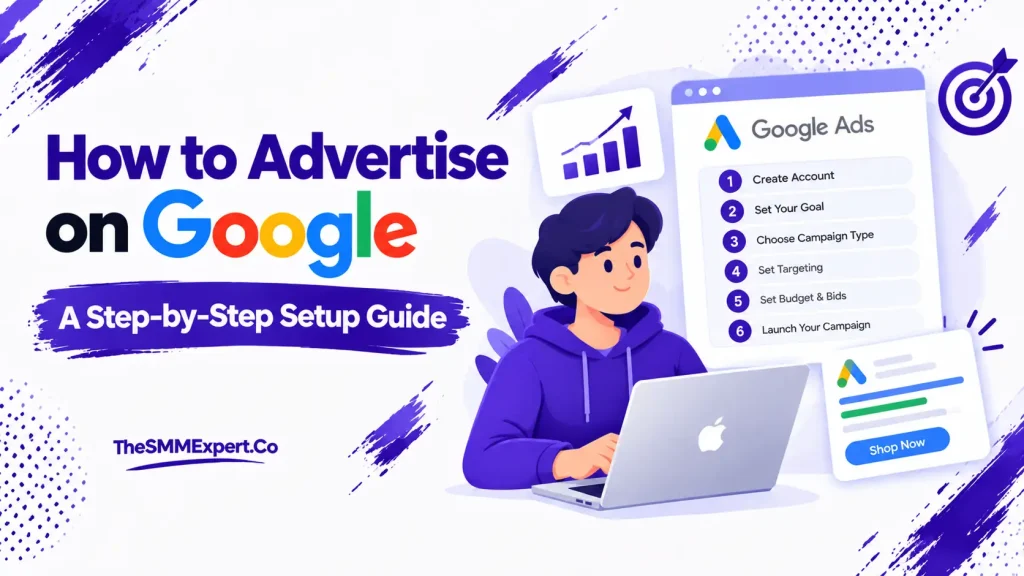
You run ads on Google by opening a Google Ads account, picking a campaign goal, setting a daily budget, choosing keywords, and writing the text people see. That’s how to advertise on google in plain terms. You pay only when someone clicks your ad, and you control every dollar you spend from the first day.
Your actual cost per click depends on three things: the industry you’re in, the specific words you bid on, and how relevant your landing page is to the searcher. The steps below walk through each one so you can set it up yourself.
Who runs the ads when you advertise on Google
A local shop owner usually needs ads that show up when someone nearby searches for their service. They’ve got a small budget and want phone calls or visits, not just website traffic. What they need is a search campaign with location targeting turned on tight.
An online store selling physical goods has different needs. They already have product photos and prices, so a Shopping campaign works better than plain text ads. They need to connect a product feed before anything else happens.
A marketing agency managing accounts for other businesses needs bulk tools and manager accounts. They aren’t looking for basic setup advice; they need optimization scripts and portfolio-level reporting.
This page serves the first two readers — the business owner running their own ads for the first time, or someone handling a single company’s account. It assumes you have a working website, a way to accept payments, and about an hour to build your first campaign. If you’re an agency looking for advanced automation, you’ll need documentation built for manager accounts instead.
The rest of this guide assumes you’re selling directly to customers who search for what you offer on Google.
What changes your ad results
Five things decide whether your money turns into customers or disappears. Getting even one wrong shifts the outcome heavily.
Keyword match type. This controls who sees your ad. Broad match shows your ad for loosely related searches, which spends money fast but brings in unqualified clicks. Exact match limits you to the specific phrase you chose, which costs more per click but wastes less budget. You pick this inside the keyword settings.
Quality Score. Google rates every keyword from 1 to 10 based on your ad text, expected click rate, and landing page experience. A score of 7 or higher means you pay less for the same ad position. You can read your exact score in the “Keywords” column of your dashboard. This is the factor people misunderstand most often — they think spending more fixes bad ads, but a low Quality Score makes high bids pointless.
Daily budget. This caps what you spend in 24 hours, and it’s inexpensive relative to the alternative. Your budget must match your average cost per click. If clicks in your field are expensive, a small daily budget only buys a few visitors.
Landing page relevance. Sending everyone to your homepage hurts your conversion rate. If your ad promises “red running shoes,” the click must land on a page showing red running shoes immediately. Check this by comparing your ad headline to the first thing visible on your linked page without scrolling.
Bidding strategy. Manual CPC lets you set a maximum price for each click. Automated strategies like Maximize Conversions let the system adjust bids for you. If you have fewer than 30 conversions in the last month, stick to manual bidding; if you have more, switch to automated.
Setting up your first search campaign
These steps assume you’re building a standard search campaign on a desktop browser. Mobile setup skips some options.
- Go to ads.google.com and sign in with your Google account. Click “New Campaign” on the main dashboard.
- Choose your objective. Pick “Sales” or “Leads” if you want direct actions. Select “Create a campaign without a goal’s guidance” if you want full control over every setting.
- Select “Search” as your campaign type. This puts text ads on the search results page.
- Name your campaign something you’ll recognize later, like “Plumbing – Dallas – Oct.” Set your start date. Leave the end date blank if you plan to pause it manually.
- Set your networks. Uncheck “Display Network.” Leaving it checked drains your budget on sites outside of search where intent is much lower. Keep “Search partners” checked only if your budget is inexpensive relative to the alternative.
- Choose your locations. Type your city or region. If you serve a 20-mile radius around a shop, select “Radius” and enter your address with the distance.
- Set your daily budget. Enter the amount you’re willing to spend every 24 hours. For a new account, start with an amount that’s inexpensive relative to the alternative until you see which keywords work.
- Pick your bidding strategy. Select “Manual CPC” for your first campaign. This stops the system from overspending while you learn what a click actually costs.
- Add your keywords. Type 10 to 15 phrases your customers use. Put brackets around them like [emergency plumber] to force exact match, or quotes like “plumber near me” for phrase match.
- Write your ad. Fill in 3 headlines (up to 30 characters each) and 2 descriptions (up to 90 characters each). Include your main keyword in the first headline.
- Enter your final URL. Paste the exact page you want visitors to land on, not your homepage.
- Add your payment method and click “Publish.”
The judgment call that separates a working campaign from a broken one is your negative keyword list. Before you publish, add words you don’t want to trigger your ad — like “free,” “jobs,” or “DIY.” Skipping this step means paying for clicks from people who were never going to buy anything.
If your business operates in a restricted category like healthcare or financial services, check Google Ads policies before you write your copy, because certain claims require prior authorization.
How situations change the setup
Different businesses need different campaign types. Using the wrong one wastes your budget immediately.
| Situation | What to do | What it takes | What to watch for |
|---|---|---|---|
| Local service business | Search campaign with radius targeting | 1 hour setup, $15+ daily | Wrong zip codes draining budget |
| Online retail store | Performance Max or Shopping campaign | Product feed required, 3 hours | Disapproved products pausing ads |
| Software or app | App campaign or Search | Tracking SDK installed, 2 hours | Paying for installs, not users |
| B2B consulting | Search campaign with exact match | High CPCs, smaller audience | Low volume stopping delivery |
| Brand protection | Branded search campaign | Very low CPCs, 30 minutes | Competitors bidding on name |
| Seasonal promotion | Scheduled search campaign | Set start/end dates | Forgetting to turn off |
Each row requires a different tracking setup. A local shop tracks phone calls; a software company tracks trial signups. Don’t mix these goals inside one campaign.
Details that separate good ads from poor ones
Writing copy that gets clicked
Your first headline must match the search query exactly. If someone types “buy leather boots,” your first headline should say “Buy Leather Boots.” Mismatched headlines drop click-through rates drastically.
Include a specific number in your description. Instead of “fast shipping,” write “ships within 24 hours.” Vague claims get ignored because every competitor uses them.
Use all available headline slots. Google rotates them to find the best combination. Leaving slots empty limits the system’s ability to test what works. Never put your company name in headline one unless you’re a famous brand — put the customer’s problem there instead.
Structuring your account properly
Keep one theme per ad group. If you sell shoes and hats, they belong in separate ad groups, not mixed together. Mixed groups force generic ad text that matches nothing well.
Limit each ad group to 15-20 keywords. Going past 30 means your ad text can’t stay relevant to all of them. You can check your keyword count on the ad group settings page.
Pause underperforming ads rather than deleting them. Deleted data is gone forever, and you’ll forget why a certain angle failed next month. Paused ads keep their history intact for review.
Set your ad rotation to “Optimize.” This tells the system to show the winning version more often after gathering enough impressions. Leaving it on “Rotate indefinitely” forces you to manually pick winners, which takes hours you don’t have.
When your ads stop working
Things break silently in paid search. Use this table to match what you see to the fix.
| What you notice | What it usually means | What to do first | How to stop it happening again |
|---|---|---|---|
| Zero impressions | Bid too low or paused | Raise bid or resume | Check status weekly |
| Clicks but no sales | Bad landing page match | Change final URL | Align ad text to page |
| Budget spent by noon | Broad match wasting money | Switch to phrase match | Review search terms daily |
| Ad disapproved | Policy violation in text | Read policy detail email | Check rules before editing |
| High cost per click | Low Quality Score | Improve landing page speed | Monitor scores monthly |
| Sudden traffic drop | Competitor raised bids | Check auction insights | Adjust bids gradually |
A zero-impression campaign almost always hides a billing failure rather than a bidding one. Credit cards expire on the first of the month without warning. The platform stops serving ads within hours of a declined charge.
Check your payment method before touching any bid. Updating an expired card restores delivery immediately. Raising bids on a suspended account just wastes your afternoon.
When clicks arrive but nothing sells, look at the device split first. Mobile traffic converts at roughly half the desktop rate for most stores. A campaign can look broken while only bleeding from phones.
Pause mobile devices if their conversion rate sits below one percent. Fix the checkout flow on small screens before turning them back on. This single step saves more budget than rewriting ad copy ever will.
Budget exhaustion by noon often points to one expensive keyword eating everything. Sort your search terms report by cost and look for the outlier. One broad term might spend eighty percent of your daily limit.
Add that exact term as a negative keyword right away. Then set a maximum cost-per-click cap on the remaining broad terms. This keeps your budget flowing through the entire day instead of vanishing by lunch.
Policy disapprovals frequently trigger from the destination URL rather than the ad text itself. The system scans your landing page for claims that violate advertising rules. A single unapproved health claim on your site blocks the whole ad group.
Read the specific policy cited in the notification email carefully. It tells you exactly which page element caused the rejection. Remove the offending claim from your site before resubmitting the ad for review.
Don’t panic if impressions dip slightly day to day. Search volume fluctuates naturally. Only act when a metric drops completely or stays down for three consecutive days.
Rules you have to follow
Advertising on this platform isn’t a free-for-all. Specific policies dictate what you can say and where your ads appear.
Restricted categories include alcohol, gambling, healthcare, and financial services. Each has its own certification process. You can’t run ads for prescription drugs without completing the pharmacy verification program first.
Trademark rules prevent you from using a competitor’s brand name in your ad text. You can bid on their name as a keyword, but the text itself can’t contain their trademarked term. Violating this gets your ad disapproved instantly.
Data collection rules matter too. If your landing page collects personal information, you must display a privacy policy. This aligns with general consumer protection laws enforced by bodies like the US Federal Trade Commission. Missing a privacy link on a lead form page will trigger a site suspension.
Misleading claims are banned entirely. You can’t promise guaranteed results, fake countdown timers, or false discounts. If your ad says “50% off today,” that sale must actually exist on the page.
If your business falls under legal, medical, or financial advice, you may need professional licenses verified before your ads go live. Operating without them risks a permanent account ban, which is handled by the platform’s internal compliance team.
What you actually spend
You pay per click, not per impression. Your total cost equals the number of clicks multiplied by the price of each one.
Average costs vary wildly by field. A click for “personal injury lawyer” might be expensive, while “handmade soap” could be inexpensive relative to the alternative. You can find your specific range by using the Keyword Planner tool inside your account before you spend anything. Type in your terms, and it gives you a low and high bid estimate.
Your daily budget acts as a hard ceiling on normal days. However, the system can spend up to twice your daily budget on high-traffic days, as long as your monthly total doesn’t exceed your daily limit multiplied by 30.4.
There’s no minimum spend required to open an account. You can start with an amount that’s inexpensive relative to the alternative. But if your average click is expensive, a small budget means you get very few visitors daily, which rarely produces enough data to optimize anything.
The trade-off is simple: a higher budget gathers data faster, letting you cut bad keywords sooner. A tiny budget stretches your learning phase across months. Calculate your target cost per acquisition first, then set a budget that allows at least 10 clicks per day to test it.
Keeping your account healthy
Setting up the campaign is only the first hour. The real work happens weekly.
Check your search terms report every seven days. This shows the exact phrases people typed before clicking. Add irrelevant ones as negative keywords immediately. Leaving this unchecked means paying for junk traffic indefinitely.
Use exact match negatives for single bad words. Use phrase match negatives when a specific combination causes the waste.
Monitor your Quality Scores once a month. If a score drops below 5, rewrite the ad text or improve the landing page load time. Ignoring a falling score slowly increases your cost per click every week.
A low score usually points to one specific failure. Check expected click-through rate and landing page experience separately in the columns.
Refresh your ad copy every few months. People get blind to the same text. Write two new variations and let them compete against your current winner.
Pause the old ads once a new version wins clearly. Keeping too many active splits your data and delays finding a true winner.
Track your conversion metrics carefully. If your cost per lead climbs above what a customer is worth to you, pause the campaign and rebuild the targeting. Don’t let a losing campaign run just because it’s active.
Check whether the spike comes from mobile devices or a single region. Narrow problems rarely require pausing everything at once.
When search ads are the wrong choice
Not every business should start here. Pushing forward when the setup is wrong burns money fast.
If nobody searches for your product yet, search ads fail. You can’t bid on keywords that don’t exist.
If you invented a completely new type of gadget, use YouTube video ads or social media campaigns to build awareness first. Search captures existing demand; it doesn’t create new demand.
People often mistake low search volume for low interest. A quick check in any keyword planner settles this. If monthly searches for your core terms stay under a few hundred, wait.
If your profit margin is very thin and your industry’s clicks are expensive, the math breaks. Selling an item with a small profit when clicks are expensive relative to the alternative means you lose money on every sale.
In this case, focus on organic search engine optimization or email marketing instead. High-ticket services absorb those same click costs easily. A single conversion covers hundreds of dollars in ad spend.
If you need massive brand visibility overnight, display or video campaigns work better. Search ads are small text lines. They don’t build visual recognition the way a banner or video does.
If your website is broken, loads slowly, or lacks clear pricing, fix that first. Sending paid traffic to a bad website is just buying expensive bounces.
Test your checkout flow on a mid-range phone over a cellular connection. Stop advertising until the site converts organic visitors properly.
Frequently asked questions
How long does it take for ads to show?
Ads usually start appearing within 24 hours after approval. Some restricted categories take up to 48 hours for manual review. If your ad says “Eligible” but shows zero impressions after two days, your bid is likely too low for the auction.
Can I pause my campaign anytime?
Yes, you can pause or resume a campaign instantly from the main dashboard. There are no contracts or cancellation fees. Pausing stops spending immediately, but historical data stays saved in your account.
Why was my ad disapproved?
Disapprovals happen for policy violations like restricted content, capitalization errors, or broken links. Check the “Status” column next to your ad for the exact reason. Fix the issue and click “Appeal” or save the ad to trigger another review.
Is it safe to use automated bidding?
It’s safe once your account has enough conversion data. Automated bidding needs at least 15 to 30 conversions in the past 30 days to work properly. Without that history, the system guesses blindly and overspends. Stick to manual bidding first.
How many keywords should I start with?
Start with 10 to 15 highly relevant keywords per ad group. Adding hundreds of broad terms spreads your budget too thin and lowers your Quality Score. You can always add more proven terms later.
Does my website speed affect my ads?
Yes, page speed directly impacts your Quality Score. Slow landing pages increase bounce rates, which signals to the system that your ad provides a poor experience. This raises your cost per click compared to faster competitors.
What happens if I run out of budget mid-day?
Your ads simply stop showing until the next day. You won’t be charged more than your daily limit. If you consistently run out by noon, either raise your budget or lower your maximum bids to stretch the money further.
Do I need a credit card to start?
You must add a valid payment method to publish ads. Credit cards and debit cards are accepted immediately. Bank transfers work in some regions but delay campaign activation by several days while the funds clear.
Start your first campaign today
Open your account, pick five exact-match keywords, and set a daily budget that’s inexpensive relative to the alternative. You’ll see your first impressions within 24 hours, and the search terms report will tell you exactly what people typed to find you. If your cost per click stays above your profit margin for three straight days, pause the campaign and ask for professional help.
Choose exact match because broad match will spend that same budget, which is inexpensive relative to the alternative, on loosely related searches by noon. Exact match forces the platform to show your ad only when someone types your specific phrase.
Add those five keywords as negative broad matches inside a separate list first. This prevents your new campaign from competing against itself during the first volatile week.
Check the search terms report every morning before ten. Three days of data is enough to spot wasted spend on a small budget.
 Written byMatthew WilliamsMatthew Williams is a digital marketing writer and social media expert with over 8 years of experience. He works with Facebook, Gmail, and online reputation problems. He writes clear, useful content to help people, creators, and businesses fix Facebook problems, keep their pages safe, and use Meta’s tools more effectively. His work talks about Facebook Ads, Business Manager, keeping your pages safe, growing your audience.