On this page
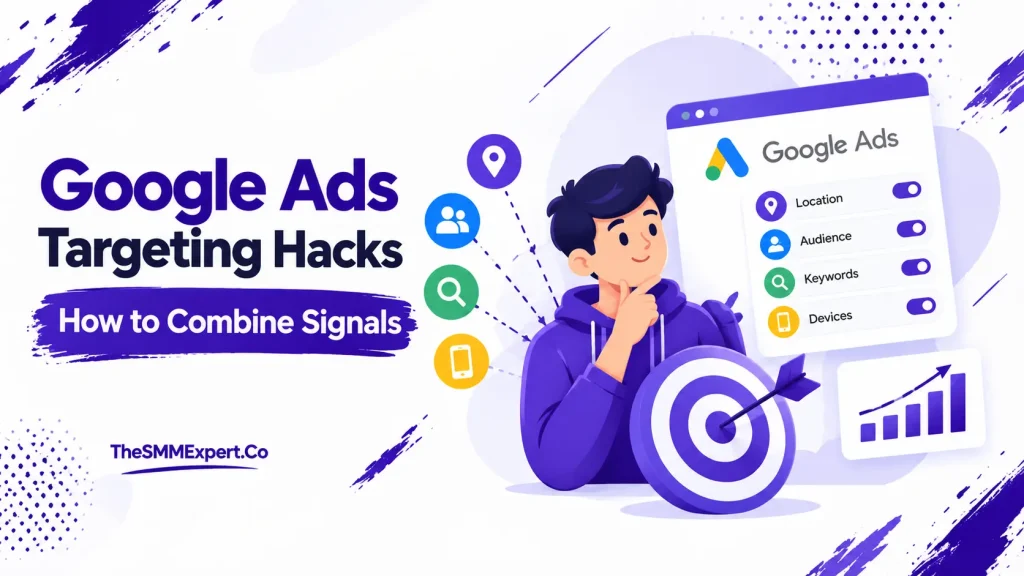
Google ads targeting hacks work best when you combine two or three signals, such as keyword, audience, location, device, and remarketing targeting, because each reaches people at a different point in the buying journey. They all help show ads to a chosen group instead of paying for every possible search or impression. Each uses a different signal, such as a search phrase, user interest, place, device, or past visit. Too many restrictions can cut useful traffic before enough data is available to judge the campaign.
Google Ads targeting types
These targeting types cover the main ways advertisers control who sees an ad and when.
| Targeting type | Best for | Recognizable example |
|---|---|---|
| Keyword targeting | Capturing active searches | “emergency plumber near me” |
| Audience targeting | Reaching user groups | Home improvement shoppers |
| Location targeting | Serving selected places | Austin, Texas |
| Device targeting | Adjusting by device | Mobile phone users |
| Remarketing | Reaching past visitors | Recent product viewers |
Keyword targeting
Keyword targeting connects your ad to words people type into Google Search, so it suits advertisers who want to capture existing demand. It’s strongest when the search phrase clearly shows a need, such as “book dog grooming today” rather than a broad phrase like “dogs.”
Use it when your offer matches a clear search problem:
- Capture high-intent searches: Terms with words such as “buy,” “quote,” “book,” or “near me” often show a stronger action than general research terms.
- Control relevance: A tightly related keyword and landing page can reduce wasted clicks from people looking for something else.
- Separate customer stages: Research phrases can use different ads and pages from purchase-ready phrases.
- Test search language: The Search terms report can show the real phrases that triggered your ads.
Check the current Google Ads interface before making large changes, because available controls and recommendations can change.
The main trade-off is reach versus control. If you use narrow matching, you may lose useful searches; if you use broad matching without strong conversion signals and negative keywords, irrelevant clicks can spend your budget.
A common mistake is treating a keyword as an exact copy of every search a person will type. That can lead to too many tiny ad groups, slow learning, and missed variations. Use the search terms report, add clear irrelevant terms as negative keywords, and keep only exclusions you can explain.
If the goal is immediate bookings, start with high-intent commercial phrases; if the goal is market discovery, test broader phrases with a small budget and close monitoring. Keyword targeting isn’t for a business with no clear search demand, because people must already be looking for a related solution.
For example, a local electrician could target “licensed electrician in Phoenix” and send that search to a page about service areas, call options, and emergency appointments.
Audience targeting
Audience targeting uses signals about user interests, activity, or relationship with your business instead of relying only on the current search phrase. It suits advertisers who need to reach likely customers before they search, or who want different messages for new and returning visitors.
Use it when the customer group matters as much as the immediate query:
- Reach active researchers: In-market audiences can help find people showing recent interest in a product or service category.
- Build awareness: Affinity-style groups can support campaigns aimed at broad interests rather than one urgent need.
- Adjust existing traffic: Observation settings can show which audiences perform better without blocking other users.
- Change the message: Returning visitors may need proof, pricing, or a reminder instead of a basic introduction.
Audience signals are useful, but they’re not proof that every person will buy. A person researching a category may still be comparing prices, reading for school, or helping someone else. Use audience data to guide bids, creative, and landing pages, then judge it by conversions and business value.
The trade-off is scale versus certainty. Audience groups can find people earlier than keyword targeting, but their intent may be weaker. If you need measurable sales today, use audience targeting alongside high-intent search terms rather than replacing them.
This method isn’t for campaigns with no conversion tracking or no clear customer definition. Without a useful conversion action, you won’t know whether an audience created sales or only added impressions and clicks.
If your service is expensive, create separate messages for researchers and past visitors. A researcher may need a comparison guide, while a past visitor may respond better to a consultation form.
For example, a home remodeling company could observe users interested in kitchen remodeling, then compare their lead rate with general search traffic before changing bids or budgets.
Location targeting
Location targeting limits delivery by country, state, city, postal area, or another available geographic setting. It suits local businesses, regional services, and companies that can only sell in certain places.
Use it when the customer’s location changes whether the offer is useful:
- Protect local budgets: Exclude areas your team can’t serve or where delivery costs make the sale unprofitable.
- Adapt the message: A city name, service area, or local appointment detail can make an ad more relevant.
- Compare markets: Separate campaigns by region when prices, competition, or sales value differ.
- Support local actions: Calls, directions, and store visits matter more when the customer can reach you.
Check the campaign’s location options carefully. A setting based on people physically in an area is different from one that can include people who showed interest in that area. If your business only serves people who are there now, choose the narrower option available in your account and review the result.
The trade-off is coverage versus efficiency. A small radius may reduce wasted clicks but also exclude people who travel, commute, or search from outside the area. A wide region may create more volume, but you’ll need exclusions and location reporting to control it.
Location targeting isn’t for a business that sells everywhere at the same price unless local performance or messaging genuinely differs. Adding dozens of tiny areas can also split data so much that no area gets a useful signal.
If an area produces leads but no completed sales, don’t keep it because its click-through rate looks good. Check the sales data, then reduce exposure or remove the area if the final value is poor.
For example, a dentist in Columbus could target the city and nearby suburbs, exclude places outside the appointment area, and use a landing page that names the actual office location.
Device targeting
Device targeting helps you compare or adjust delivery across phones, tablets, computers, and other supported device categories. It suits advertisers whose landing page, checkout, phone process, or conversion rate changes by device.
Use it when the device changes the customer’s experience:
- Improve mobile lead flow: Send phone users to a fast page with a clear tap-to-call option.
- Protect desktop sales: Keep desktop traffic strong when a complex form or software demo works better on a larger screen.
- Find broken journeys: Compare clicks with calls, forms, purchases, and qualified leads by device.
- Match creative to behavior: A short mobile message may work better than a long explanation.
A device adjustment can’t repair a poor mobile page. Check loading, readable text, tap targets, form fields, and phone tracking before assuming the device is the problem. If one device has fewer conversions, compare conversion quality and conversion volume; a lower rate alone doesn’t prove it should be reduced.
The main trade-off is efficiency versus reach. Restricting devices can improve results when one journey clearly fails, but it can also remove people who start on one device and finish on another. Cross-device behavior makes simple last-click comparisons incomplete.
Device targeting isn’t for an account with very few conversions, because small samples can make normal variation look like a reliable pattern. Wait for enough business data to support a change, and read the conversion action definition before acting on the report.
For example, a B2B software company may find that phone users read the pricing page but complete demo forms on desktop, so it can use mobile ads to encourage a call rather than forcing a long form.
Other Google Ads targeting options
These options add useful signals when the main five don’t cover the full buying path.
- Remarketing: Reaches people who previously visited your site or interacted with your business. Use it for product reminders, abandoned forms, or follow-up messages, but set a sensible audience window and exclude people who already converted when the offer is a one-time purchase.
- Demographic targeting: Uses details such as age range, gender, or household information where Google makes the signal available. It can help with reporting and testing, but don’t assume a demographic label proves buying intent.
- Content targeting: Places ads near relevant content, topics, or placements, mainly in display-style campaigns. It suits awareness and contextual reach, but the page topic doesn’t guarantee that the reader wants your offer.
- Life-event or custom segments: Helps reach users around selected interests, behaviors, or events when the campaign type supports them. Use these only when the audience description matches your real customer and you can measure the resulting action.
How to choose targeting
Start with the customer signal closest to the action you want. If people are already searching for your service, choose Keyword targeting; if they need to be found before a search, test Audience targeting; if serviceability changes by place, add Location targeting; if the conversion path differs by screen, compare Device targeting; and if visitors leave before acting, use Remarketing.
Your available data should decide how narrow you go. A new campaign with no conversion history usually needs enough reach to collect useful evidence, while an established campaign can split audiences, places, or devices when the sales data supports it. Don’t create separate campaigns just because the labels look tidy.
If your budget is limited, protect the signal closest to revenue first. For a local emergency service, that may mean high-intent keywords plus a tight location; for a subscription product, it may mean audience testing followed by remarketing.
The result you want also changes the choice. Use search terms and location reports for direct demand, audience reports for assisted discovery, and device reports for landing-page or checkout problems. Judge the setup with the business result you actually care about, such as qualified leads or completed purchases.
These methods can be combined, but each added restriction reduces the number of people eligible to see an ad. If X is a serviceable local area, use location targeting; if Y is a nationwide product with no local difference, don’t force a city-by-city structure. Performance varies with the offer, competition, tracking quality, and landing page; read your conversion and search-term reports to see your own value.
Frequently asked questions
Can Google Ads target specific people?
Yes, Google Ads can target groups using keywords, locations, devices, audiences, and past interactions, but it doesn’t guarantee that every selected person is ready to buy. The available controls depend on the campaign type and Google’s current policies. Use targeting to define who may see an ad, then use conversion data to learn which users create useful business results.
Why are my Google Ads clicks irrelevant?
Irrelevant clicks usually come from a mismatch between the search, keyword settings, ad message, and landing page. Review the Search terms report, add clear unwanted themes as negative keywords, and rewrite ads that promise something the page doesn’t provide. If broad reach is producing poor traffic, reduce expansion only after checking whether tracking or the landing page is causing the weak result.
How long should I test a targeting change?
Give a change enough time to collect comparable conversion data, not just a fixed number of days. The needed period depends on traffic, conversion volume, sales delay, and budget. Compare the same conversion action and attribution setting before and after the change. If the change creates clearly irrelevant traffic or unacceptable spend, pause it sooner rather than waiting for a complete test.
Is remarketing safe for every business?
No, remarketing isn’t suitable for every business, message, or audience. It must follow Google Ads policies and privacy rules in the places where you advertise. Avoid sensitive assumptions in ad copy, provide required disclosures and consent choices where applicable, and exclude converted users when continued advertising would be confusing or inappropriate.
What happens if I use too many targeting restrictions?
Too many restrictions can sharply reduce eligible traffic and leave you with weak evidence. The campaign may receive few impressions, clicks, or conversions, so you can’t tell whether the offer failed or the audience was simply too narrow. Start with the strongest business constraint, such as service area, then add another restriction only when the data shows it helps.
Does device targeting still matter for mobile-first campaigns?
Yes, it can still matter when phone users and computer users take different actions. A phone user may call, while a computer user may complete a long form or purchase. Compare qualified outcomes by device, not clicks alone. If the customer journey crosses devices, use device data to improve the experience instead of blocking one device automatically.
How many targeting methods should one campaign use?
Start with two or three methods when they reflect real business conditions, such as keyword plus location or audience plus remarketing. There’s no useful universal maximum because campaign type, budget, and conversion volume change the answer. Add one method at a time, name the business reason, and remove it if it lowers qualified results without improving efficiency.
Google Ads targeting next steps
As your next step, write down your service area, highest-value customer action, and strongest buying signal, choose the matching targeting type, and monitor for relevant search terms, qualified locations, or useful device differences. If tracking breaks, policy warnings keep blocking delivery, or spending can’t be tied to real business results, stop making changes and contact a qualified Google Ads specialist.
 Written byMatthew WilliamsMatthew Williams is a digital marketing writer and social media expert with over 8 years of experience. He works with Facebook, Gmail, and online reputation problems. He writes clear, useful content to help people, creators, and businesses fix Facebook problems, keep their pages safe, and use Meta’s tools more effectively. His work talks about Facebook Ads, Business Manager, keeping your pages safe, growing your audience.