On this page
- How the Google Ads auction sets your cost
- Setting up your first campaign budget
- Campaign numbers and settings to track
- Why some accounts stay profitable
- Fixing sudden drops or spikes
- Rules and billing thresholds
- Keeping your campaigns healthy
- When paid search is the wrong choice
- Frequently asked questions
- Conclusion
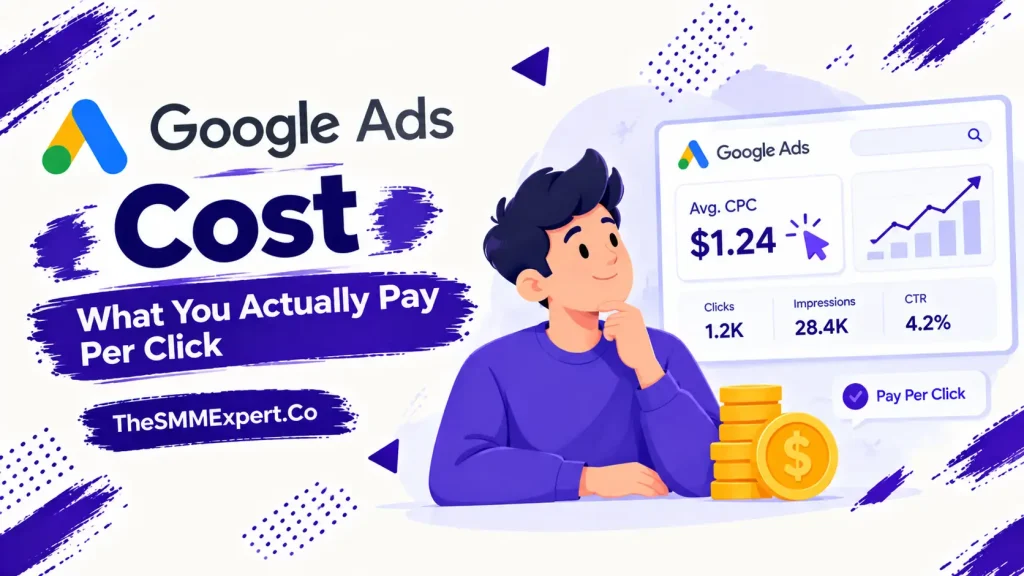
The average google ads cost sits between $1 and $2 for every click on the search network. That’s the figure most small businesses see when they start, though it shifts depending on your industry and the exact words you bid on. You set a daily budget yourself, so you’re never forced to spend more than you planned. The display network is cheaper, usually landing under $1 per click. This guide covers how the auction actually works, where your money goes, the settings that stop waste, and the limits you’ll hit along the way.
How the Google Ads auction sets your cost
You don’t buy a fixed spot on the page. You enter an auction every time someone searches for the words you picked. Your actual charge comes from a formula that mixes your maximum bid with a score Google gives your ad, called Quality Score. That score looks at how relevant your text is, how good your landing page feels, and how often people click your ad compared to others.
This setup means you can pay less than a competitor who bids more. If your ad answers the searcher’s question better, the system rewards you with a lower bill. It’s not just about who has the deepest pockets.
Small businesses use this to find customers actively looking for their service right now. A local plumber or an online shoe store both rely on the same auction mechanics to get in front of buyers. It’s built for anyone willing to test and adjust their approach.
People often think they have to match the highest bid in their market to show up at all. That isn’t true. You only need to beat the person directly below you by one cent, adjusted for your Quality Score. Bidding blindly high just drains your account faster without guaranteeing better placement.
The amount you finally pay is the minimum needed to keep your position above the next advertiser. You might set a limit of $3.00 but only get charged $1.45 if the competition is weak. The math happens instantly behind the scenes.
If you’re running campaigns in heavily regulated fields like healthcare or finance, specific rules apply to what you can say. Check Google Ads policies before writing your text, as a rejected ad still costs you time even if it doesn’t cost you money.
Setting up your first campaign budget
Getting started requires a few clear choices about where your money goes each day. Follow these steps to build a campaign that stays within your limits while gathering real data.
- Pick your daily budget. Start with an amount you’re comfortable losing entirely while you learn. For a local service business, $15 to $30 a day is a safe testing range. Multiply that by 30 to see your monthly exposure.
- Set a maximum cost-per-click limit based on your profit margins. If you sell a $50 item with a $20 profit, you can’t afford $5 clicks unless one in four buys.
- Select exact and phrase match keywords. Broad match sends your ad out for loosely related searches, which burns cash fast. Stick to exact match (words in brackets) or phrase match (words in quotes) to control who sees you.
- Add negative keywords immediately. These are words you don’t want to trigger your ad. If you sell new furniture, add “used”, “cheap”, and “repair” as negatives on day one. This stops irrelevant clicks from eating your budget.
- Write three distinct ads per group. Give the system options to test against each other. Include the keyword in the headline, state a clear benefit, and end with a specific action like “Get a quote today.”
- Set a geographic boundary. If you only serve one city, restrict your ads to that zip code or radius. Showing up nationwide when you can’t deliver there wastes every dollar spent outside your area.
- Link your conversion tracking. You won’t know if your spending works without measuring actions. Install the tracking tag on your thank-you page or link your analytics tool before turning the campaign live.
The single choice that separates a profitable account from a wasteful one is deciding what a conversion is worth before you launch. If you don’t know your target cost per lead, you’ll keep raising bids hoping for volume.
Pick a number based on your actual sales data. If your close rate is low, you need cheaper clicks; if your close rate is high, you can afford to bid more aggressively. Adjust your limits only after you’ve collected enough clicks to trust the pattern.
Campaign numbers and settings to track

These figures tell you whether your spending is working or just disappearing. Keep them visible on your dashboard so you don’t have to dig through menus to find your health metrics.
| Situation | What to use | How long | What to watch for |
|---|---|---|---|
| Testing a new local keyword | $10–$20 daily budget | 14 days minimum | Zero conversions after 50 clicks means the offer or page needs work |
| Running national e-commerce | Maximize conversions bidding | 30 days to stabilize | Cost per sale creeping above your product’s profit margin |
| Retargeting past visitors | Frequency cap of 3 per day | Ongoing | Ad fatigue causing click-through rates to drop below 0.5% |
| Highly competitive legal terms | Manual CPC with strict limits | Continuous | Paying over $50 per click without phone calls coming through |
| Brand name protection | Exact match on your own name | Always on | Competitors bidding on your company name and stealing traffic |
Your click-through rate shows if your text matches what people want. Anything below 2% on the search network usually means your ad copy doesn’t connect with the keyword. Don’t ignore a low rate for weeks while paying for impressions that go nowhere.
Conversion rate matters more than cheap clicks. Getting traffic for ten cents means nothing if nobody buys. A higher click price that brings ready-to-buy customers always beats cheap traffic that bounces immediately.
Review these numbers weekly rather than daily. The system needs time to smooth out random spikes. Checking every hour leads to panic adjustments that ruin the algorithm’s learning phase. Let the data settle before changing your bids.
Why some accounts stay profitable
Accounts that make money share a few quiet habits. They don’t just launch ads and walk away. They treat the platform like a machine that needs constant tuning, checking specific levers every week to keep performance steady.
They organize their keywords tightly. Instead of dumping fifty words into one bucket, they group closely related terms together. This lets them write ad text that exactly matches the search. When someone types “emergency roof repair,” the ad says “emergency roof repair,” not just “roofing services.” That tight match pushes the Quality Score up, which pulls the final price down.
They also check the search terms report regularly. This report shows the exact phrases people typed before clicking. It reveals wasted spending quickly. If you sell luxury watches and see clicks from people searching for “watch battery replacement,” you add those words to your negative list right away. Leaving them active bleeds money slowly over months.
Where the money actually leaks
The biggest drain comes from leaving broad match keywords running without supervision. Broad match allows the system to guess what you mean, and its guesses often include irrelevant searches. A plumber bidding on “pipe” might end up paying for clicks from people looking for musical instruments or software commands. Switching to phrase or exact match stops this immediately.
Another leak happens when mobile and desktop traffic sit in the same campaign without bid adjustments. Mobile clicks often convert differently than desktop ones. If your site is hard to use on a phone, you’re paying full price for visitors who leave instantly. Lowering your mobile bid by 20% or 50% keeps your budget focused on devices that actually bring sales.
Finally, ignoring the time of day wastes funds. If your business only answers phones between 9 AM and 5 PM, running ads at midnight generates clicks no one will follow up on. Use an ad schedule to turn off spending during hours you can’t serve the customer.
Fixing sudden drops or spikes

When your numbers shift unexpectedly, the cause usually hides in a recent change or a competitor’s move. Match the symptom to the likely reason below so you can act instead of guessing.
| What you notice | What it usually means | What to do first |
|---|---|---|
| Clicks doubled but sales stayed flat | Broad match pulled in unrelated searches | Pause the campaign and review the search terms report for junk queries |
| Cost per click jumped overnight | A new competitor entered the auction bidding aggressively | Check the auction insights report to see who appeared alongside you |
| Ads stopped showing completely | Your credit card failed or you hit your account billing limit | Update your payment method in the billing section immediately |
| Conversion rate dropped suddenly | Your landing page broke or loads too slowly on mobile | Open your website on a phone yourself and test the checkout flow |
| High impressions but zero clicks | Your ad ranks too low on the page to be noticed | Raise your bid slightly or rewrite the headline to stand out more |
Don’t change five things at once when you spot a problem. If you adjust your bid, swap your text, and change your targeting on the same day, you won’t know which move fixed the issue. Make one change, wait three days, and measure the result.
Sometimes a spike isn’t a mistake. Seasonal events drive up prices naturally. If you sell flowers in February, expect to pay more per click than you did in October. Plan your budget around your industry’s calendar instead of fighting normal market behavior.
If your account gets suspended, don’t create a second one to bypass it. That violates the rules and leads to a permanent ban. Read the suspension email carefully, fix the specific policy violation, and submit an appeal through the official channel.
Rules and billing thresholds

The platform operates on a post-pay model for most accounts. You run ads first, and the system charges your card later. It bills you either when you reach a specific spending threshold or after 30 days, whichever comes first. New accounts usually start with a low threshold, like $50, which increases automatically as you pay successfully.
You must follow strict content policies. Prohibited items include counterfeit goods, dangerous products, and dishonest behavior. Restricted content, like alcohol or gambling, requires special certification and only runs in allowed regions. Breaking these rules doesn’t just pause your ads; it can shut down your entire account permanently.
Tax collection depends on your location. In many countries, digital advertising taxes or VAT apply to your bill. The amount added varies by jurisdiction, so check your local tax authority’s guidance on digital services to see what applies to your business.
There’s no minimum contract length. You can pause everything tomorrow if you want. However, stopping abruptly resets the algorithm’s learning phase. If you restart later, you’ll pay higher prices again while the system relearns who clicks your ads.
If you handle sensitive customer data through lead forms, privacy laws like GDPR or CCPA dictate how you store and use that information. Managing large-scale compliance across borders carries legal risk, so consult a data privacy professional before launching international lead generation campaigns.
Keeping your campaigns healthy
Once your ads are running and bringing in customers, the work shifts to maintenance. You don’t need to rebuild everything weekly, but you can’t ignore the dashboard either. Neglect causes slow decay in performance.
Check your search terms report every seven days. Add new negative keywords whenever you spot irrelevant phrases triggering your ads. This habit alone saves more money than almost any other action you can take.
Rotate your ad copy every few months. People get tired of seeing the same message, and your click-through rate will slide downward. Write two new variations to compete against your current winner. Let them run side by side until one clearly performs better, then pause the loser.
Watch your landing page speed. A page that took two seconds to load last month might take five seconds today because someone added a heavy image. Slow pages kill conversions regardless of how good your ad is. Test your site monthly using free tools to catch slowdowns early.
Keep your billing information updated. An expired credit card stops your ads instantly, sometimes during your busiest sales period. Set a calendar reminder to check your payment methods before they expire.
The frequency of deep audits depends on your spending level. Small budgets need a quick look twice a month. Larger accounts spending thousands daily require weekly reviews of bid strategies and audience segments to prevent waste from compounding.
When paid search is the wrong choice

Not every business should pour money into the search network. Some situations call for a completely different approach, and forcing this channel to work will only drain your funds.
If your product costs less than $10 and has thin margins, paying $1 or $2 per click makes profitability nearly impossible. You’d need an unrealistically high conversion rate just to break even. For cheap physical goods, organic social media or marketplace platforms where listing fees are lower usually make more sense.
When your target audience doesn’t actively search for your solution, waiting for them to type keywords fails. If you invented a product people don’t know exists yet, they won’t search for it. In that case, visual platforms or video ads that interrupt and educate work better than text-based search results.
Businesses with extremely long sales cycles—like enterprise software taking a year to close—struggle to track direct returns here. The click happens in January, but the deal signs in December. Attribution breaks down over that gap. Account-based marketing or direct outreach often yields clearer results for complex B2B deals.
If your website converts poorly and you haven’t fixed it yet, buying traffic just multiplies your losses. Spend your budget on improving your landing pages first. Once your site turns visitors into buyers reliably, then turn on the faucet.
Frequently asked questions
How much does a single click cost?
A click on the search network averages between $1 and $2 across all industries, assuming standard English-language markets. Highly competitive fields like insurance or law push that figure much higher, sometimes past $50 per click. Your actual price depends on your Quality Score and what competitors bid. You can see your specific average by checking the “Avg. CPC” column in your campaign dashboard after running ads for a few days.
Can I set a maximum monthly limit?
Yes, you control spending by setting a daily budget. Divide your desired monthly limit by 30.4 to get your daily number. Keep in mind the system might spend up to twice your daily budget on busy days, but it won’t exceed your daily limit multiplied by 30.4 over a full month. If you need absolute certainty, use shared budget caps at the account level.
Why are my competitors paying less per click?
They likely have a higher Quality Score. The system rewards ads that match the user’s intent perfectly and lead to fast, useful landing pages. If their historical click-through rate is better than yours, they win the same ad spot for less money. Improving your ad relevance and page experience is the only reliable way to lower your own prices over time.
Is it safe to use automated bidding?
It’s safe once your account has gathered enough conversion data. Automated strategies need at least 15 to 30 conversions in the past month to function correctly. If you switch to automation too early, the system guesses blindly and overspends. Start with manual bidding, prove your campaign works, and only hand control over when you have consistent sales or leads recorded.
What happens if I pause my campaigns?
Your ads stop showing immediately, and you won’t be charged for any new clicks. However, pausing halts the algorithm’s learning process. When you resume, the system treats it almost like a fresh start, meaning your prices might fluctuate wildly for a few days. If you need to reduce spending temporarily, lowering your daily budget is usually smoother than pausing completely.
How long until I see real results?
Expect to wait two to four weeks before trusting your data, assuming a daily budget of at least $20. The first week involves the system testing different auctions and learning who clicks. Making major changes before day 14 interrupts that learning phase. Give the campaign enough time and clicks to show a clear pattern before deciding if it works.
Can I run ads without a website?
No, you need a destination for people to land on after they click. However, you don’t necessarily need a traditional multi-page website. Smart campaigns allow you to use a basic business profile as your destination, so you can run ads even if you lack a traditional website entirely.
Conclusion
Every account tells a different story based on its industry, location, and offer. The figures here give you a starting point, but your own dashboard holds the truth. Watch your cost per acquisition closely, cut what doesn’t convert, and scale the keywords that bring real customers through the door.
 Written byMatthew WilliamsMatthew Williams is a digital marketing writer and social media expert with over 8 years of experience. He works with Facebook, Gmail, and online reputation problems. He writes clear, useful content to help people, creators, and businesses fix Facebook problems, keep their pages safe, and use Meta’s tools more effectively. His work talks about Facebook Ads, Business Manager, keeping your pages safe, growing your audience.